st.dataframe() in Streamlit
st.dataframe() is used to display a pandas DataFrame (or any tabular data) in an interactive, scrollable table inside your Streamlit app.
It supports:
- Column sorting
- Horizontal & vertical scrolling
- Resizing columns
- Expanding large datasets
Syntax
st.dataframe(
    data=None,
    width="stretch",
    height="auto",
    *,
    use_container_width=None,
    hide_index=None,
    column_order=None,
    column_config=None,
    key=None,
    on_select="ignore",
    selection_mode="multi-row",
    row_height=None,
    placeholder=None
)
The function has the following parameters:
- data: The data to display (usually a pandas DataFrame or NumPy array)
- width: Optional. Width of the table in pixels
- height: Optional. Height of the table in pixels
- use_container_width: If True, the table expands to fit the app’s width
Example: Basic usage.
Python
import streamlit as st
import pandas as pd

# Create sample data
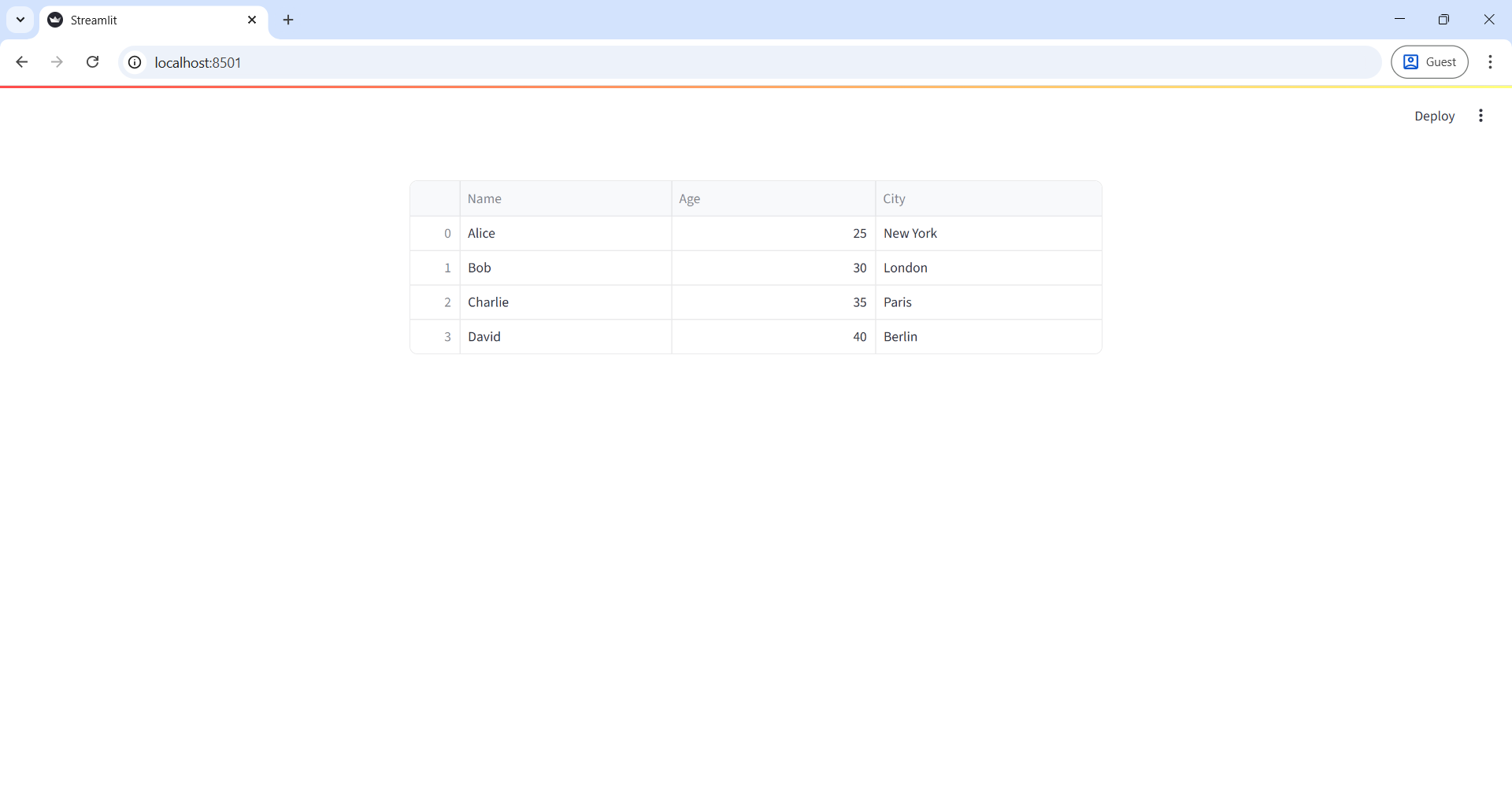
data = {
    'Name': ['Alice', 'Bob', 'Charlie', 'David'],
    'Age': [25, 30, 35, 40],
    'City': ['New York', 'London', 'Paris', 'Berlin']
}

df = pd.DataFrame(data)

# Display dataframe
st.dataframe(df)  # Interactive table
Output: An interactive table where you can:
- Scroll through rows
- Sort columns
- Adjust column width
Example: Combine with File Uploader
Python
import streamlit as st
import pandas as pd

uploaded_file = st.file_uploader("Upload a CSV file", type="csv")

if uploaded_file:
    df = pd.read_csv(uploaded_file)
    st.success("✅ File uploaded successfully!")
st.dataframe(df, use_container_width=True) - The uploaded CSV file is displayed as an interactive table.
- The table automatically adjusts to the container width.