st.checkbox() in Streamlit
The checkbox is a boolean input widget that allows users to select or deselect an option. It returns True when checked and False when unchecked.
Syntax
st.checkbox(
    label,
    value=False,
    key=None,
    help=None,
    on_change=None,
    args=None,
    kwargs=None,
    *,
    disabled=False,
    label_visibility="visible",
    width="content"
)
The function has the following parameters:
- label: Text displayed next to the checkbox.
- value: Default state (True for checked, False for unchecked). By default, it is unchecked.
- help: Tooltip text displayed when hovering over the checkbox.
- disabled: If True, the checkbox is not clickable.
- label_visibility: "visible", "hidden", or "collapsed".
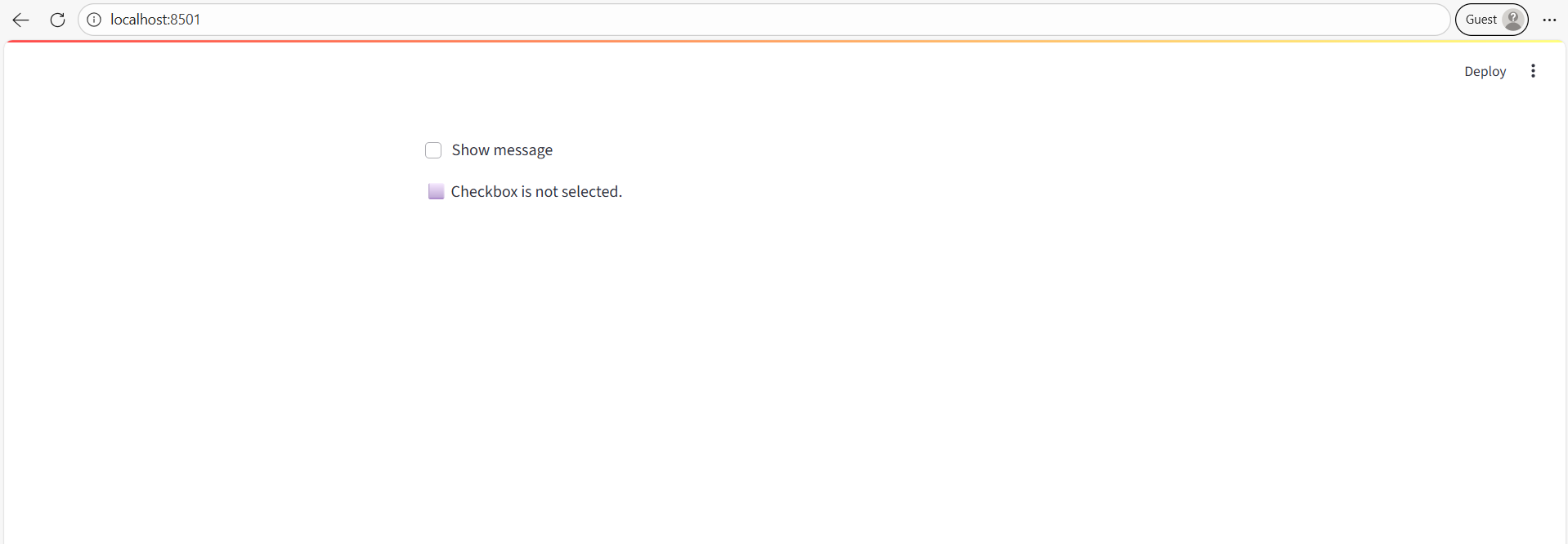
Example: Basic checkbox.
Python
# Import the Streamlit library
import streamlit as st

# Create a checkbox
show_text = st.checkbox("Show message")

# Display text only if checked
if show_text:
    st.write("✅ Checkbox is selected!")
else:
    st.write("⬜ Checkbox is not selected.")
Output: When you tick the box, the message appears dynamically.