selectbox method in Streamlit
The selectbox() method creates a dropdown menu in your Streamlit app where the user can select one option from a list. It is useful for filtering data, choosing models, selecting parameters, and more.
Syntax
st.selectbox(
    label,
    options,
    index=0,
    format_func=special_internal_function,
    key=None,
    help=None,
    on_change=None,
    args=None,
    kwargs=None,
    *,
    placeholder=None,
    disabled=False,
    label_visibility="visible",
    accept_new_options=False,
    width="stretch"
)
The function has the following parameters:
- label (str): A short label explaining to the user what this select widget is for.
- options: A list, set, or other iterable containing the selectable values.
- help: Tooltip help text shown when hovering over the widget.
- index: The index of the preselected option on first render. If set to None, the selectbox starts empty. Default is 0 (first option).
Example: Basic Usage
Python
import streamlit as st

# List of options
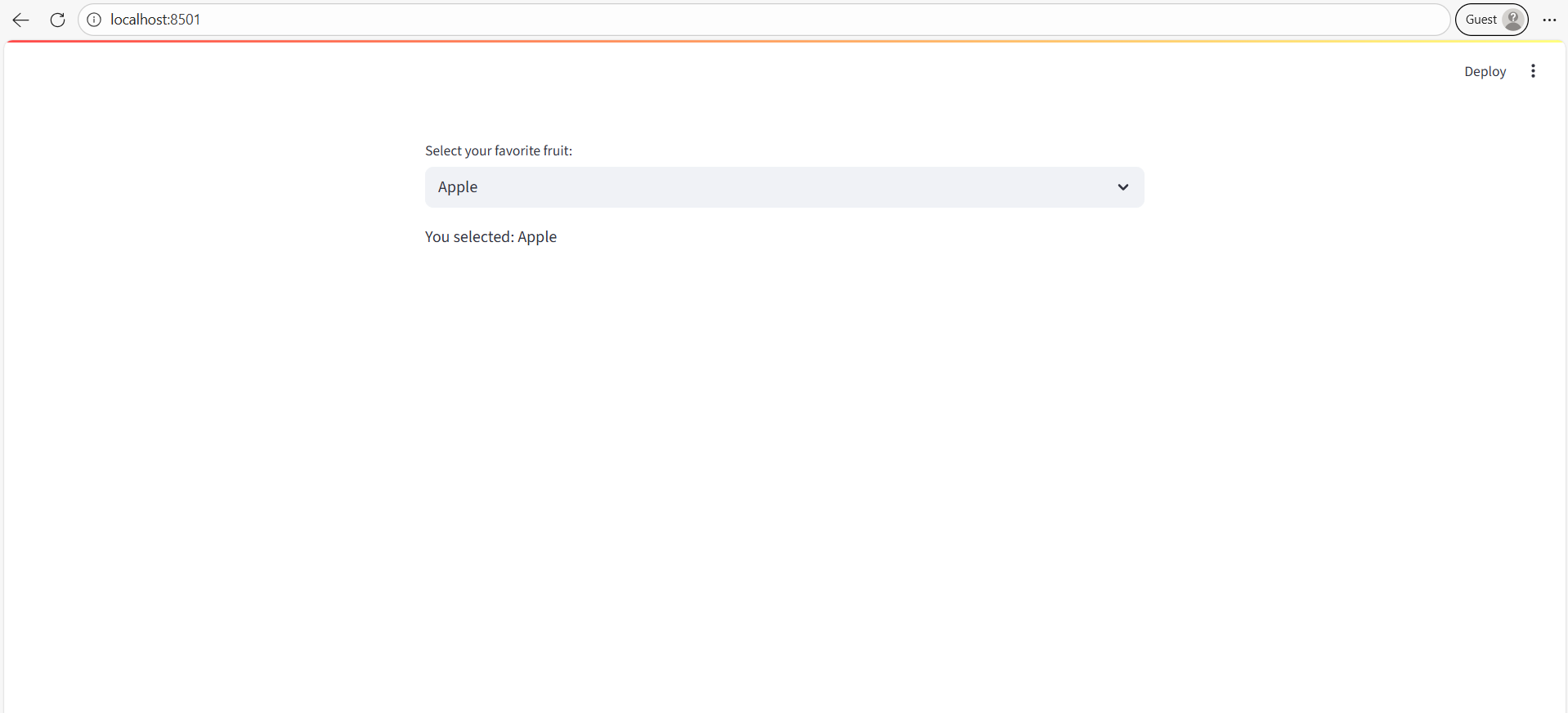
fruits = ["Apple", "Banana", "Cherry", "Mango"]

# Create dropdown
selected_fruit = st.selectbox("Select your favorite fruit:", fruits)

# Display selected option
st.write("You selected:", selected_fruit)
Output: A dropdown appears with the given fruits. The user selects one option, and Streamlit displays the selected value.
Example: Setting a Default Option
Python
import streamlit as st

colors = ["Red", "Green", "Blue"]

# Default selection (index=1 → "Green")
selected_color = st.selectbox("Choose a color:", colors, index=1)

st.write("Default selection:", selected_color)