RANK() function in BigQuery
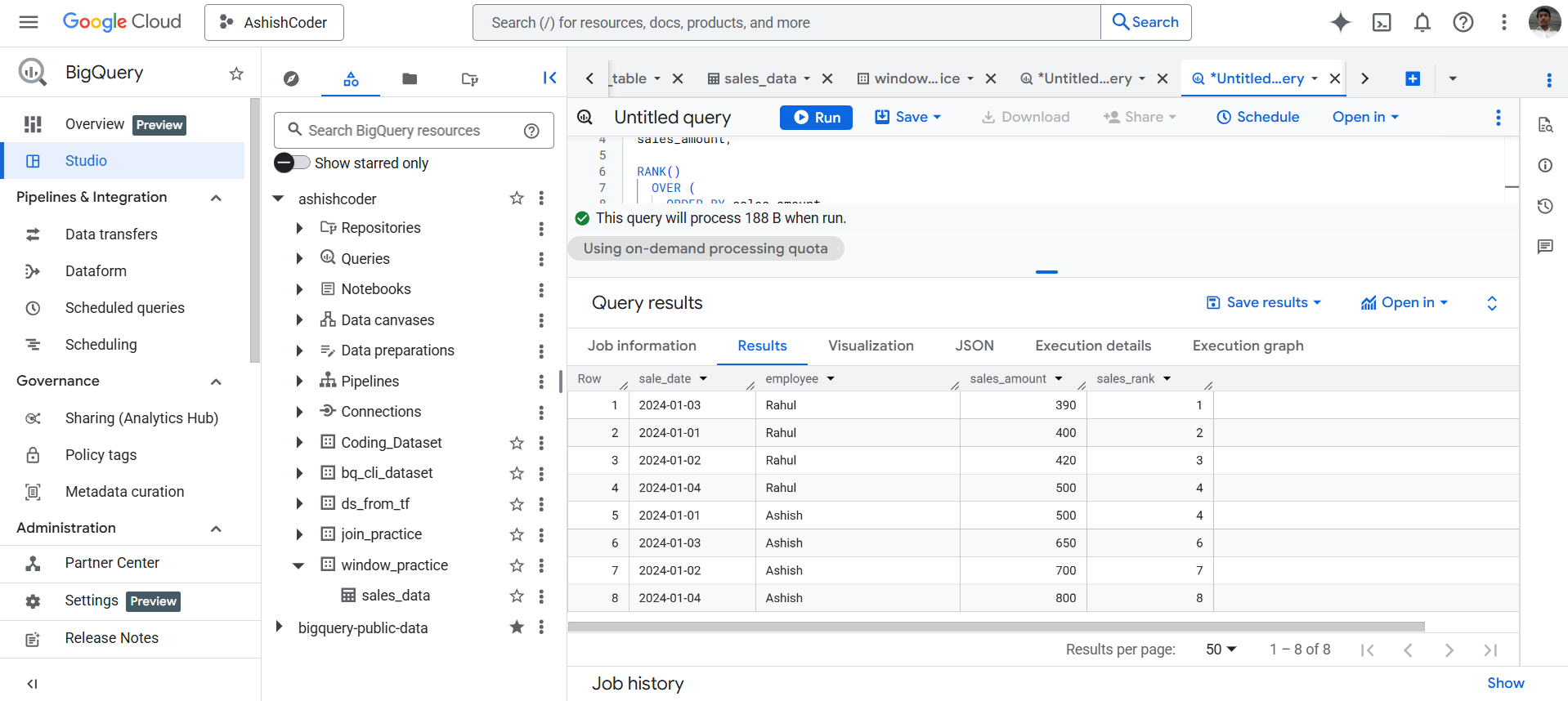
The RANK() function is a window function used to assign a rank to rows within a result set based on a specified order. Ranking starts from 1. If two or more rows have the same value, they receive the same rank, and the next rank value is skipped.
RANK() Function Syntax
RANK() OVER (
[PARTITION BY column_name(s)]
ORDER BY column_name [ASC | DESC]
)
Explanation
- PARTITION BY → Optional. Divides the result set into partitions and applies ranking separately to each partition.
- ORDER BY → Determines the order in which ranks are assigned.
Example: Create Dataset and Table in BigQuery
Step 1: Create Dataset
SQL Query
CREATE SCHEMA IF NOT EXISTS window_practice;
Step 2: Create Table
SQL Query
CREATE OR REPLACE TABLE window_practice.sales_data (
  sale_date DATE,
  employee STRING,
  sales_amount INT64
);
Step 3: Insert Sample Data
SQL Query
INSERT INTO window_practice.sales_data
VALUES
('2024-01-01', 'Ashish', 500),
('2024-01-02', 'Ashish', 700),
('2024-01-03', 'Ashish', 650),
('2024-01-04', 'Ashish', 800),

('2024-01-01', 'Rahul', 400),
('2024-01-02', 'Rahul', 420),
('2024-01-03', 'Rahul', 390),
('2024-01-04', 'Rahul', 500);
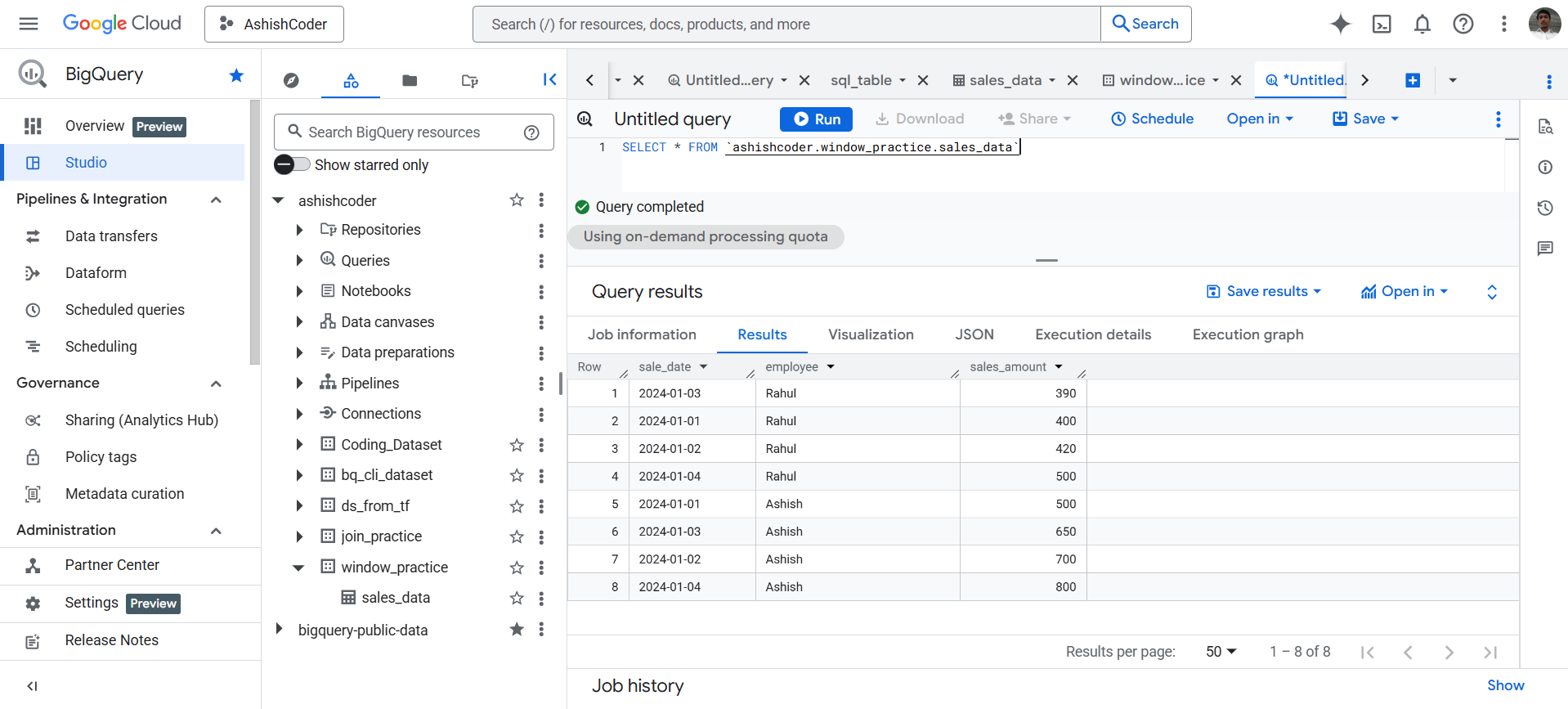
View Data
SQL Query
SELECT *
FROM `ashishcoder.window_practice.sales_data`;
Basic RANK() Example
Rank employees based on their sales_amount.
SQL Query
SELECT
  sale_date,
  employee,
  sales_amount,

  RANK()
    OVER (
      ORDER BY sales_amount
    ) AS sales_rank

FROM window_practice.sales_data;