DENSE_RANK() function in BigQuery
The DENSE_RANK() function assigns ranks to rows based on a specified order. Unlike RANK(), it does not skip rank values when there are ties.
DENSE_RANK() Function Syntax
SQL Syntax
DENSE_RANK() OVER (
    [PARTITION BY column_name(s)]
    ORDER BY column_name [ASC | DESC]
)
Example: Create Dataset and Table in BigQuery
Step 1: Create Dataset
SQL Query
CREATE SCHEMA IF NOT EXISTS window_practice;
Step 2: Create Table
SQL Query
CREATE OR REPLACE TABLE window_practice.sales_data (
  sale_date DATE,
  employee STRING,
  sales_amount INT64
);
Step 3: Insert Sample Data
SQL Query
INSERT INTO window_practice.sales_data
VALUES
('2024-01-01', 'Ashish', 500),
('2024-01-02', 'Ashish', 700),
('2024-01-03', 'Ashish', 650),
('2024-01-04', 'Ashish', 800),

('2024-01-01', 'Rahul', 400),
('2024-01-02', 'Rahul', 420),
('2024-01-03', 'Rahul', 390),
('2024-01-04', 'Rahul', 500);
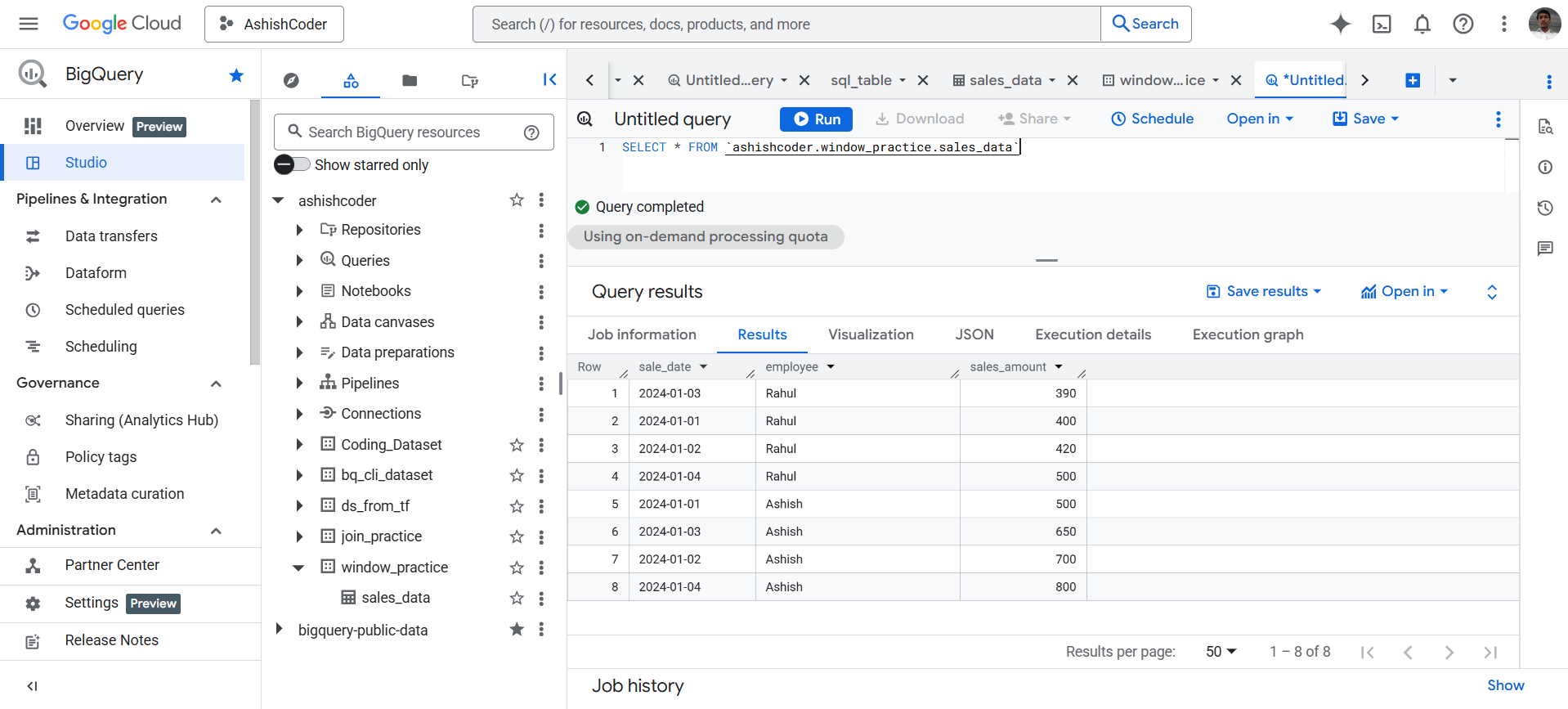
View Data
SQL Query
SELECT *
FROM `ashishcoder.window_practice.sales_data`;
Basic DENSE_RANK() Example
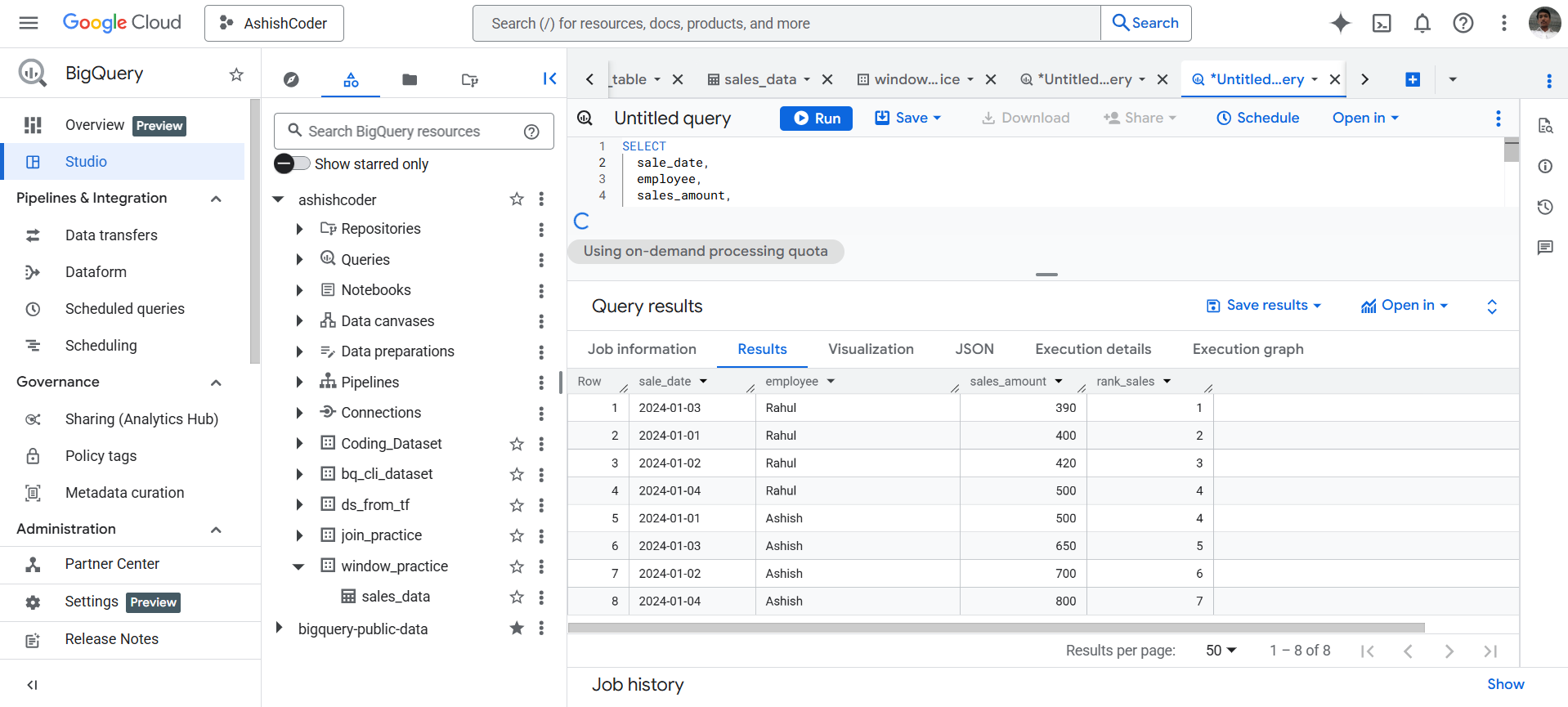
Rank employees based on their sales_amount using DENSE_RANK().
SQL Query
SELECT
  sale_date,
  employee,
  sales_amount,

  DENSE_RANK()
    OVER (
      ORDER BY sales_amount
    ) AS rank_sales

FROM window_practice.sales_data;