LEAD() function in BigQuery
The LEAD() function is a window function used to access data from a succeeding (next) row in the result set without using a self-join. It works with the OVER() clause and supports partitioning and ordering.
LEAD() Function Syntax
LEAD(expression, offset, default_value)
OVER (PARTITION BY column_name ORDER BY column_name)
Parameters Explained
- expression → Column from which the next value is fetched.
- offset → Number of rows ahead of the current row. Default is 1.
- default_value → Optional value returned when no next row exists (for example, the last row).
Example: Create Dataset and Table in BigQuery
Step 1: Create Dataset
SQL Query
CREATE SCHEMA IF NOT EXISTS window_practice;
Step 2: Create Table
SQL Query
CREATE OR REPLACE TABLE window_practice.sales_data (
  sale_date DATE,
  employee STRING,
  sales_amount INT64
);
Step 3: Insert Sample Data
SQL Query
INSERT INTO window_practice.sales_data
VALUES
('2024-01-01', 'Ashish', 500),
('2024-01-02', 'Ashish', 700),
('2024-01-03', 'Ashish', 650),
('2024-01-04', 'Ashish', 800),

('2024-01-01', 'Rahul', 400),
('2024-01-02', 'Rahul', 420),
('2024-01-03', 'Rahul', 390),
('2024-01-04', 'Rahul', 500);
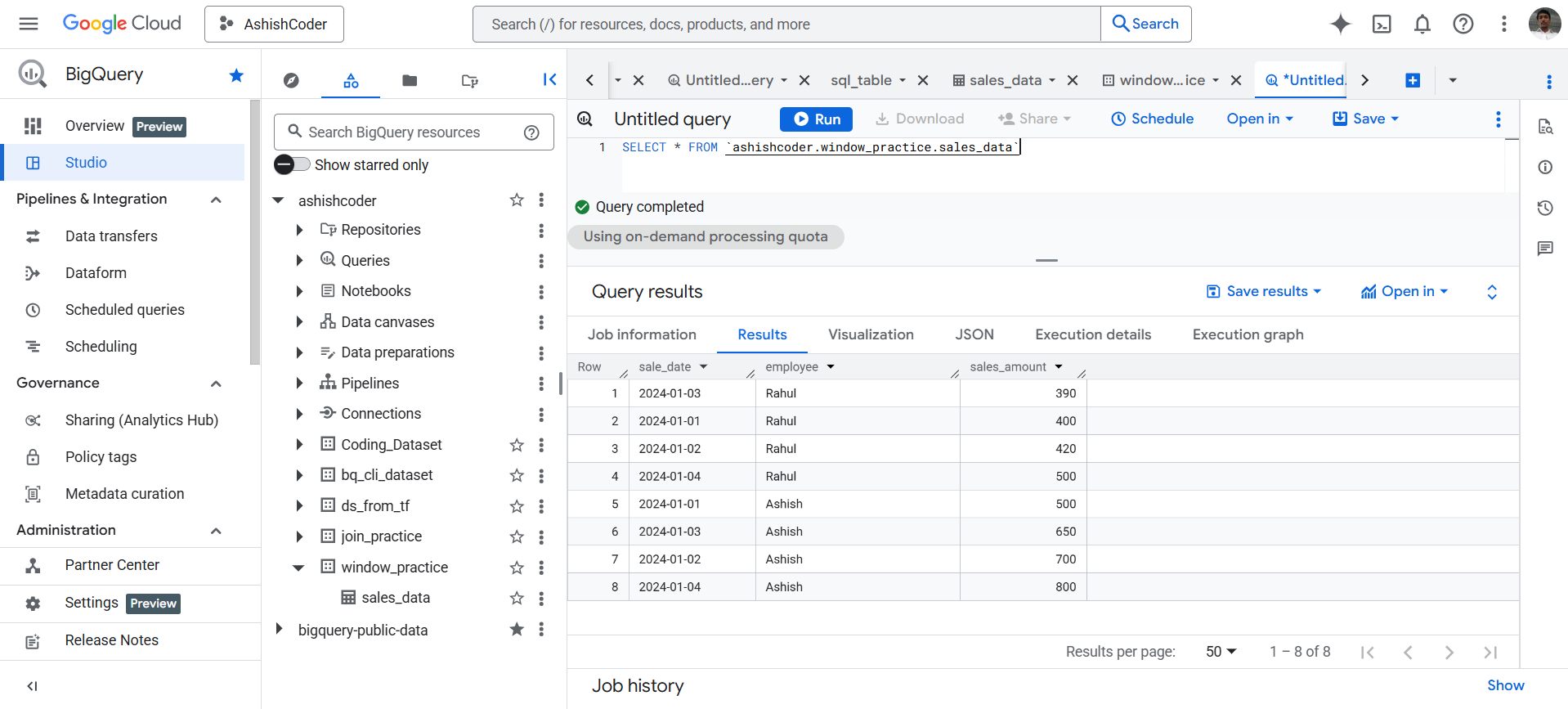
View Data
SQL Query
SELECT *
FROM `ashishcoder.window_practice.sales_data`;
Basic LEAD() Example (Next Day Sales)
SQL Query
SELECT
  sale_date,
  employee,
  sales_amount,

  -- Next day's sales
  LEAD(sales_amount)
    OVER (
      PARTITION BY employee
      ORDER BY sale_date
    ) AS next_day_sales

FROM window_practice.sales_data; 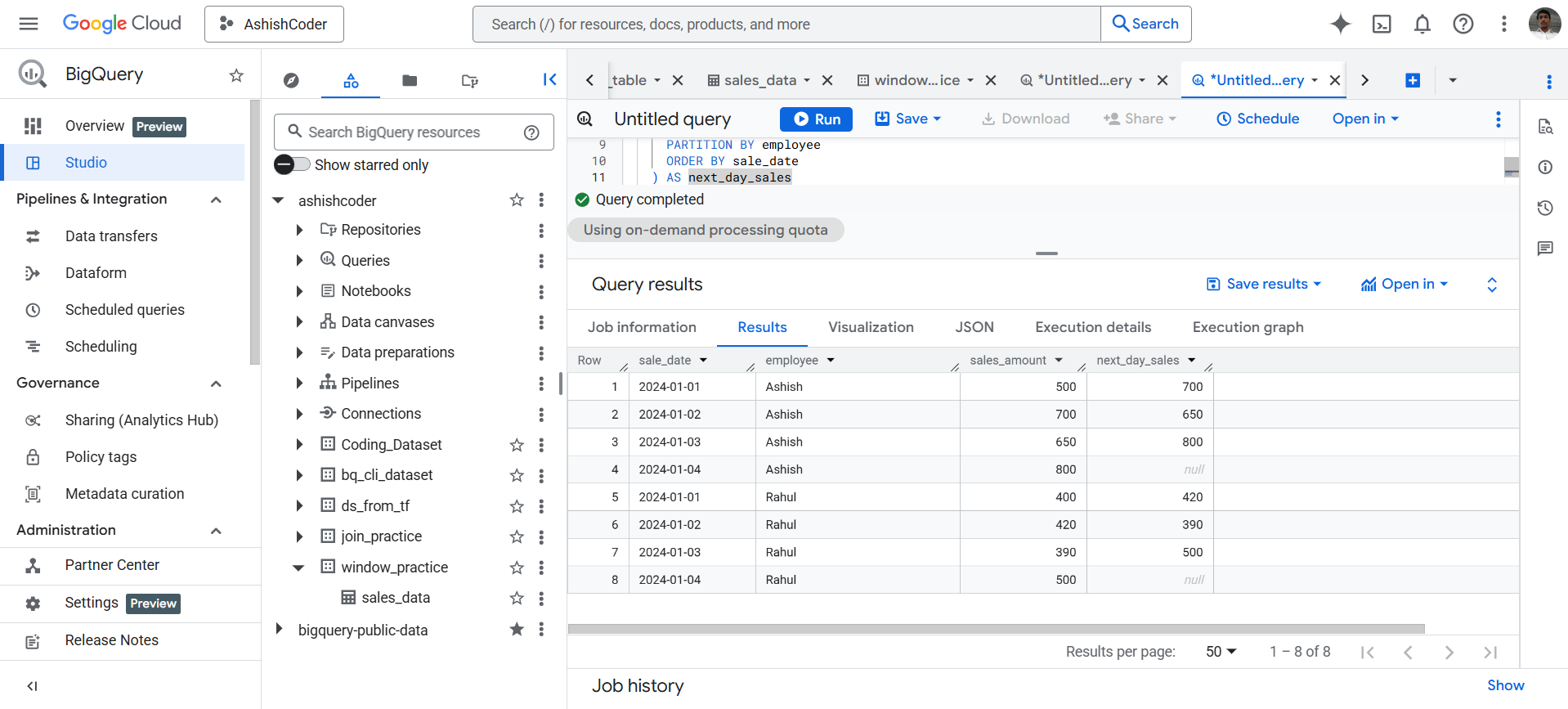
How It Works
- Data is grouped by employee
- Rows are ordered by sale_date
- LEAD() fetches sales from the next row
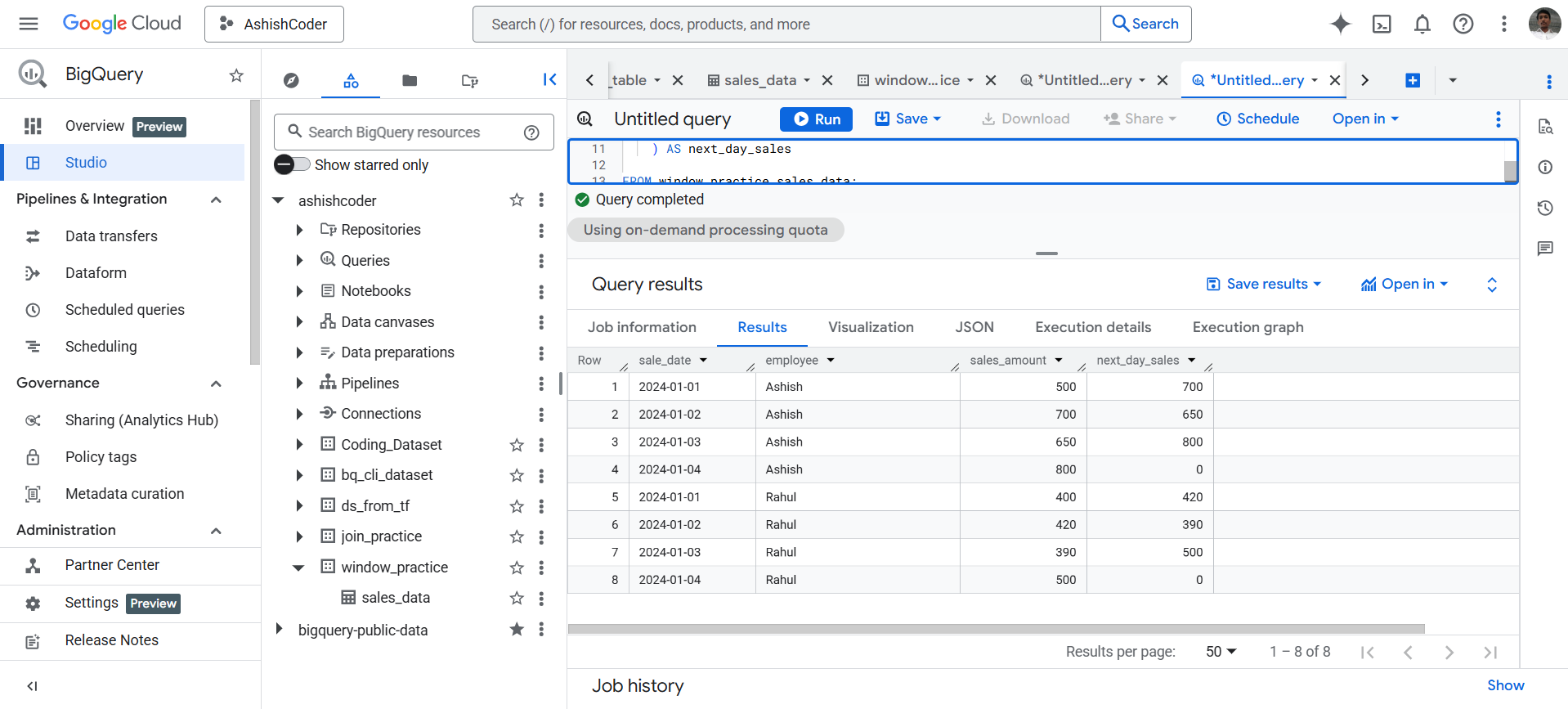
LEAD() with Offset and Default Value
SQL Query
SELECT
  sale_date,
  employee,
  sales_amount,

  -- Next day's sales with default value
  LEAD(sales_amount, 1, 0)
    OVER (
      PARTITION BY employee
      ORDER BY sale_date
    ) AS next_day_sales

FROM window_practice.sales_data;