FULL JOIN in BigQuery
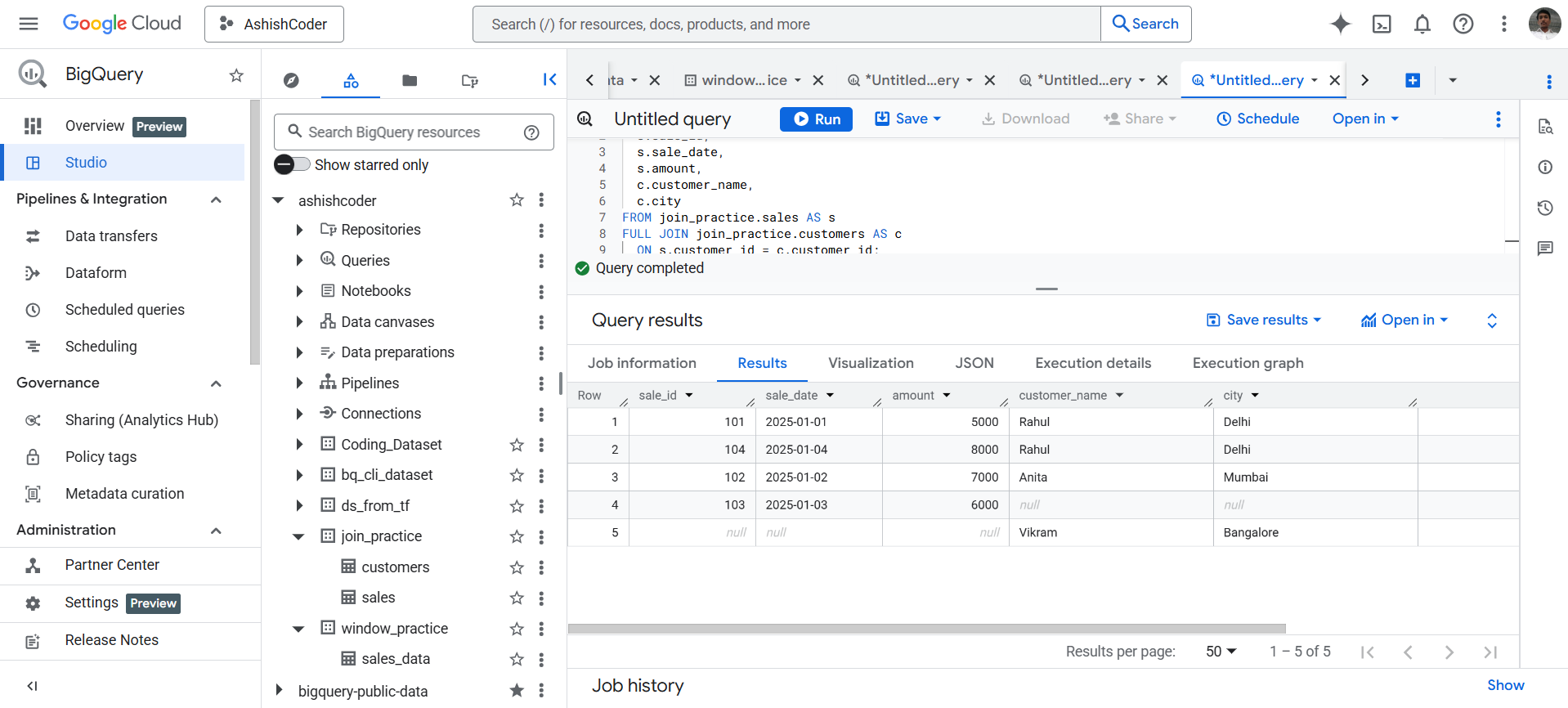
A FULL JOIN in Google BigQuery returns all rows from both tables.
- Matching rows are combined into a single result row.
- Non-matching rows from either table still appear, with NULL values filled in for the missing columns.
This makes FULL JOIN useful when we need complete coverage of two datasets, including records that do not match between the tables.
Example: Create Practice Dataset in BigQuery
Create the dataset named join_practice.
SQL
CREATE SCHEMA IF NOT EXISTS join_practice;
a) Create customers table
SQL
CREATE OR REPLACE TABLE join_practice.customers (
  customer_id INT64,
  customer_name STRING,
  city STRING
);

INSERT INTO join_practice.customers VALUES
  (1, 'Rahul', 'Delhi'),
  (2, 'Anita', 'Mumbai'),
  (3, 'Vikram', 'Bangalore');
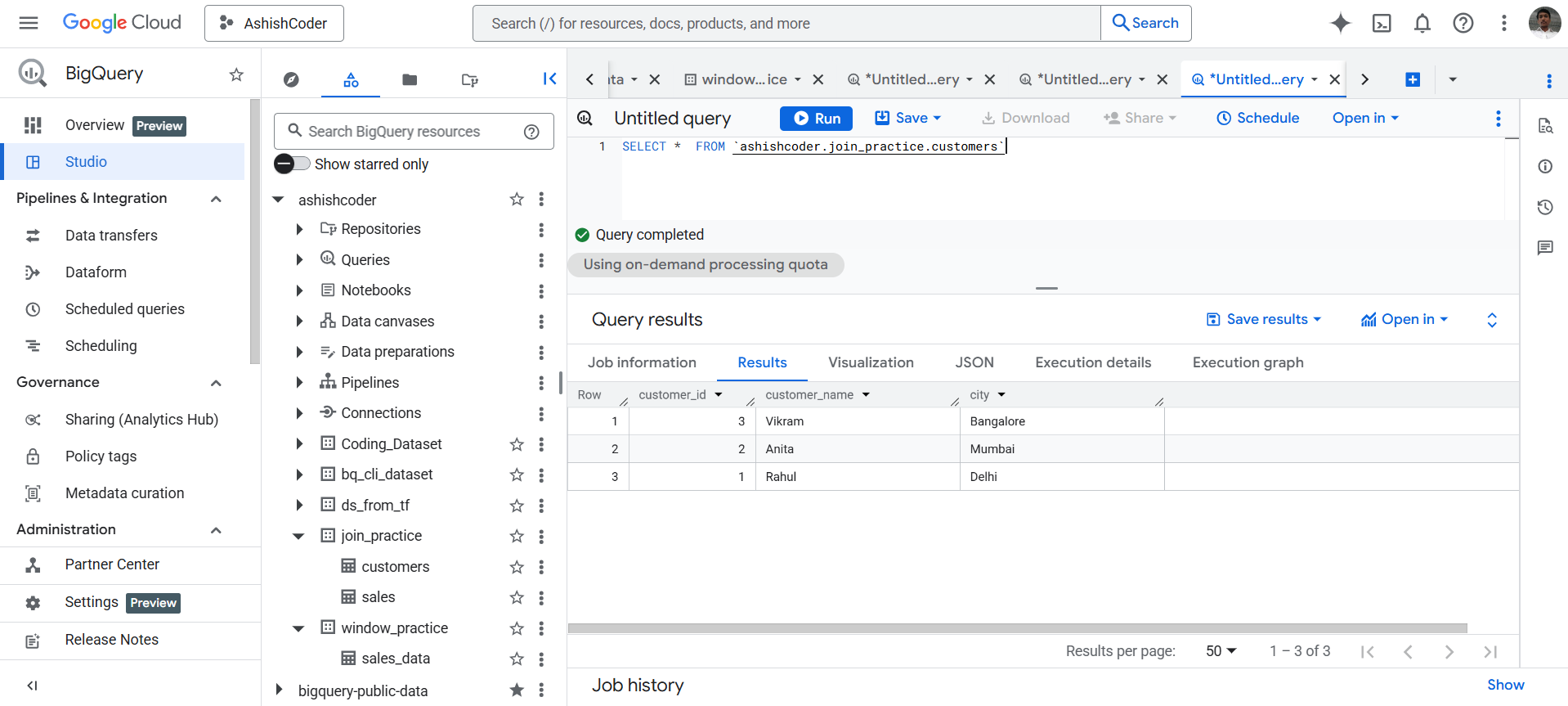
The output of the above code is shown below:
b) Create sales table
Create the sales table that stores transaction information.
SQL
CREATE OR REPLACE TABLE join_practice.sales (
  sale_id INT64,
  customer_id INT64,
  sale_date DATE,
  amount INT64
);

INSERT INTO join_practice.sales VALUES
  (101, 1, DATE '2025-01-01', 5000),
  (102, 2, DATE '2025-01-02', 7000),
  (103, 4, DATE '2025-01-03', 6000), -- customer does NOT exist
  (104, 1, DATE '2025-01-04', 8000);
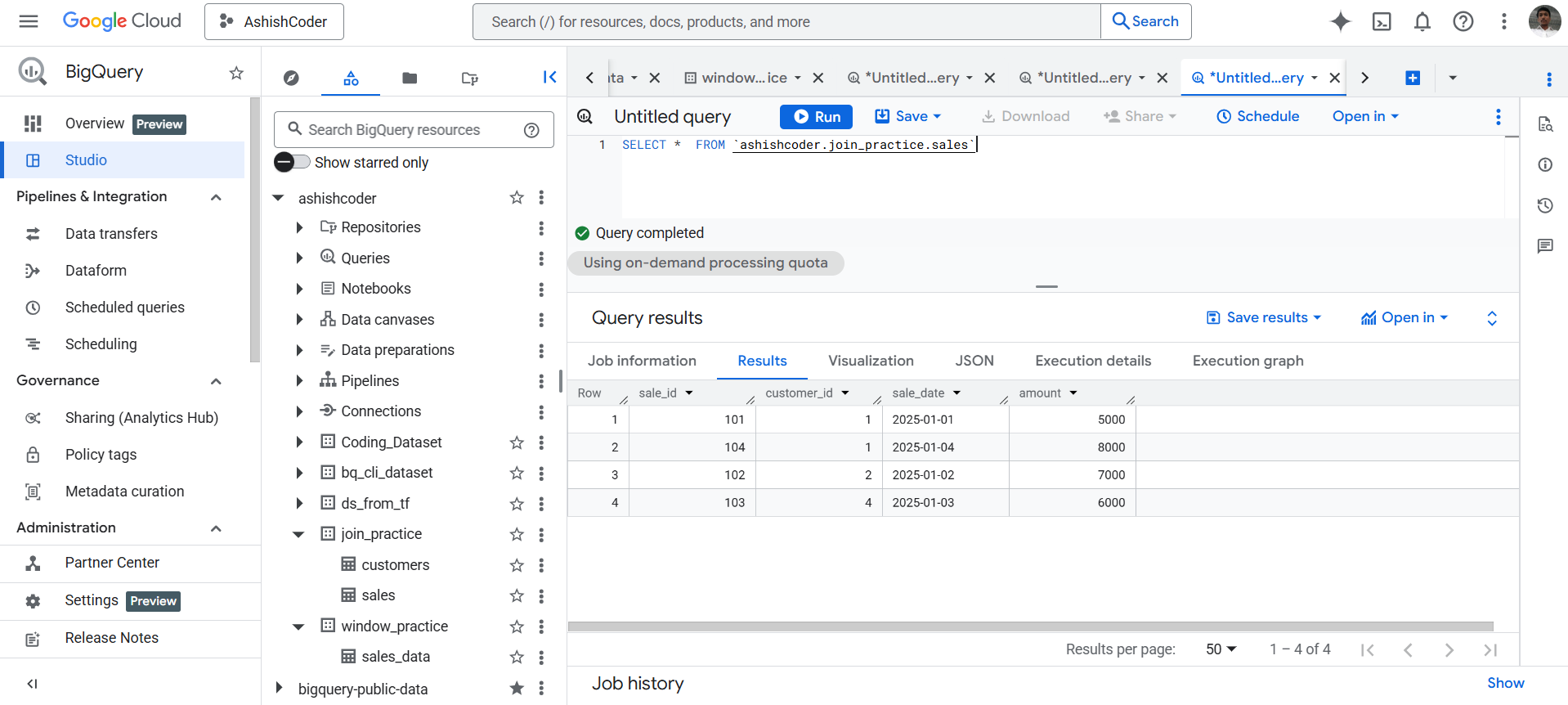
The output of the above code is shown below:
Apply FULL JOIN (Core Example)
Use a FULL JOIN to combine both tables and return all matching and non-matching rows.
SQL
SELECT
  s.sale_id,
  s.sale_date,
  s.amount,
  c.customer_name,
  c.city
FROM join_practice.sales AS s
FULL JOIN join_practice.customers AS c
  ON s.customer_id = c.customer_id;
The output of the above query is shown below: