INNER JOIN in BigQuery
Joins in SQL are used to combine rows from two or more tables based on a related column between them.
The most common types of joins are:
- INNER JOIN
- LEFT JOIN
- RIGHT JOIN
- FULL OUTER JOIN or FULL JOIN
The INNER JOIN keyword selects records that have matching values in both tables.
SQL Syntax
SELECT columns
FROM table1
INNER JOIN table2
ON table1.column_name = table2.column_name;
Or alternatively:
SQL Syntax
SELECT columns
FROM table1
JOIN table2
ON table1.column_name = table2.column_name;
Note: Using JOIN without specifying the type of join defaults to an INNER JOIN.
Example: Create Practice Dataset in BigQuery.
Dataset name
SQL
CREATE SCHEMA IF NOT EXISTS join_practice;
Create customers table
SQL
CREATE OR REPLACE TABLE join_practice.customers (
  customer_id INT64,
  customer_name STRING,
  city STRING
);

INSERT INTO join_practice.customers VALUES
  (1, 'Rahul', 'Delhi'),
  (2, 'Anita', 'Mumbai'),
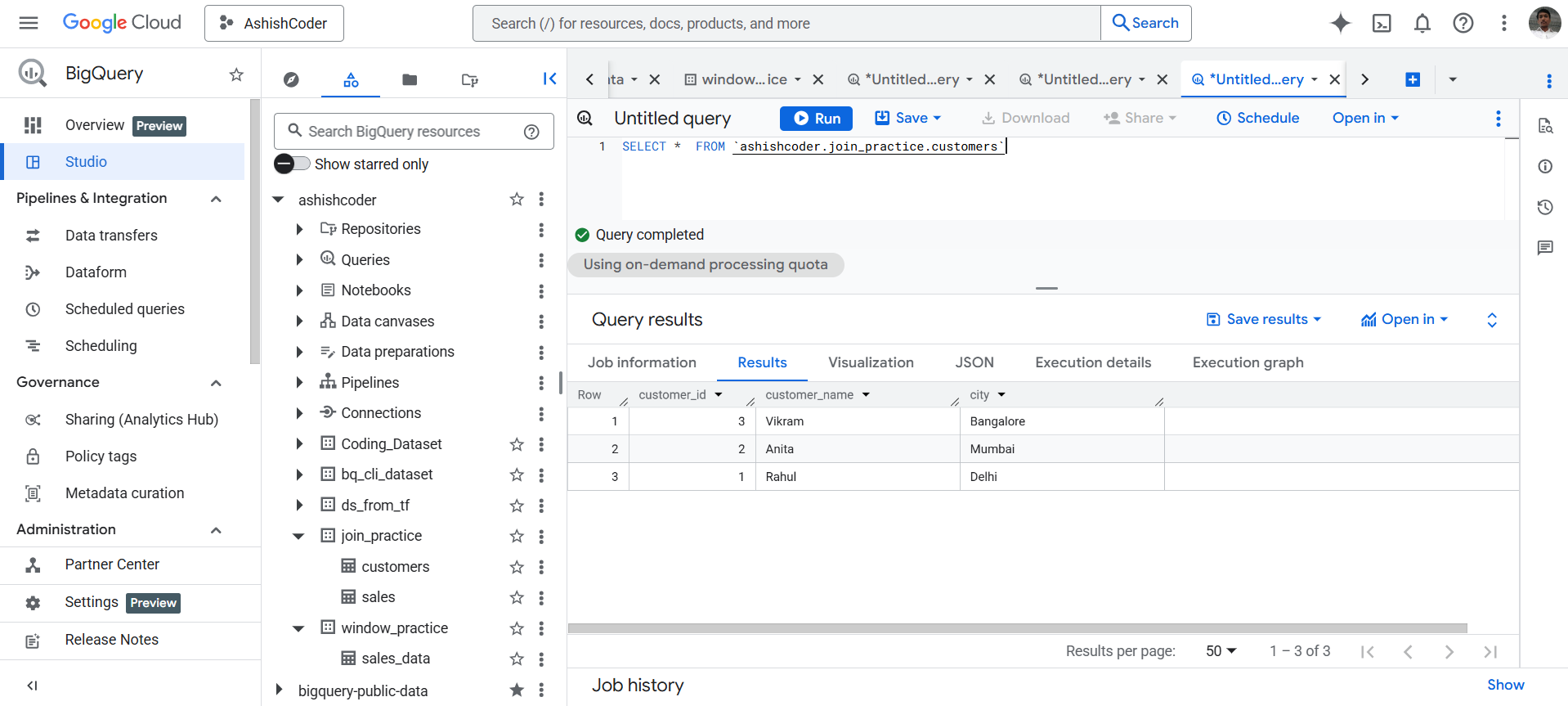
  (3, 'Vikram', 'Bangalore');
The output of the above code is shown below:
Create sales table (LEFT table)
SQL
CREATE OR REPLACE TABLE join_practice.sales (
  sale_id INT64,
  customer_id INT64,
  sale_date DATE,
  amount INT64
);

INSERT INTO join_practice.sales VALUES
  (101, 1, DATE '2025-01-01', 5000),
  (102, 2, DATE '2025-01-02', 7000),
  (103, 4, DATE '2025-01-03', 6000), -- customer does NOT exist
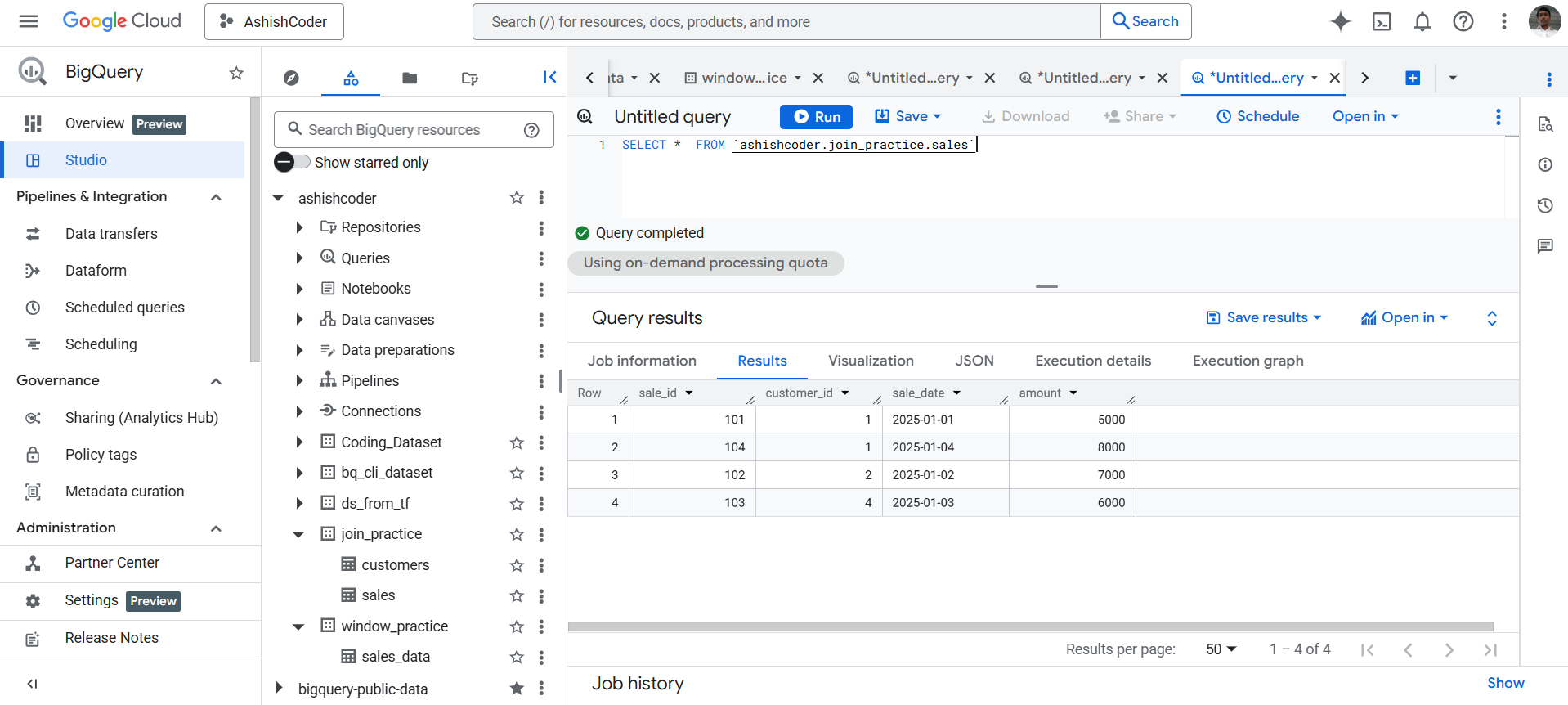
  (104, 1, DATE '2025-01-04', 8000);
The output of the above code is shown below:
Apply INNER JOIN (Core Example)
SQL
SELECT
  s.sale_id,
  s.sale_date,
  s.amount,
  c.customer_name,
  c.city
FROM join_practice.sales AS s
INNER JOIN join_practice.customers AS c
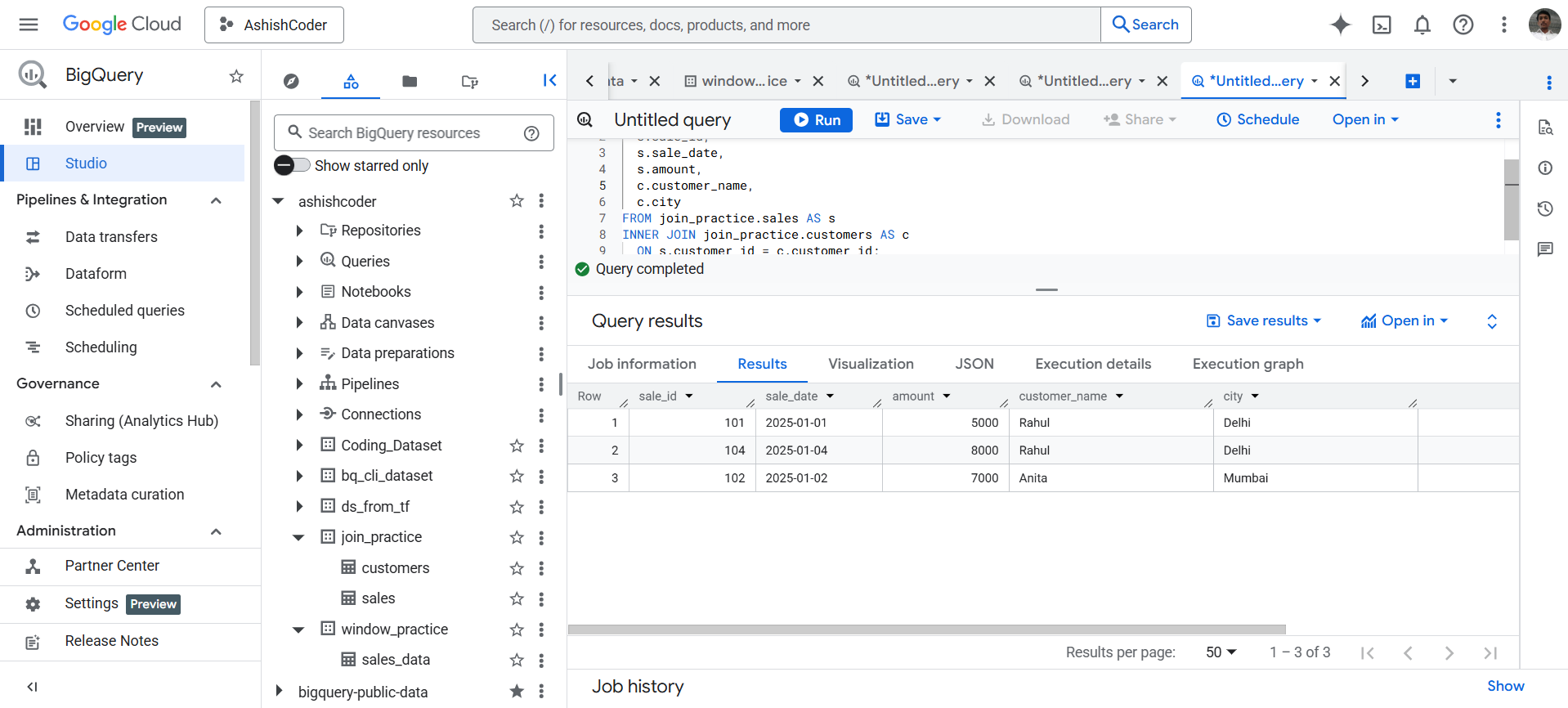
  ON s.customer_id = c.customer_id;
The output of the above query is shown below: