RIGHT JOIN in BigQuery
A RIGHT JOIN (or RIGHT OUTER JOIN) returns all the rows from the right table and the matched rows from the left table. If there is no match, the result is NULL on the side of the left table.
In other words, every record from the right table will appear in the result set, even if there is no corresponding record in the left table.
Basic Syntax
SELECT columns
FROM table1
RIGHT JOIN table2
ON table1.column = table2.column
WHERE conditional_expression;
Example: Create a practice dataset and tables in BigQuery to understand how the RIGHT JOIN works.
Create Practice Dataset in BigQuery
First, create a dataset named join_practice.
SQL
CREATE SCHEMA IF NOT EXISTS join_practice;
a) Create customers table
SQL
CREATE OR REPLACE TABLE join_practice.customers (
  customer_id INT64,
  customer_name STRING,
  city STRING
);

INSERT INTO join_practice.customers VALUES
  (1, 'Rahul', 'Delhi'),
  (2, 'Anita', 'Mumbai'),
  (3, 'Vikram', 'Bangalore');
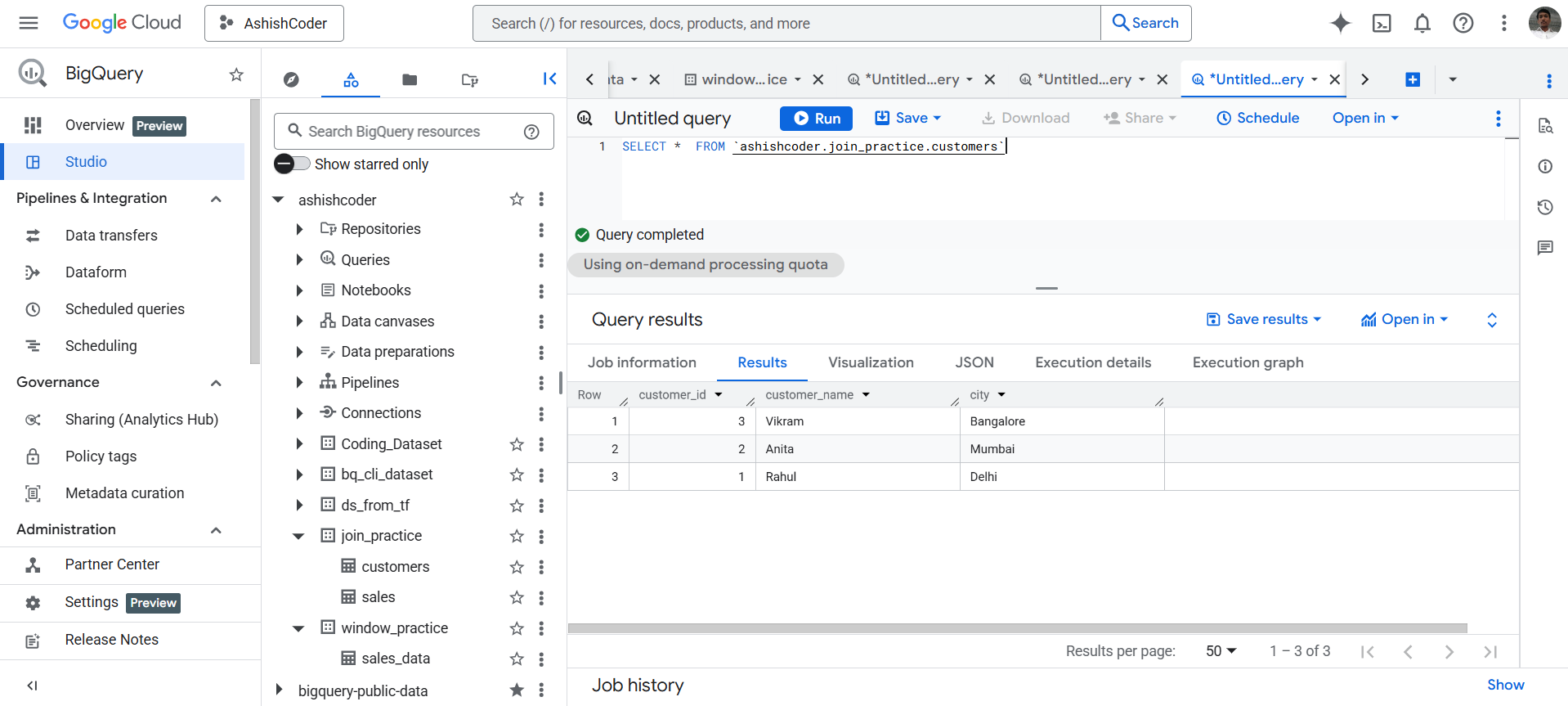
The output of the above code is shown below:
b) Create sales table (LEFT table)
SQL
CREATE OR REPLACE TABLE join_practice.sales (
  sale_id INT64,
  customer_id INT64,
  sale_date DATE,
  amount INT64
);

INSERT INTO join_practice.sales VALUES
  (101, 1, DATE '2025-01-01', 5000),
  (102, 2, DATE '2025-01-02', 7000),
  (103, 4, DATE '2025-01-03', 6000), -- customer does NOT exist
  (104, 1, DATE '2025-01-04', 8000);
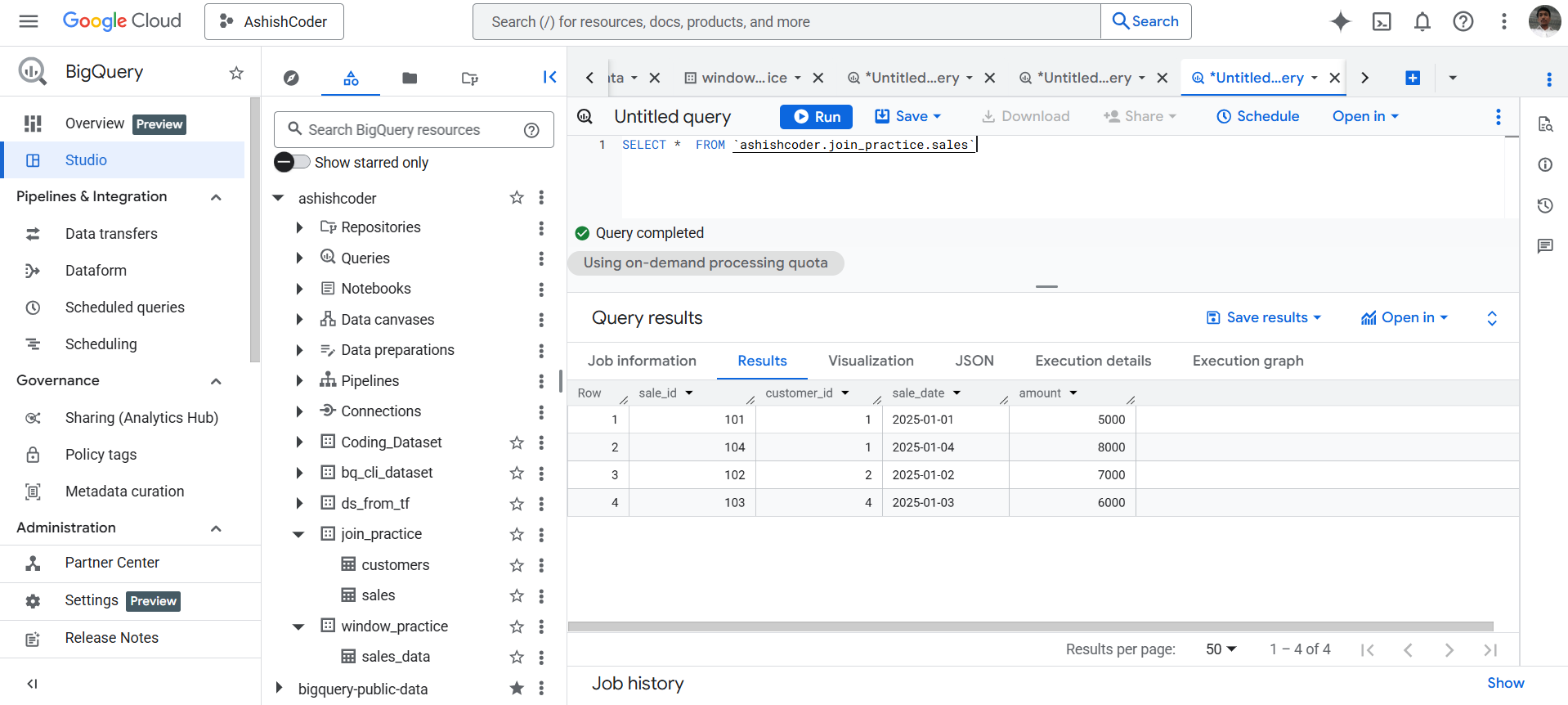
The output of the above code is shown below:
Apply RIGHT JOIN (Core Example)
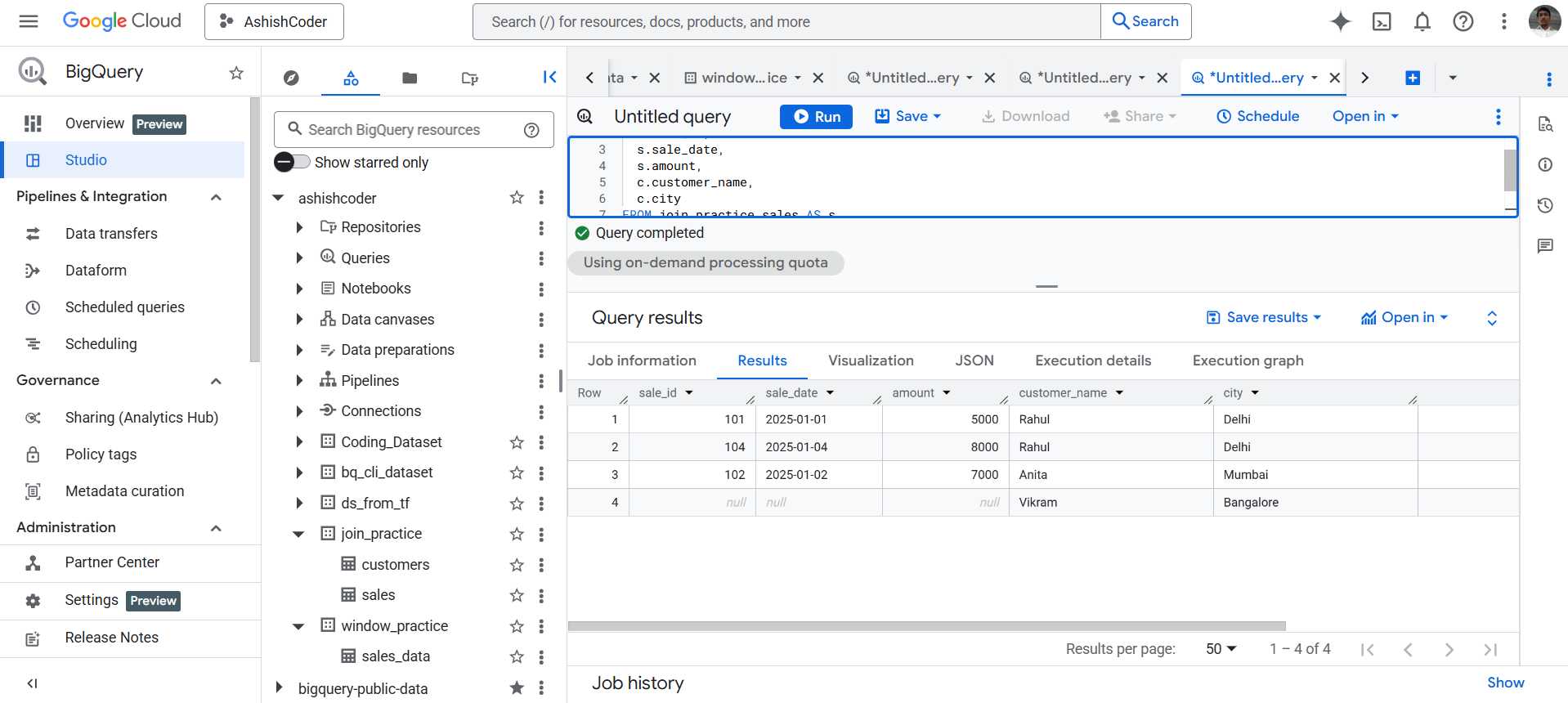
The following query returns all rows from the customers table (right table) and the matching rows from the sales table.
SQL
SELECT
  s.sale_id,
  s.sale_date,
  s.amount,
  c.customer_name,
  c.city
FROM join_practice.sales AS s
RIGHT JOIN join_practice.customers AS c
  ON s.customer_id = c.customer_id;
The output of the above query is shown below: