Create table in BigQuery
Every table is defined by a schema that describes the column names, data types, and other information. We can specify the schema of a table when it is created, or we can create a table without a schema and declare the schema in the query job or load job that first populates it with data.
Use the format projectname.datasetname.tablename to fully qualify a table name when using GoogleSQL, or the format projectname:datasetname.tablename to fully qualify a table name when using the bq command-line tool.
Create a table using GCP Console
To create a table, follow the following steps:
Step 1: Go to the BigQuery page here in the Google Cloud console.
Step 2: In the Explorer panel, expand the project and select a dataset.
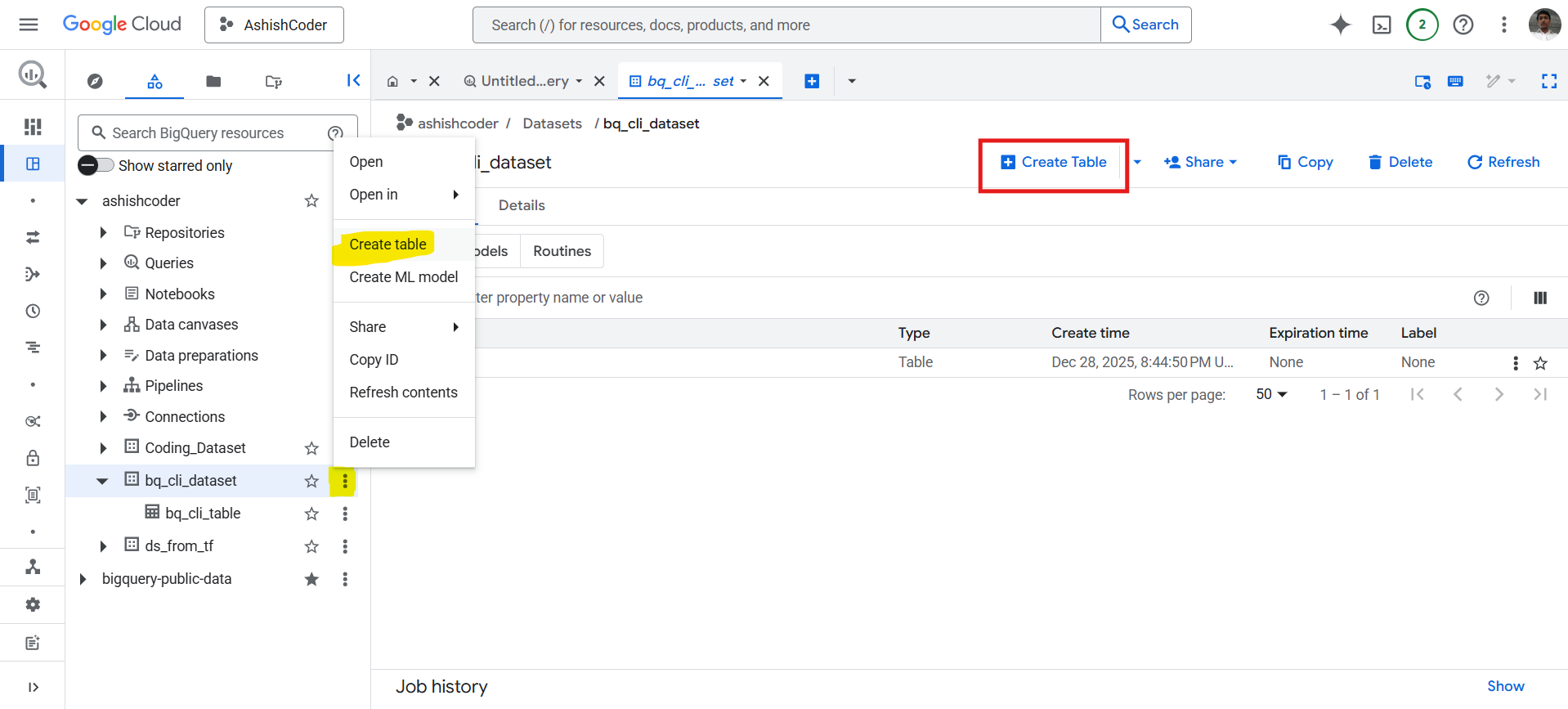
Specify the table name.
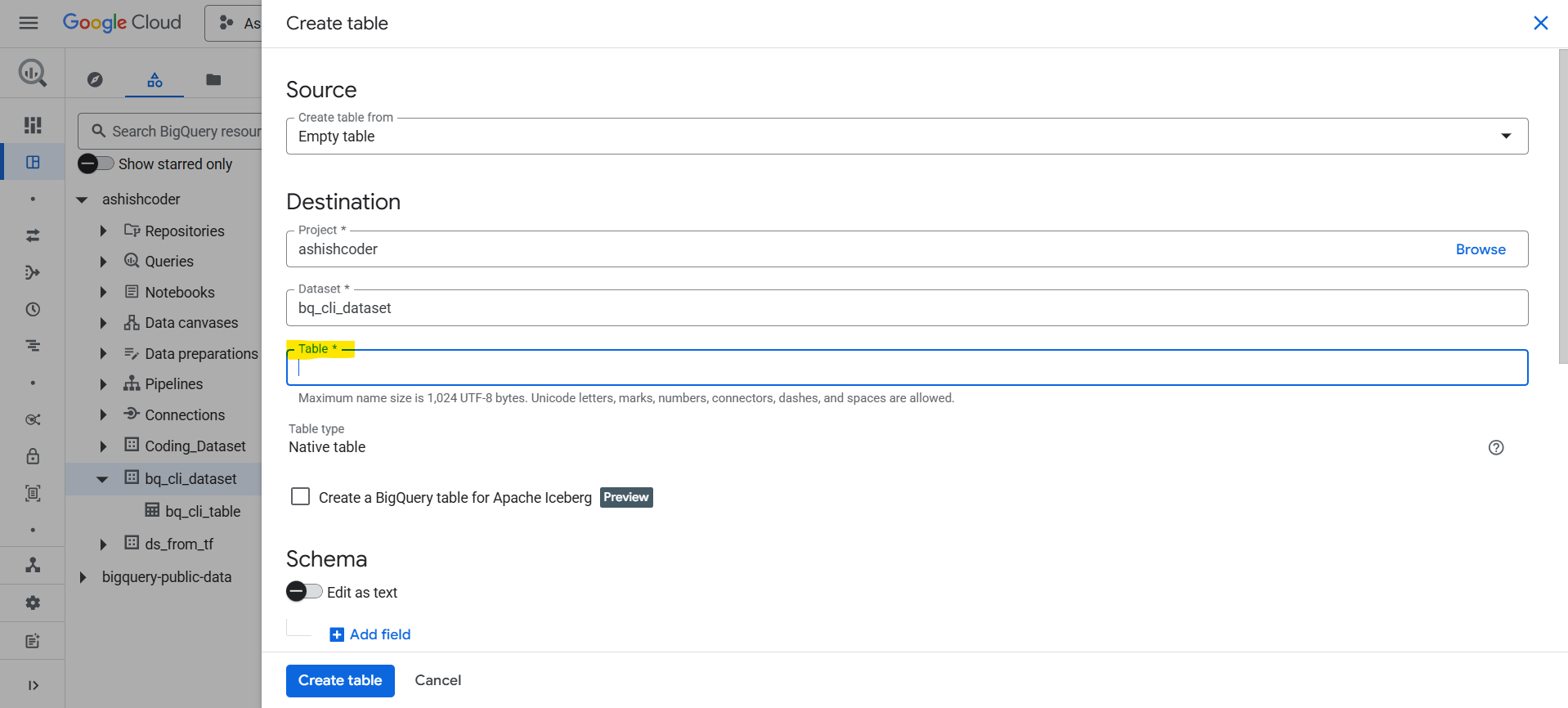
After specifying the table name, we need to specify the schema name.
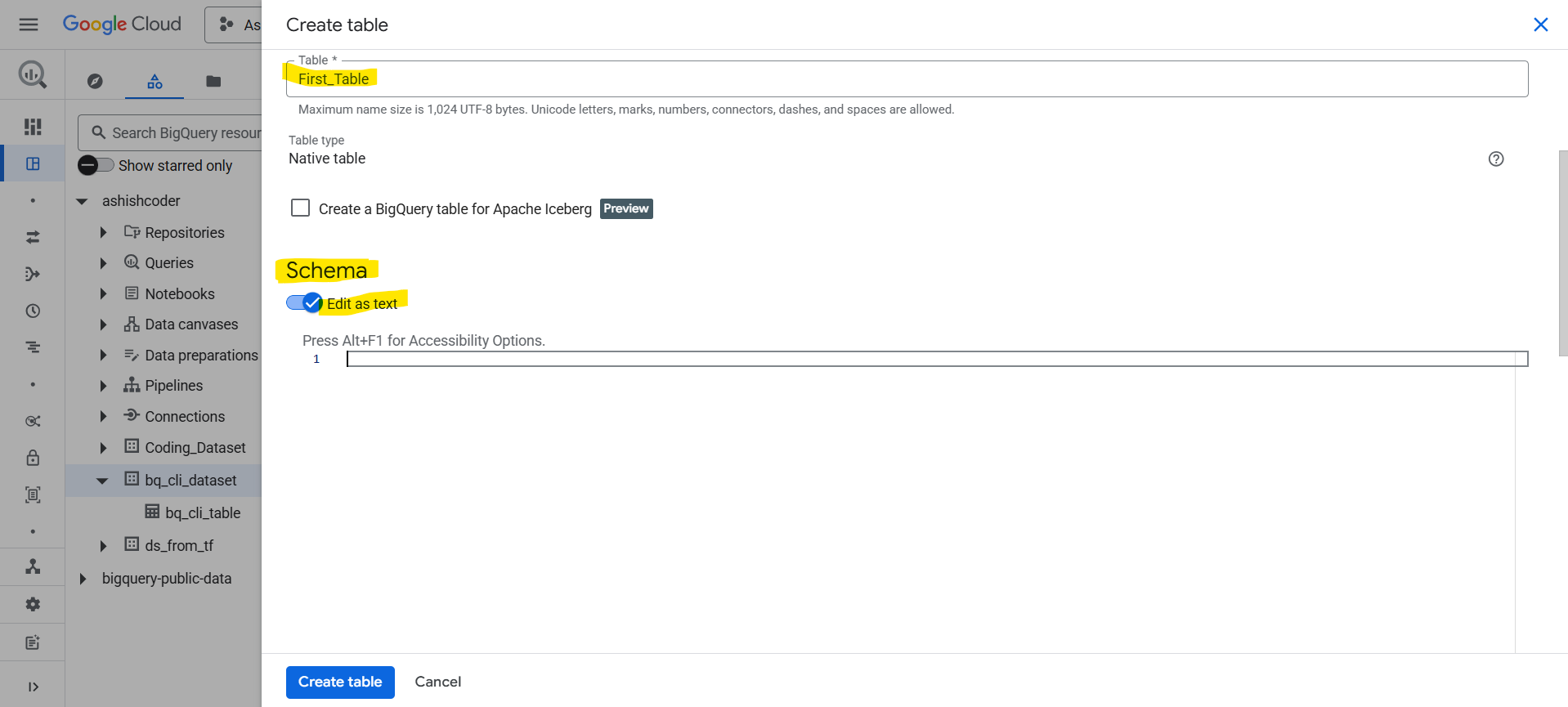
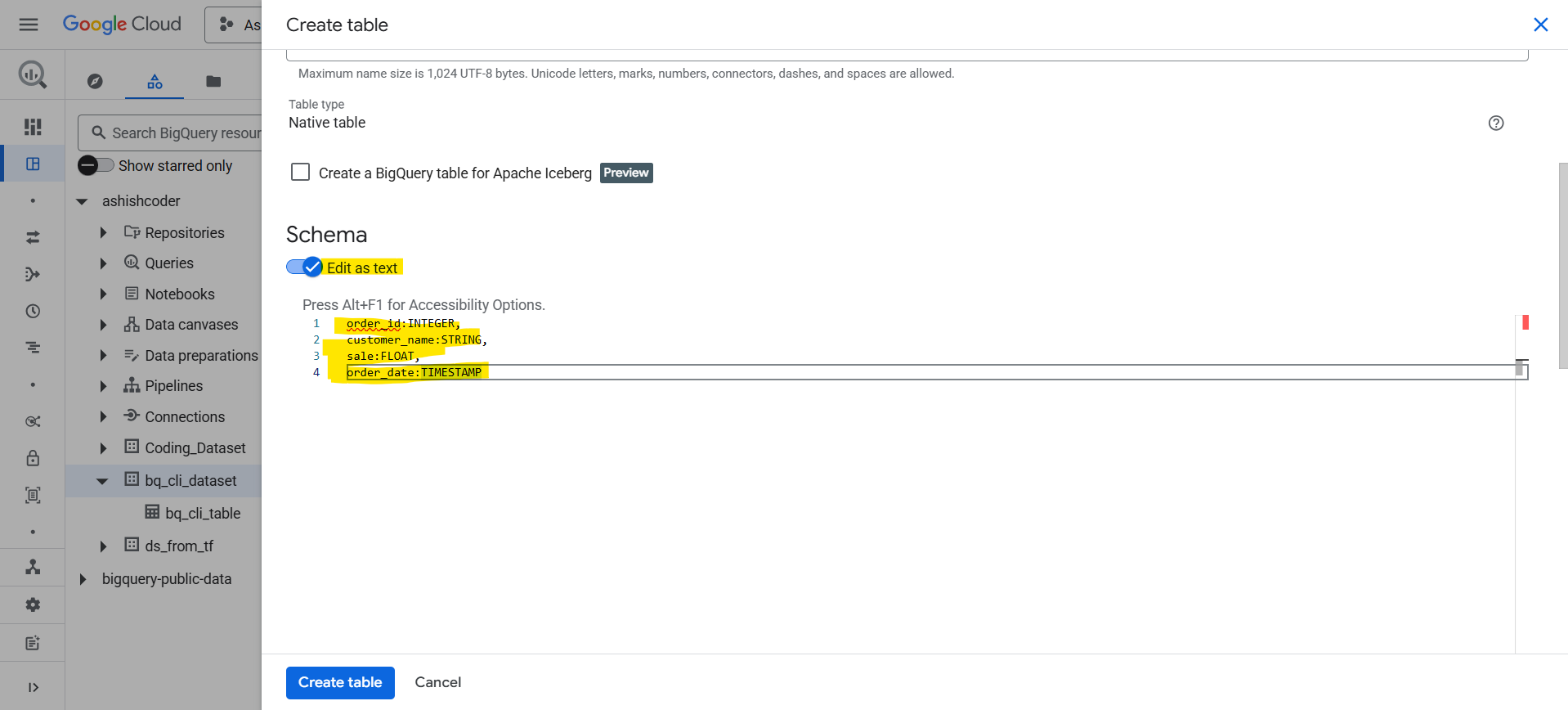
Schema Definition
order_id:INTEGER,
customer_name:STRING,
sale:FLOAT,
order_date:TIMESTAMP
Copy and paste the above schema in the schema section.
We can also specify the schema in the JSON format.
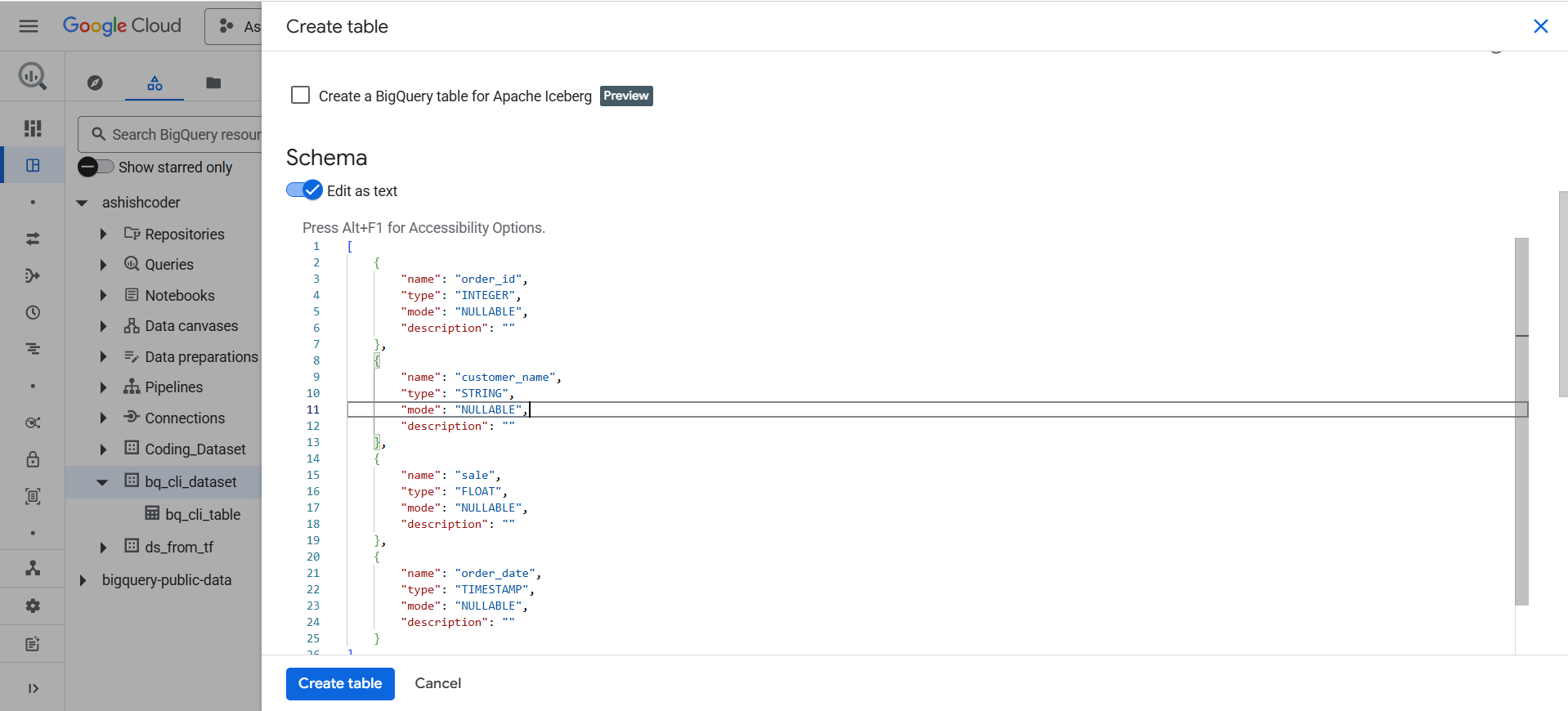
Schema Definition
[
    {
        "name": "order_id",
        "type": "INTEGER",
        "mode": "NULLABLE",
        "description": ""
    },
    {
        "name": "customer_name",
        "type": "STRING",
        "mode": "NULLABLE",
        "description": ""
    },
    {
        "name": "sale",
        "type": "FLOAT",
        "mode": "NULLABLE",
        "description": ""
    },
    {
        "name": "order_date",
        "type": "TIMESTAMP",
        "mode": "NULLABLE",
        "description": ""
    }
]
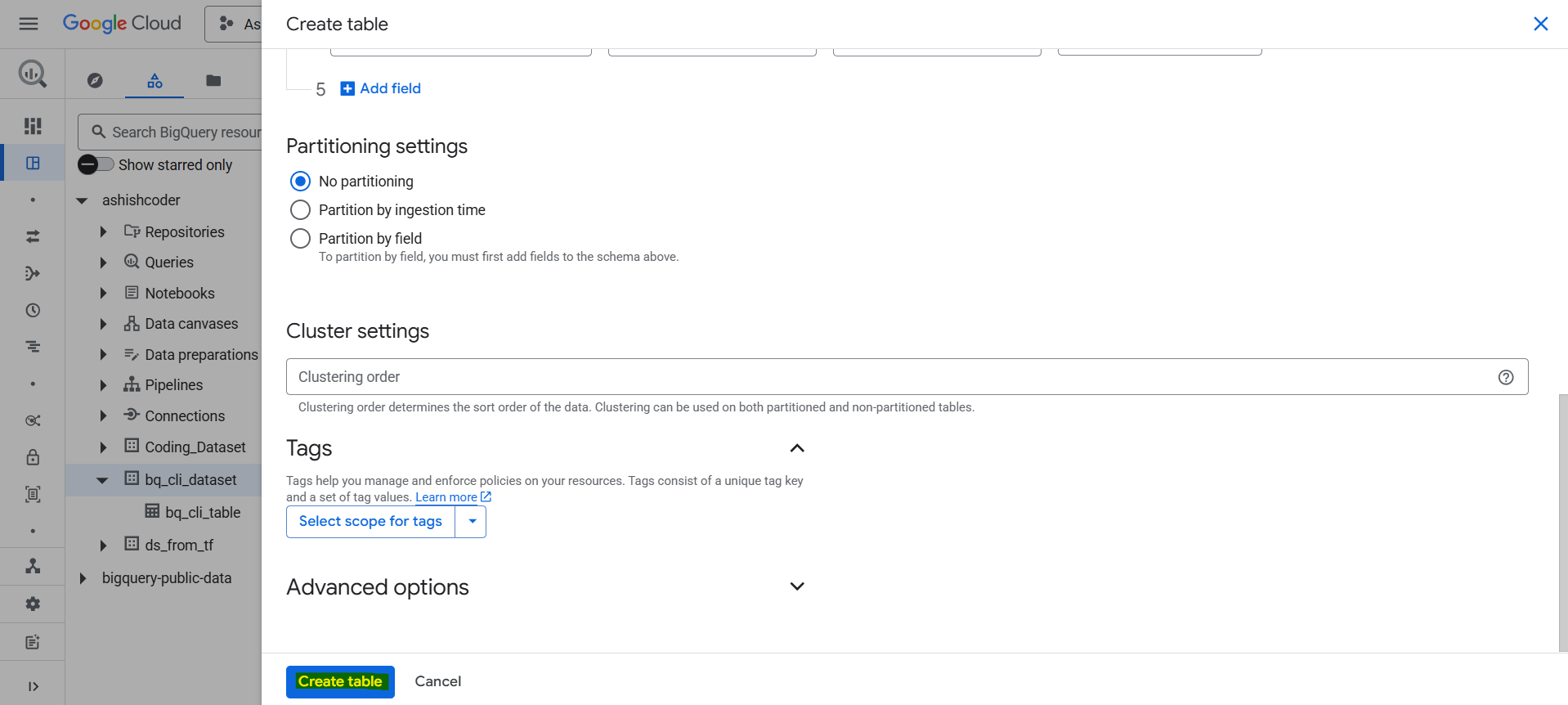
Click on Create table to create the table.
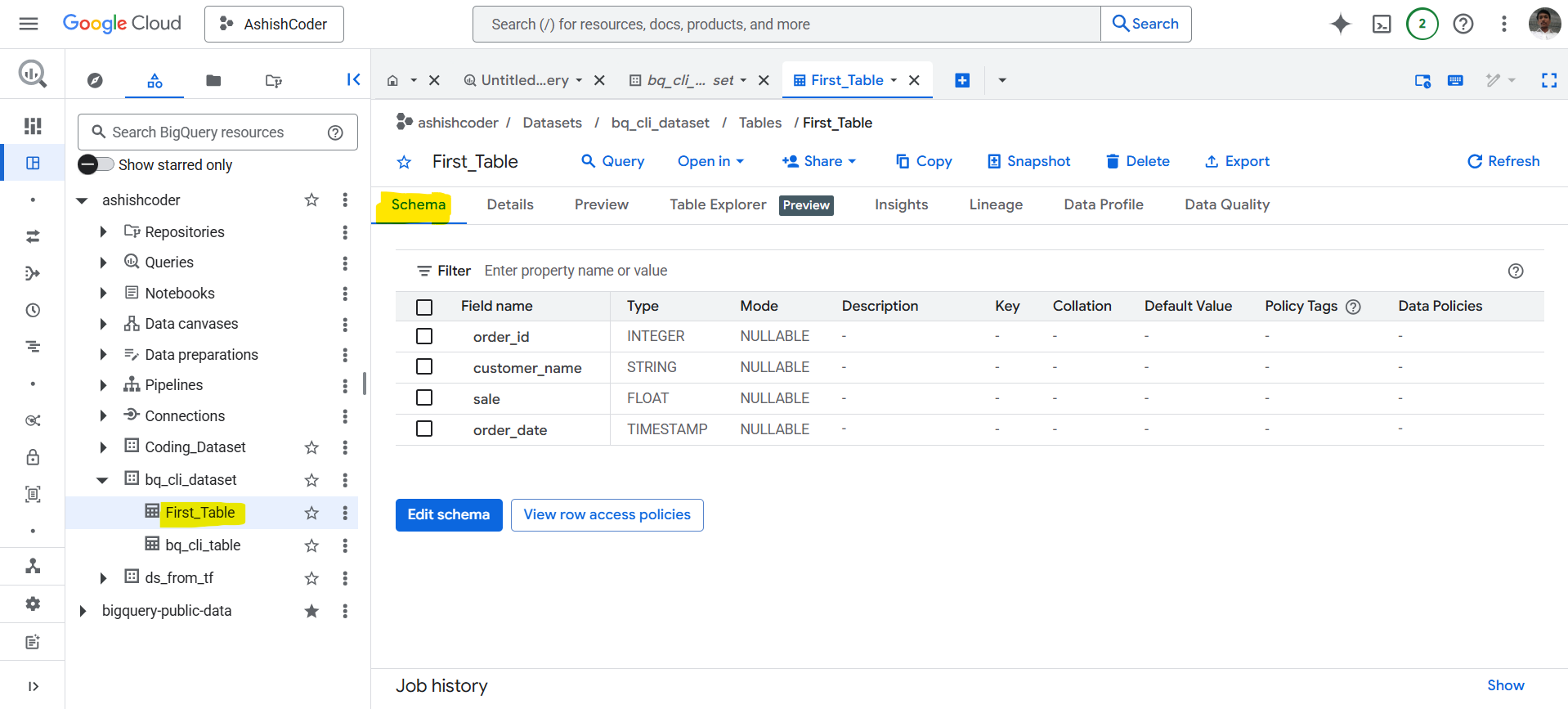
Now the table is created, and we can see that in the dataset. Click on the table and click on the SCHEMA to see the schema of the table.
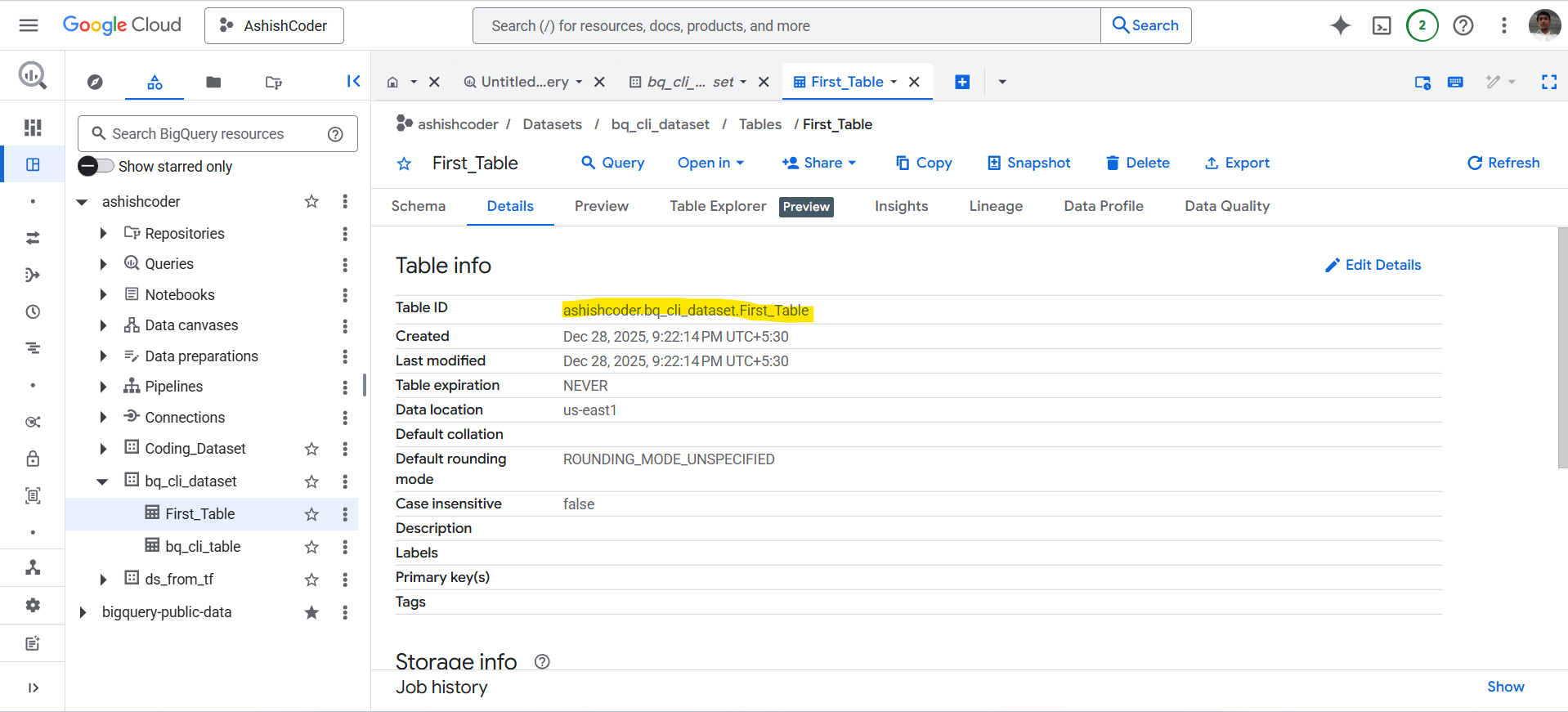
Go to the Details tab to see the details of the table.
Go to the Preview tab to see all the rows of the table. Please note that previewing a table does not cost us.
Create a table in BigQuery using SQL
We can also create a table using the SQL Query.
SQL
Create or Replace table `ashishcoder.Coding_Dataset.sql_table`
(
Name String,
Age INT64,
Salary INT64,
DOB DATETIME,
Rating FLOAT64
);
Explanation:
- CREATE TABLE → Creates a new table.
- OR REPLACE → If the table already exists, BigQuery:
- Deletes the existing table
- Recreates it with the new schema
- Use carefully in production, as existing data is lost.
Fully Qualified Table Name: `ashishcoder.Coding_Dataset.sql_table`
| Part | Meaning |
|---|---|
| ashishcoder | Project ID |
| Coding_Dataset | Dataset name |
| sql_table | Table name |
Backticks (`) are mandatory when using fully qualified names.
Column Definitions
| Column | Data Type | Explanation |
|---|---|---|
| Name | STRING | Text data (VARCHAR equivalent) |
| Age | INT64 | Integer values |
| Salary | INT64 | Numeric salary values |
| DOB | DATETIME | Date + time (no timezone) |
| Rating | FLOAT64 | Decimal / floating-point values |
Note: If timezone is required, use TIMESTAMP instead.
We can use OPTIONS(description=...) for maintainable schemas.
SQL
CREATE OR REPLACE TABLE `ashishcoder.Coding_Dataset.sql_table`
(
  Name STRING OPTIONS(description="Employee name"),
  Age INT64 OPTIONS(description="Employee age"),
  Salary INT64 OPTIONS(description="Annual salary"),
  DOB DATETIME OPTIONS(description="Date of birth"),
  Rating FLOAT64 OPTIONS(description="Performance rating")
);