Copy Datasets in BigQuery
We can copy all the tables of a dataset to another dataset.
To copy a dataset, follow the following steps:
Step 1: Go to the BigQuery page here.
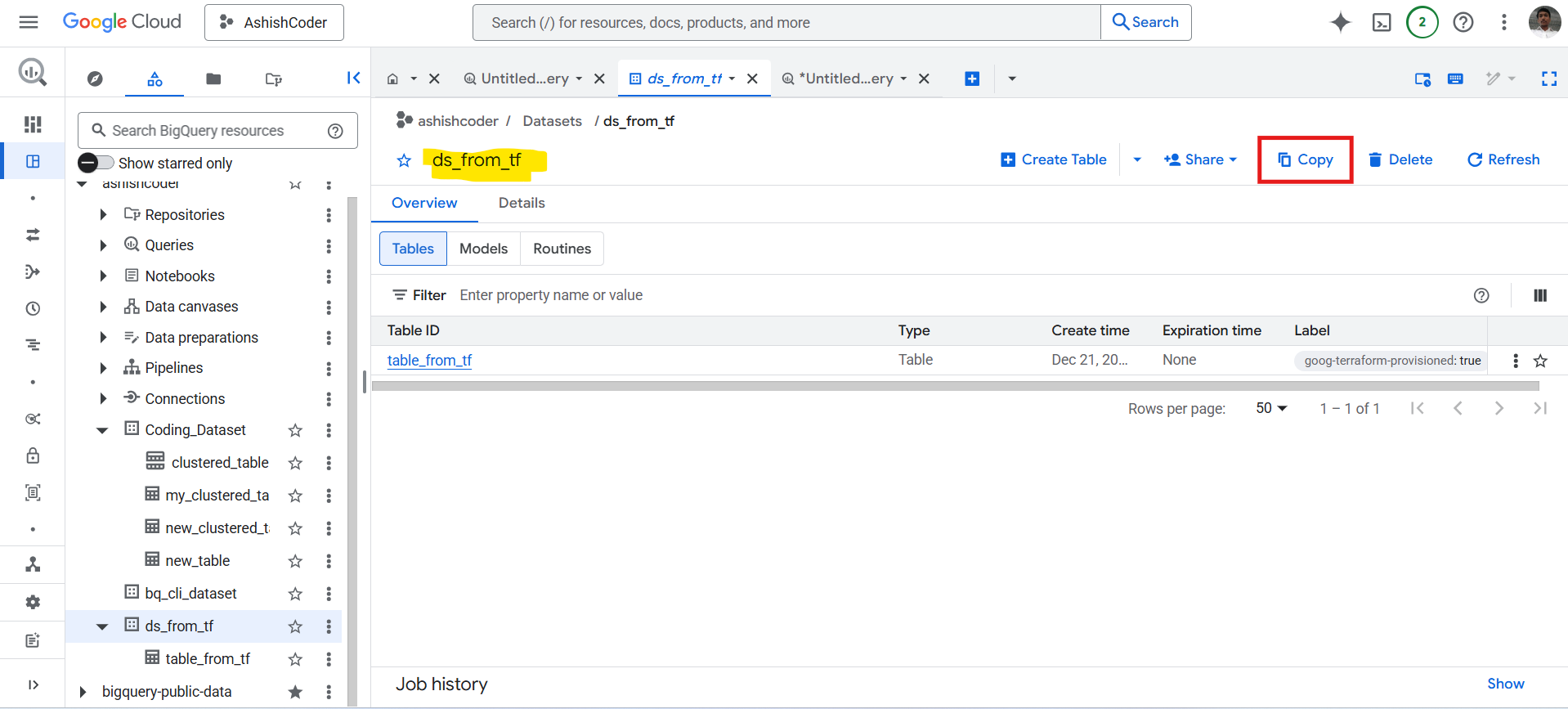
Step 2: In the Explorer panel, expand the project and select a dataset.
Step 3: In the Dataset info section, click Copy, and then do the following:
a. In the Dataset field, either create a new dataset or select an existing dataset ID from the list. Dataset names within a project must be unique. The project and dataset can be in different regions, but not all regions are supported for cross-region dataset copying. In the Location field, the location of the source dataset is displayed.
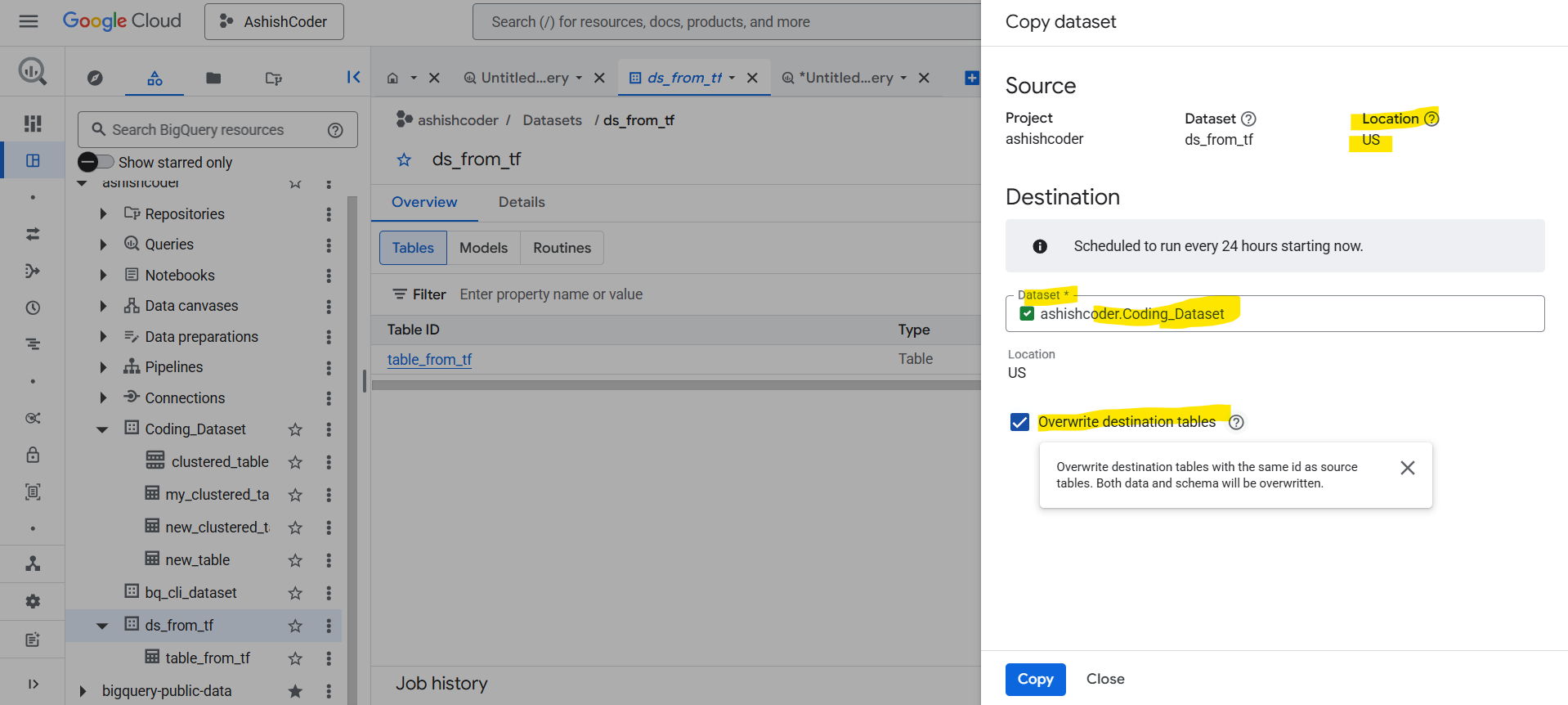
b. Optional: To overwrite both the data and schema of the destination tables with the source tables, select the Overwrite destination tables checkbox. Both the source and destination tables must have the same partitioning schema.
c. To copy the dataset, click Copy.
Note: Here it is scheduled to run for every 24 hours starting now.