st.tabs() in Streamlit
The st.tabs() method in Streamlit creates a tabbed interface that lets users switch between multiple content sections within the same page.
It is ideal for dashboards, multi-step workflows, and separating different views such as data, charts, predictions, and settings.
Basic Syntax
import streamlit as st

tabs = st.tabs(tab_names)
Parameters
- tab_names: List of strings representing tab titles. A tab is created for each string. The first tab is selected by default.
Returns
- A list of tab containers where you can write content.
Example: Simple tabs example.
Python
# Importing the Streamlit library
import streamlit as st

st.title("Streamlit Tabs Example")

tab1, tab2 = st.tabs(["Overview", "Details"])

with tab1:
    st.write("This is the overview section.")

with tab2:
    st.write("This is the details section.")
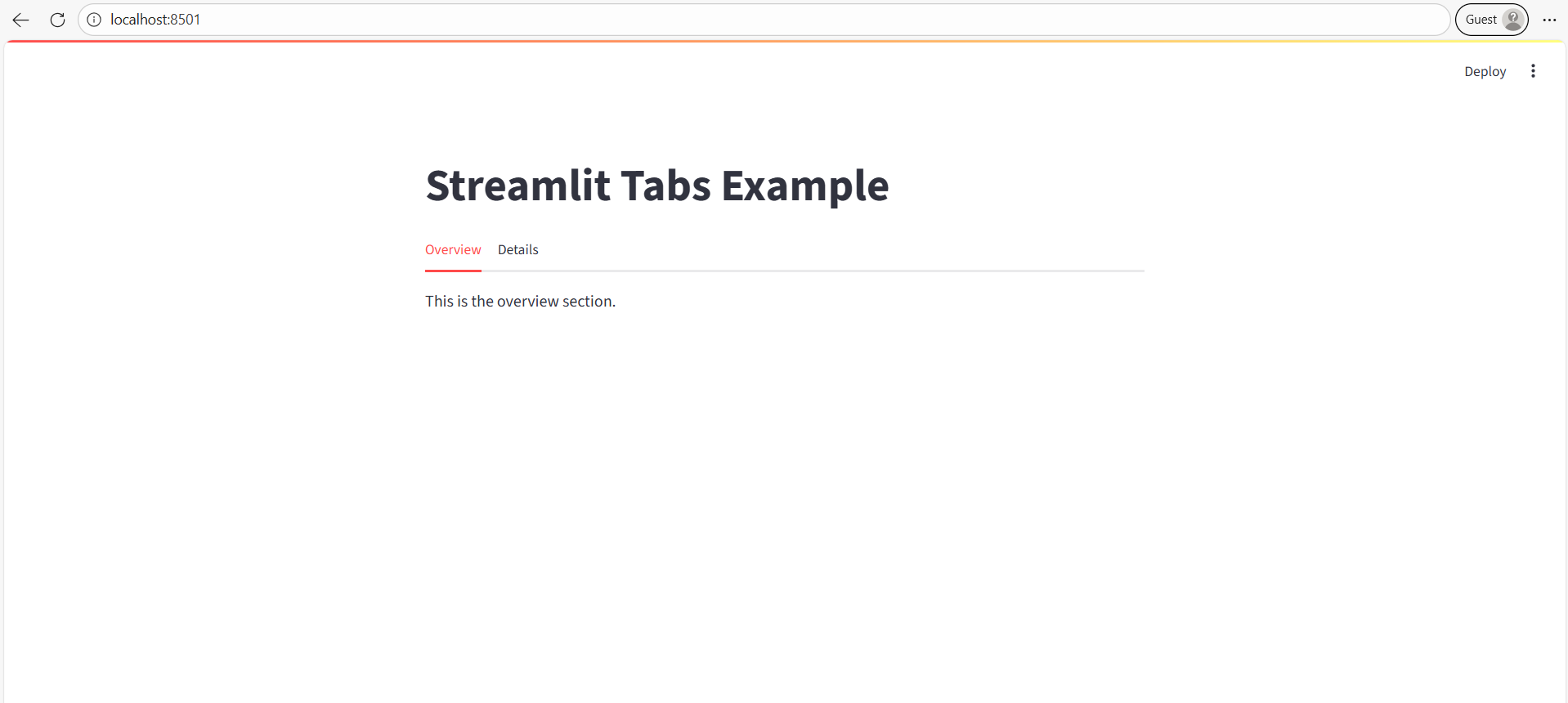
✔ What happens:
- Two tabs appear at the top.
- Clicking a tab switches the content.
The output of the above code is shown below: