SELECT statement in BigQuery
The SELECT statement in BigQuery is used to retrieve data from one or more tables. It allows you to choose specific columns, apply conditions, and sort the result set.
SQL Syntax
SELECT
    column1,
    column2,
    ...
FROM
    table_name
WHERE
    condition
ORDER BY
    order_column_name1 ASC;   -- or DESC
Example: Selecting All Columns from a Table
To select all columns from a table, we use the * wildcard.
SQL Query
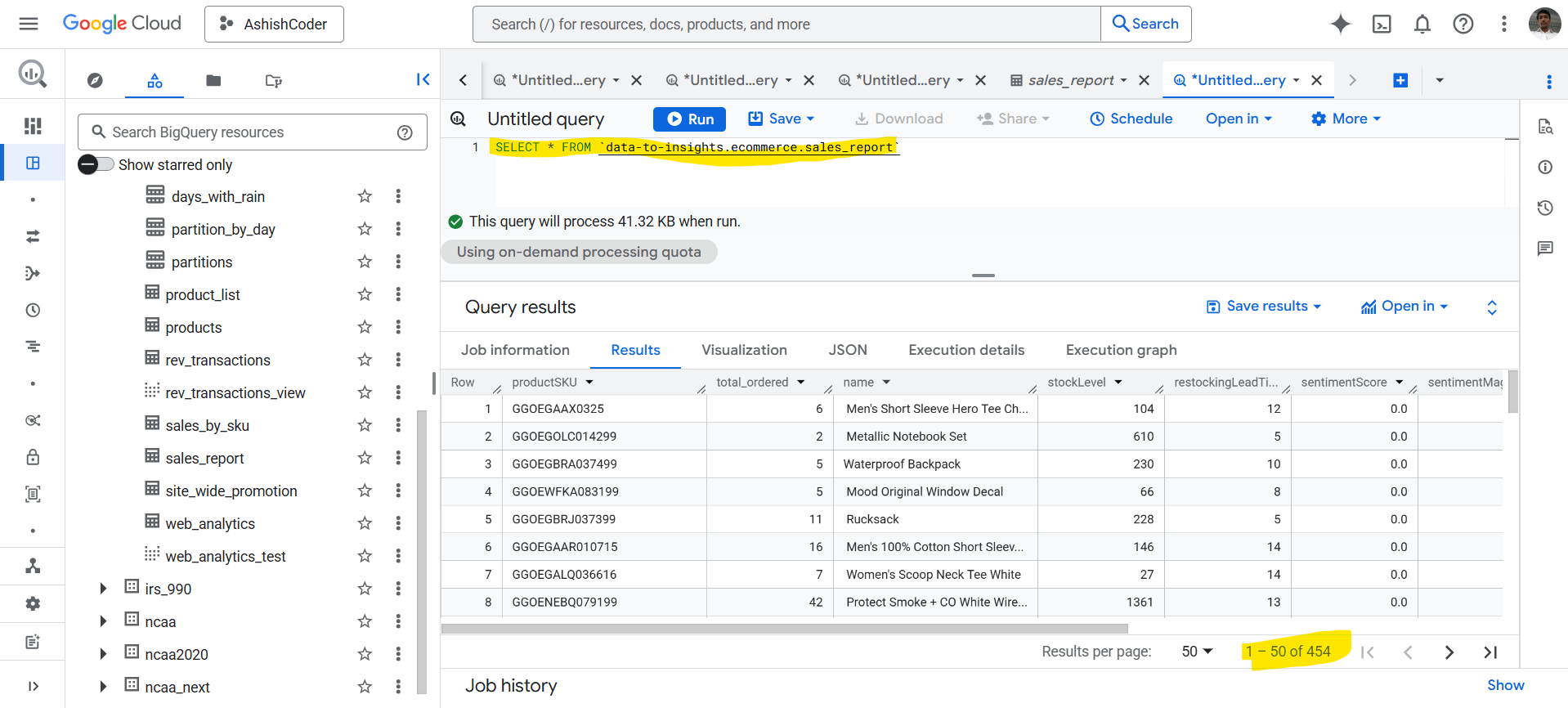
SELECT *
FROM `data-to-insights.ecommerce.sales_report`;
Output The above query retrieves all rows and all columns from the table.
Selecting Specific Columns from a Table
To retrieve only required columns, list the column names explicitly in the SELECT clause.
SQL Query
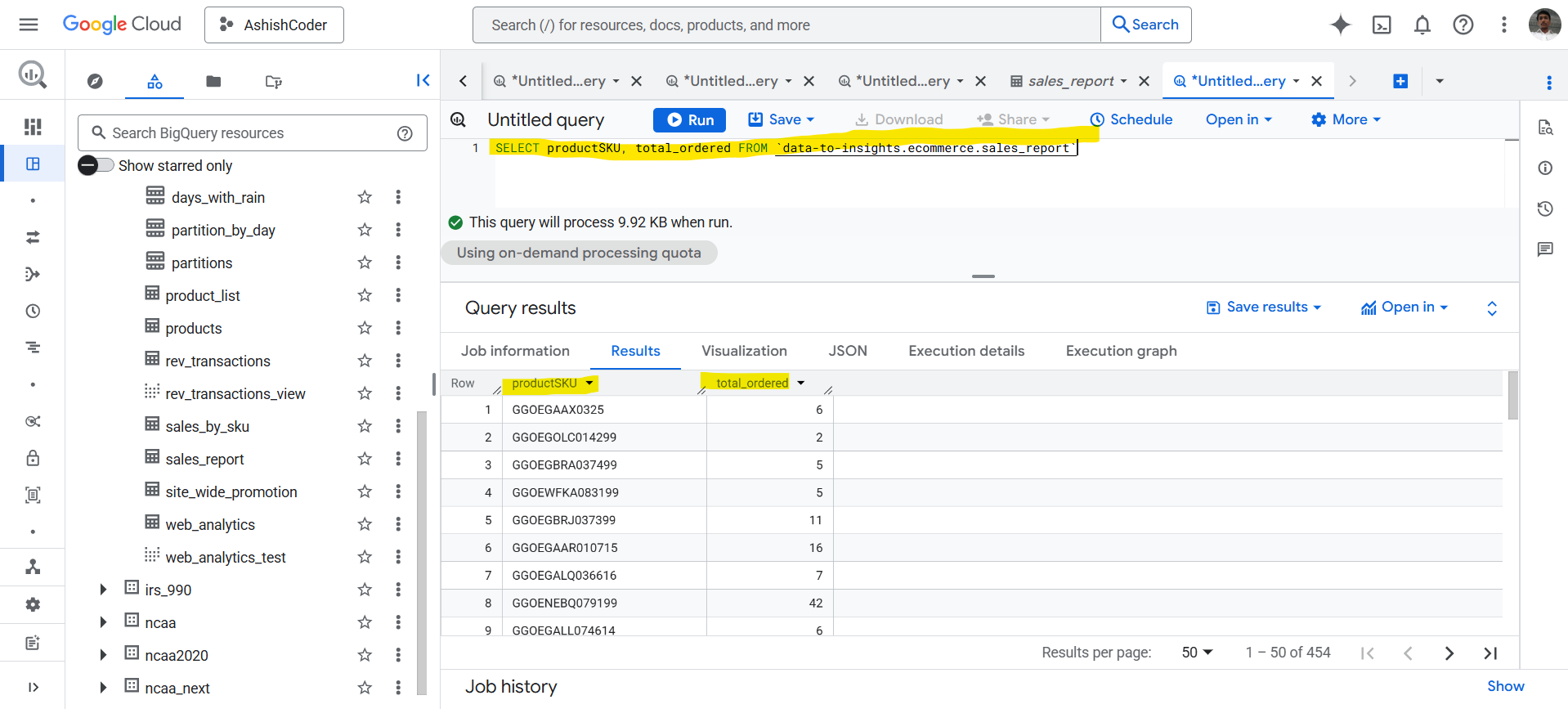
SELECT
  productSKU,
  total_ordered
FROM `data-to-insights.ecommerce.sales_report`;
Output The above query retrieves only the productSKU and total_ordered columns from the table.
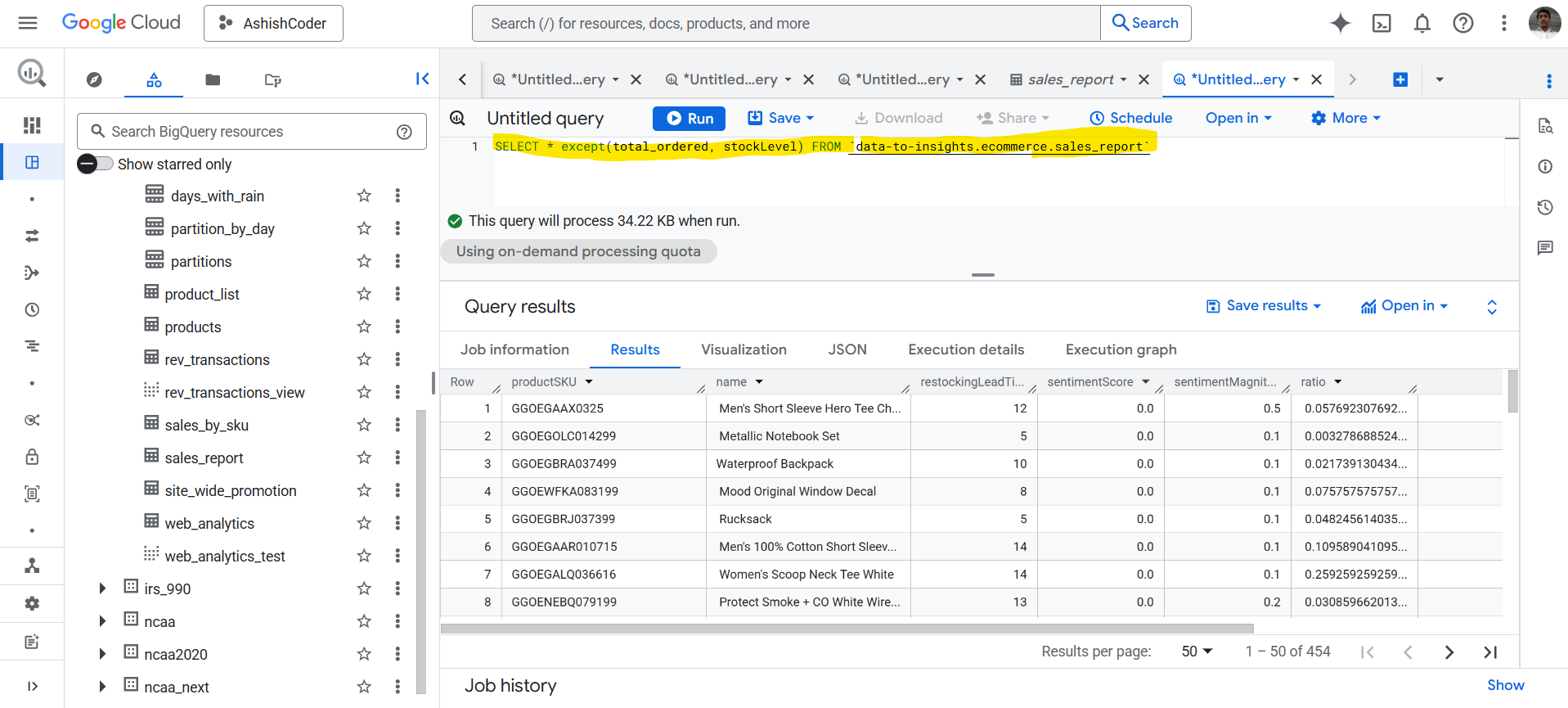
SELECT * EXCEPT in BigQuery
The SELECT * EXCEPT statement is used to exclude one or more columns while selecting all remaining columns.
SQL Query
SELECT *
EXCEPT (total_ordered, stockLevel)
FROM `data-to-insights.ecommerce.sales_report`;
Note: The SELECT * EXCEPT clause is useful when a table has many columns and you want to exclude only a few specific ones.