LOWER function in BigQuery
The LOWER() function in BigQuery Standard SQL converts all uppercase characters in a string into lowercase.
SQL Syntax
LOWER(string)
- string: The string expression, string literal, or column name of datatype STRING that we want to convert to lowercase.
Example: Let’s create an Employees table.
SQL
CREATE TABLE `ashishcoder.Coding_Dataset.employees` (
  employeeid INT64,
  name STRING,
  age INT64,
  salary INT64,
  department STRING,
  gender STRING
);
Load the data into the employees table.
SQL
INSERT INTO `ashishcoder.Coding_Dataset.employees` VALUES
(1, 'Ashish', 24, 25000, 'Electrical', 'M'),
(2, 'Kirshan', 32, 30000, 'Electrical', 'M'),
(3, 'Anjali', 20, 25000, 'Electronics', 'F'),
(4, 'Manjulika', 30, 15000, 'Electrical', 'F'),
(5, 'Katrina', 37, 18000, 'Computer', 'F'),
(6, 'Esha', 37, 20000, 'Computer', 'F'),
(7, 'Ankita', 20, 9000, 'Electronics', 'M'),
(8, 'Meenakshi', 30, 15000, 'Computer', 'F'),
(9, 'Alia', 37, 16000, 'Electronics', 'F');
View the Original Data
SQL
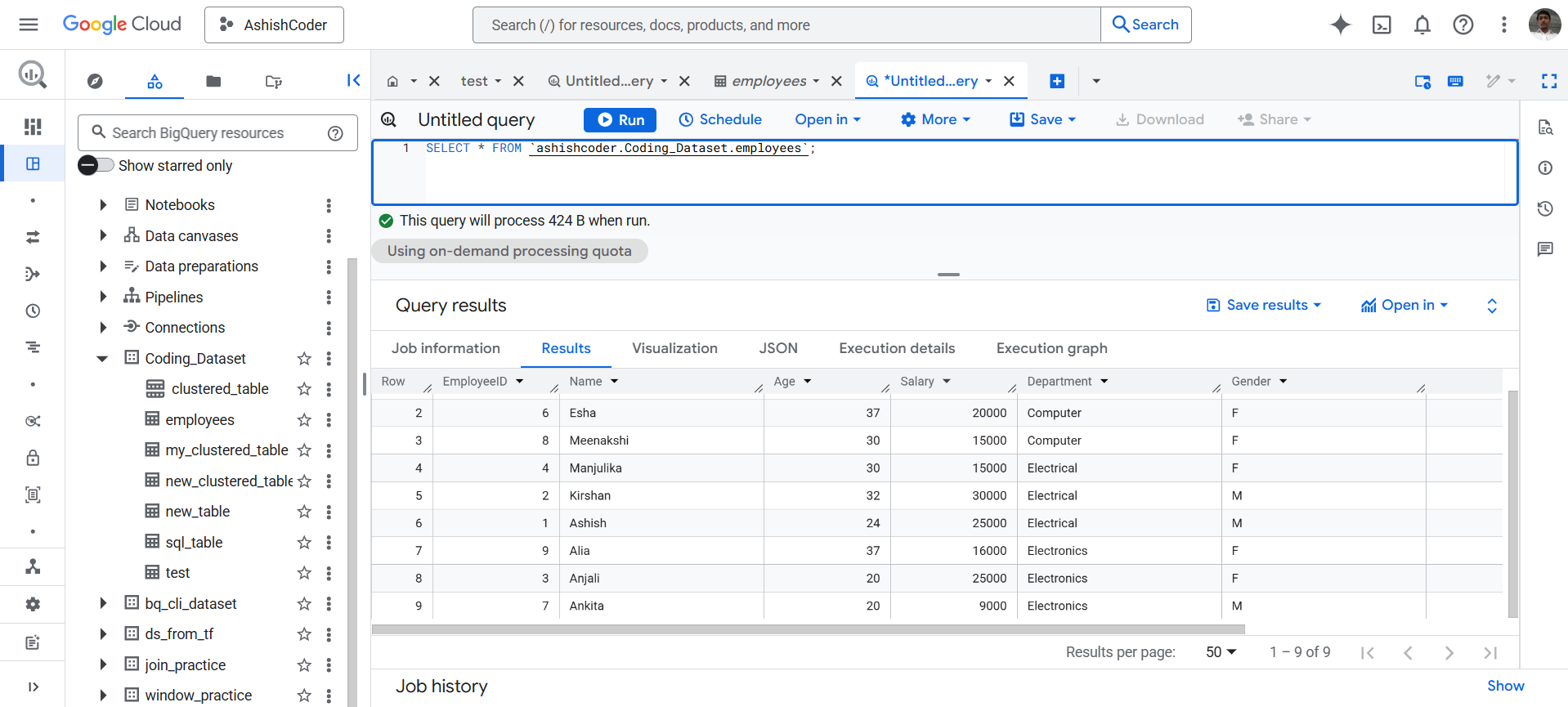
SELECT *
FROM `ashishcoder.Coding_Dataset.employees`;
Let’s assume we have a table employees with the following data:
To convert the Name column to lowercase:
SQL
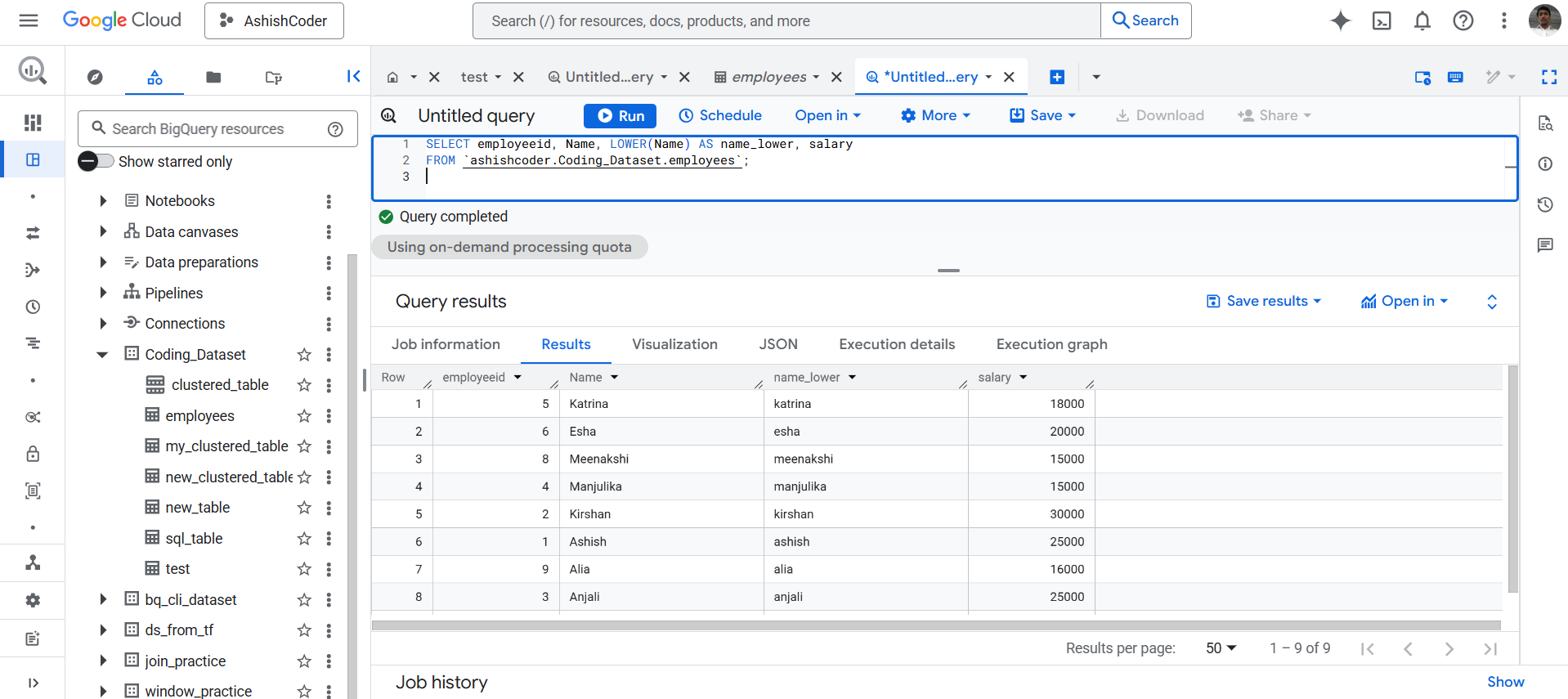
SELECT employeeid,
       Name,
       LOWER(Name) AS name_lower,
       salary
FROM `ashishcoder.Coding_Dataset.employees`;
What this query does
- Keeps the original Name column.
- Creates a new derived column name_lower.
- Converts all characters in Name to lowercase.
The output of the above query is shown below: