LEFT function in BigQuery
The LEFT() function in BigQuery is used to extract a specified number of characters from the left side of a string.
SQL Syntax
LEFT(string, number_of_characters)
The function takes two arguments:
- string: The input string from which characters will be extracted.
- number_of_characters: The number of characters you want to extract from the left side of the string.
Example: Create an Employees Table In this example, we create an employees table in BigQuery and insert sample employee data for practice.
Create Table
SQL Query
CREATE OR REPLACE TABLE `ashishcoder.Coding_Dataset.employees` (
    EmployeeID INT64,
    Name STRING,
    Age INT64,
    Salary INT64,
    Department STRING,
    Gender STRING
);
Insert Data into Employees Table
SQL Query
INSERT INTO `ashishcoder.Coding_Dataset.employees` VALUES
(1, 'Ashish', 24, 25000, 'Electrical', 'M'),
(2, 'Kirshan', 32, 30000, 'Electrical', 'M'),
(3, 'Anjali', 20, 25000, 'Electronics', 'F'),
(4, 'Manjulika', 30, 15000, 'Electrical', 'F'),
(5, 'Katrina', 37, 18000, 'Computer', 'F'),
(6, 'Esha', 37, 20000, 'Computer', 'F'),
(7, 'Ankita', 20, 9000, 'Electronics', 'M'),
(8, 'Meenakshi', 30, 15000, 'Computer', 'F'),
(9, 'Alia', 37, 16000, 'Electronics', 'F');
View All Records from Employees Table
SQL Query
SELECT *
FROM `ashishcoder.Coding_Dataset.employees`;
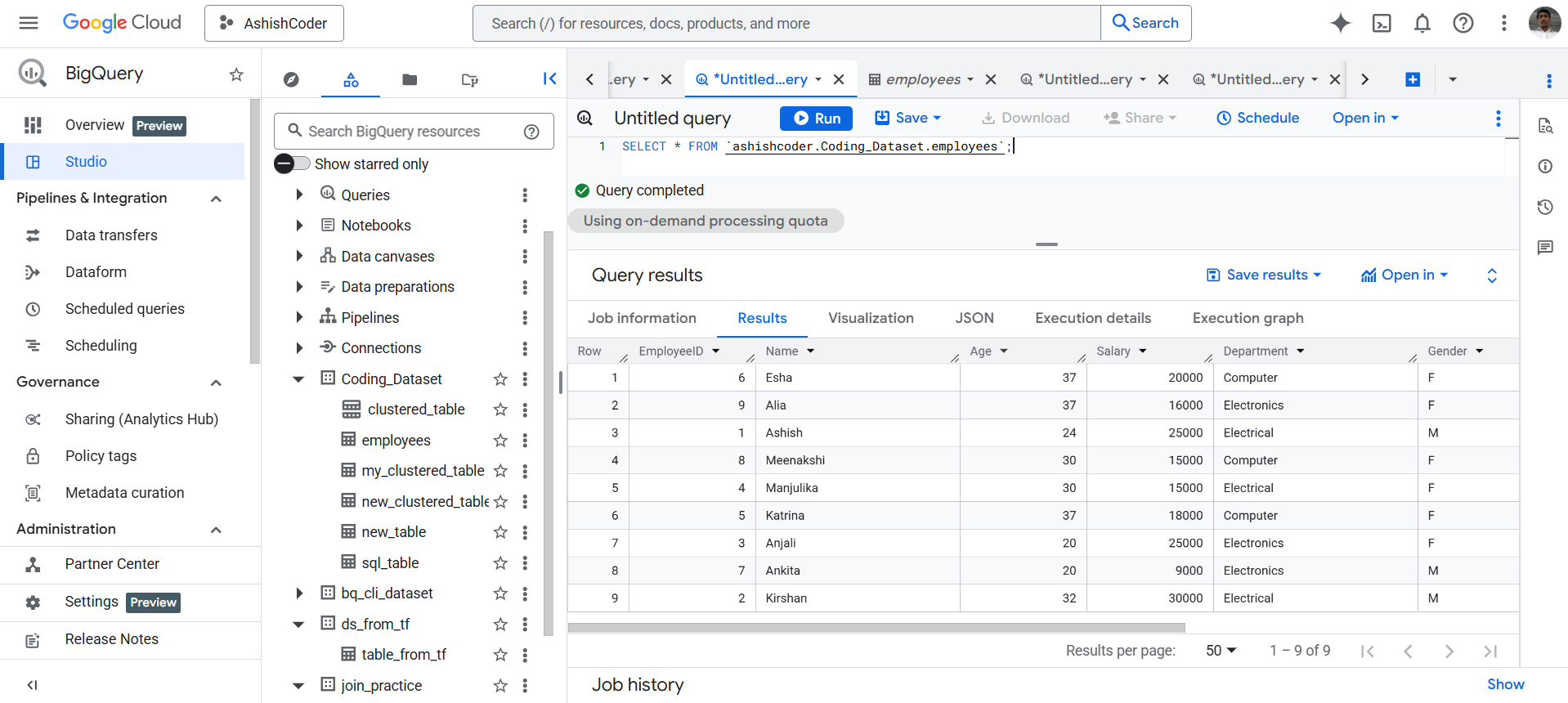
Output The above query returns all records from the employees table.
LEFT() Function in BigQuery The LEFT() function is used to extract characters from the left side of a string.
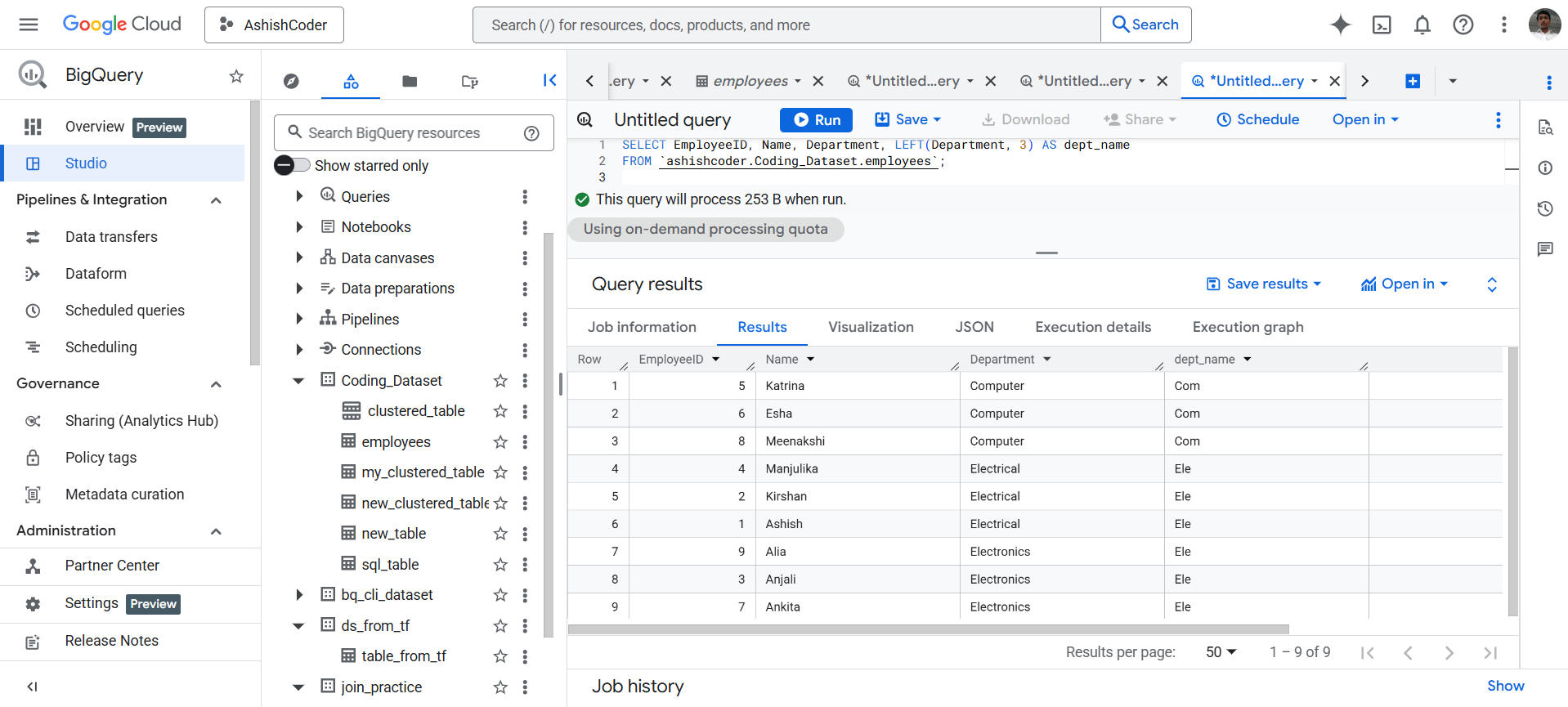
Example: Extract first three characters from the Department column
SQL Query
SELECT
  EmployeeID,
  Name,
  Department,
  LEFT(Department, 3) AS dept_name
FROM `ashishcoder.Coding_Dataset.employees`;