DISTINCT keyword in BigQuery
The DISTINCT keyword in BigQuery is used to remove duplicate rows from a result set. This is useful when we want to retrieve only unique values from a column or a combination of columns.
SQL Syntax
SELECT DISTINCT column_name1, column_name2, ...
FROM `project_name.dataset_name.table_name`
[WHERE condition]
[ORDER BY column_name];
This query returns only the unique values from the specified column or columns.
Example: DISTINCT with One Column
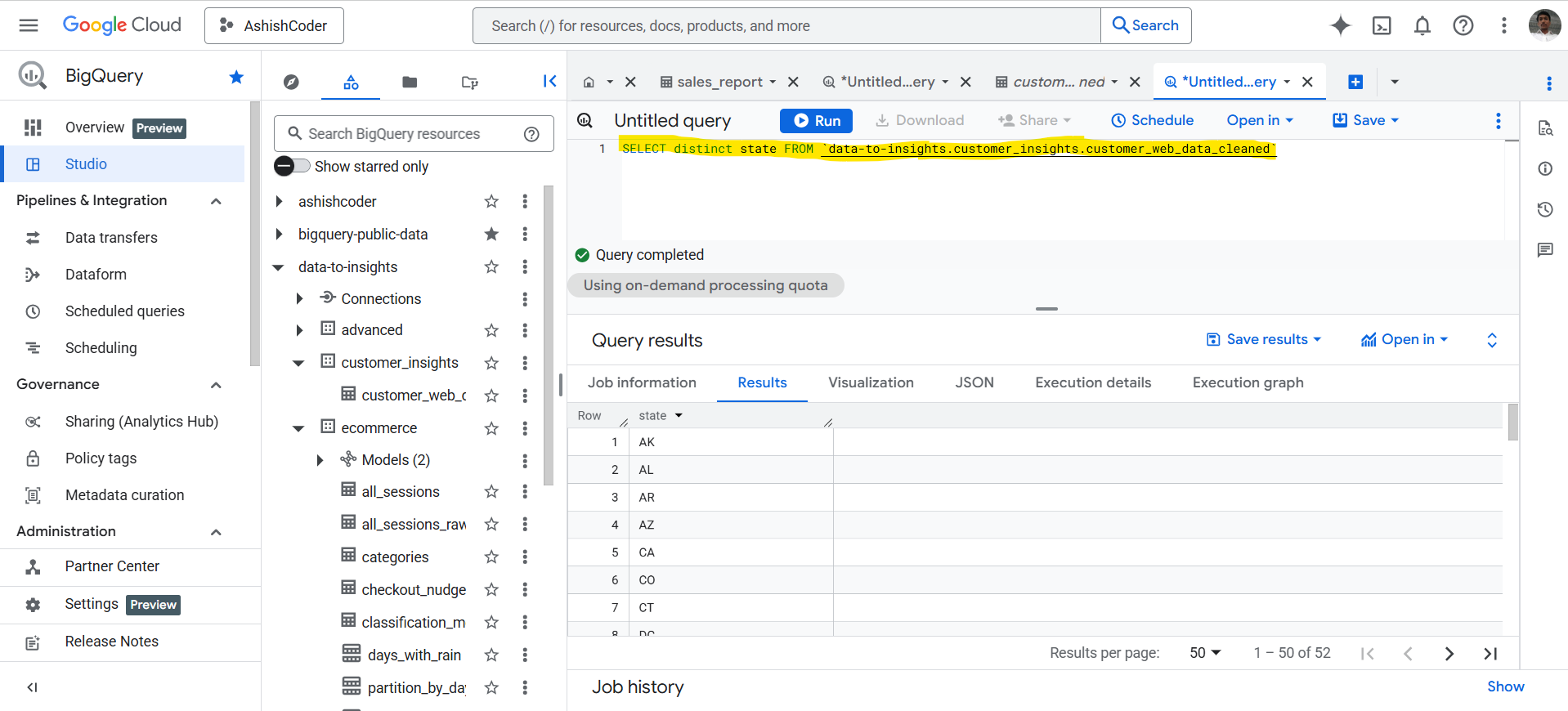
In this example, we retrieve the distinct values from a single column.
SQL
SELECT DISTINCT state
FROM `data-to-insights.customer_insights.customer_web_data_cleaned`;
The result of the above query is shown below:
DISTINCT with Multiple Columns
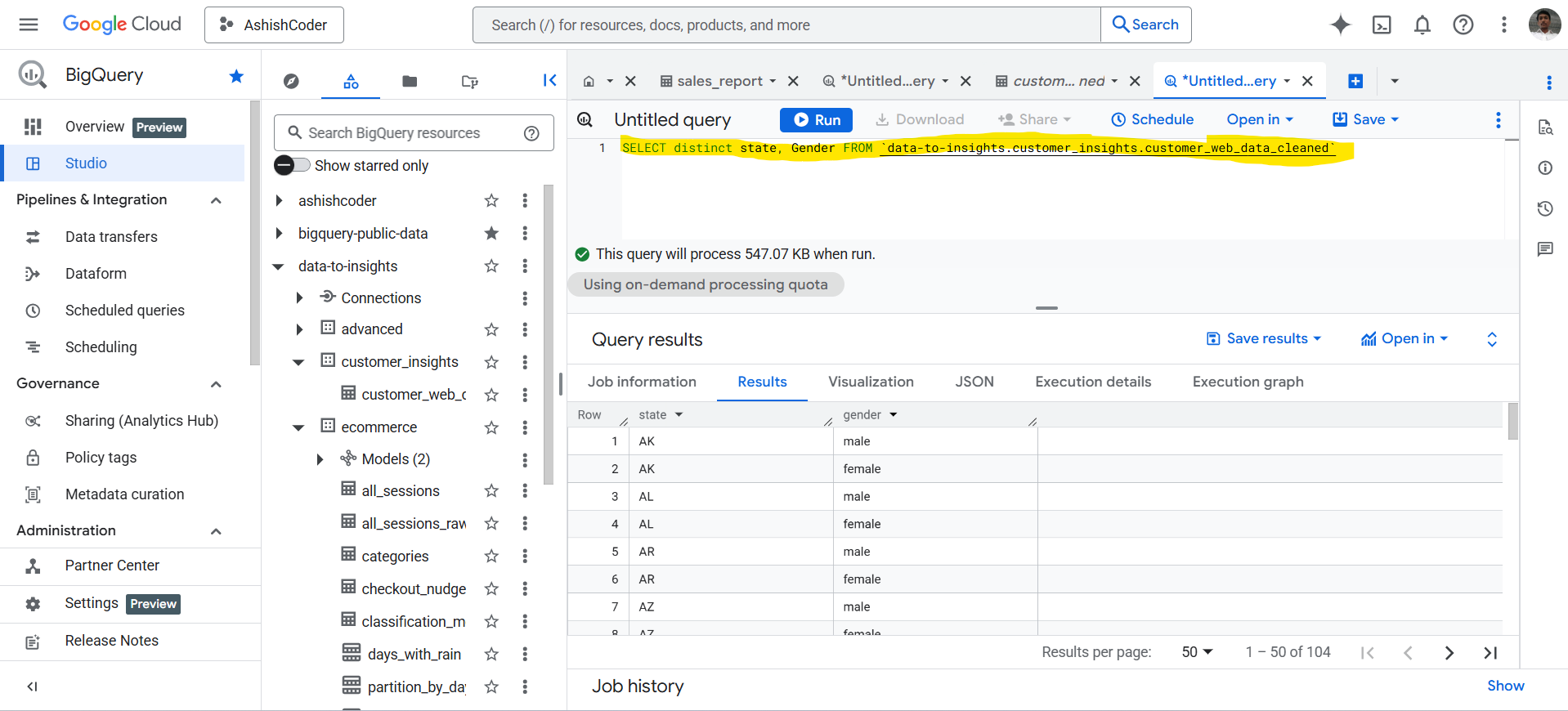
When using DISTINCT with multiple columns, the combination of all specified columns must be unique.
SQL Syntax
SELECT DISTINCT column1, column2
FROM `project_name.dataset_name.table_name`;
Example:
SQL
SELECT DISTINCT state, Gender
FROM `data-to-insights.customer_insights.customer_web_data_cleaned`;
The result of the above query is shown below:
Count Total Records and Unique Values
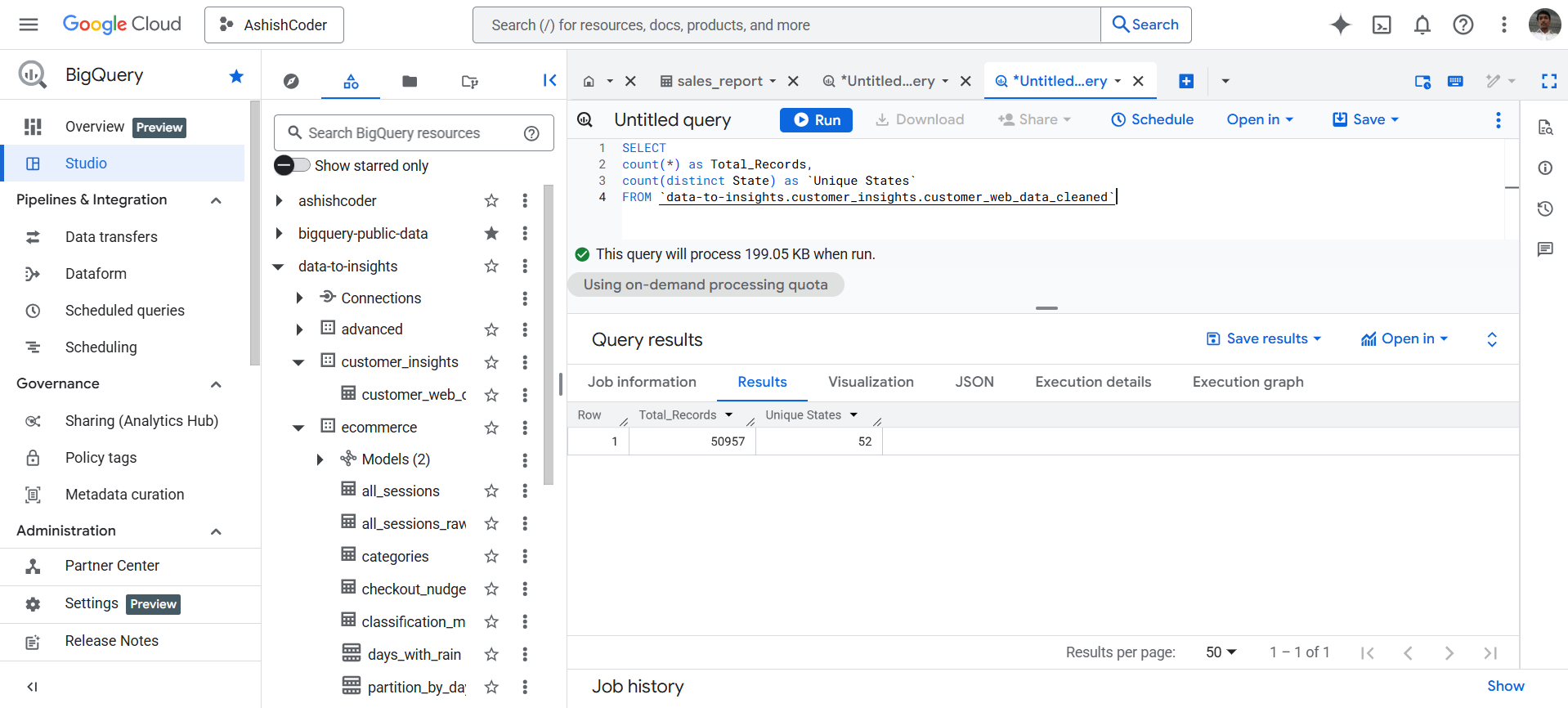
We can use COUNT along with DISTINCT to find total records and unique values in a column.
SQL
SELECT
  COUNT(*) AS Total_Records,
  COUNT(DISTINCT State) AS `Unique States`
FROM `data-to-insights.customer_insights.customer_web_data_cleaned`;
The output of the above query is shown below:
Remove Duplicate Rows
We can remove duplicate rows from the entire table by using DISTINCT *.
SQL
SELECT DISTINCT *
FROM `data-to-insights.customer_insights.customer_web_data_cleaned`;
This query removes duplicate entire rows. A row is considered duplicate only if all column values are identical.