Datasets in BigQuery
A dataset is contained within a specific project. Datasets are top-level containers that are used to organize and control access to our tables and views. A table or view must belong to a dataset, so you need to create at least one dataset before loading data into BigQuery. Use the format projectname.datasetname to fully qualify a dataset name when using GoogleSQL, or the format projectname:datasetname to fully qualify a dataset name when using the bq command-line tool.
Create datasets in BigQuery
To create a dataset in BigQuery, you can use the Google Cloud Console, the bq command-line tool, or the BigQuery API. Here are the steps to create a dataset using the Google Cloud Console:
To create a dataset:
Step 1: Go to the BigQuery page here in the Google Cloud console.
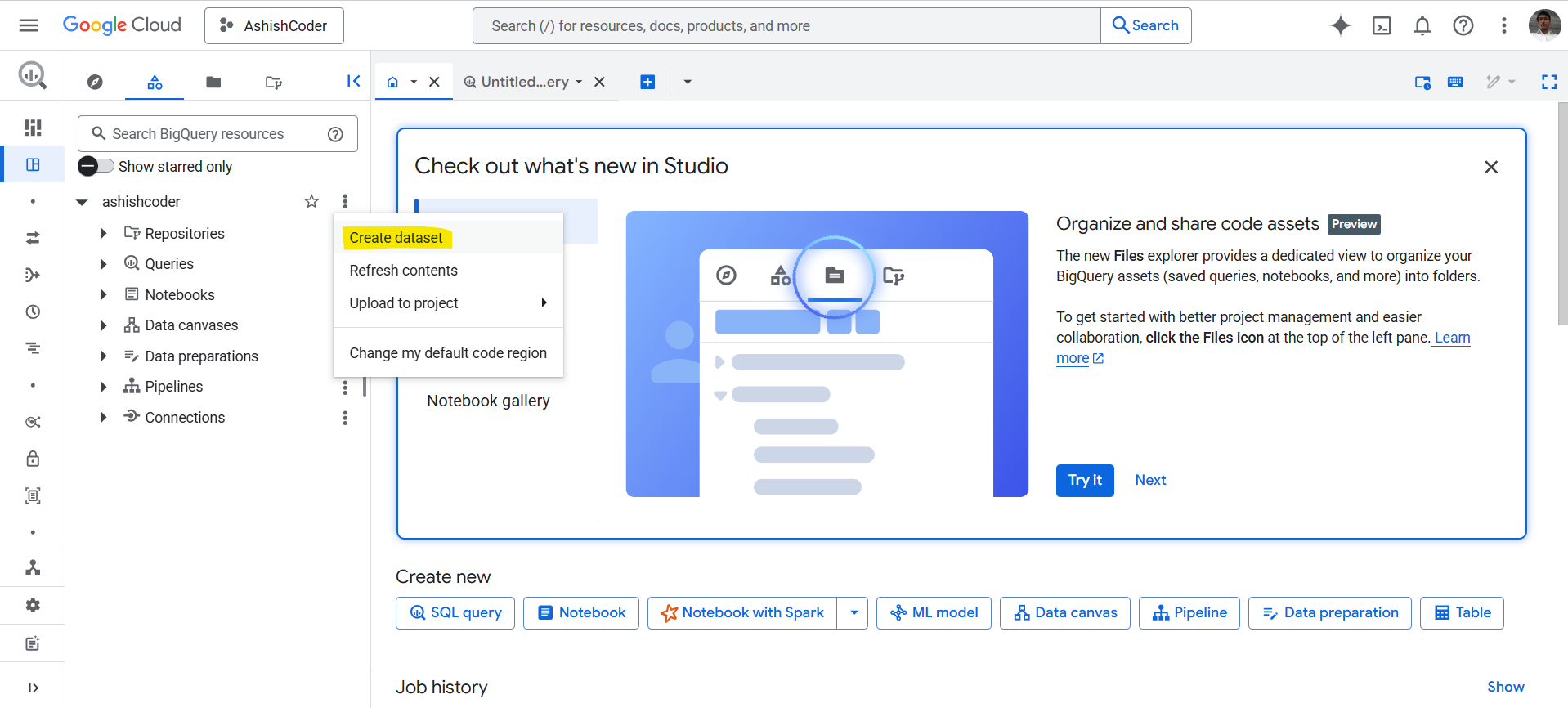
Step 2: In the Explorer panel, select the project where we want to create the dataset.
Step 3: Expand the more option (…) and then click on Create dataset.
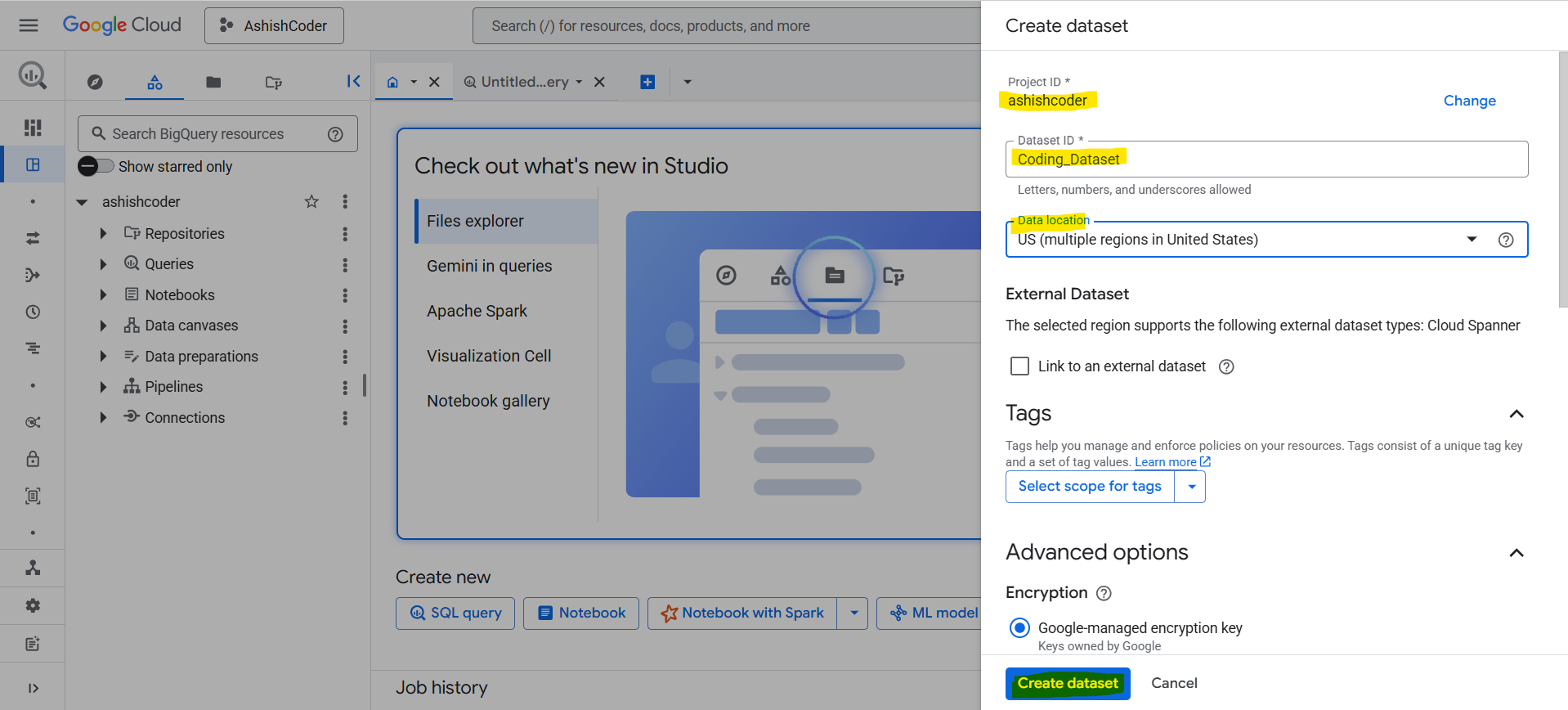
Step 4: On the Create dataset page:
• For Dataset ID, enter a unique dataset name.
• For Location type, choose a geographic location for the dataset. After a dataset is created, the location can't be changed.
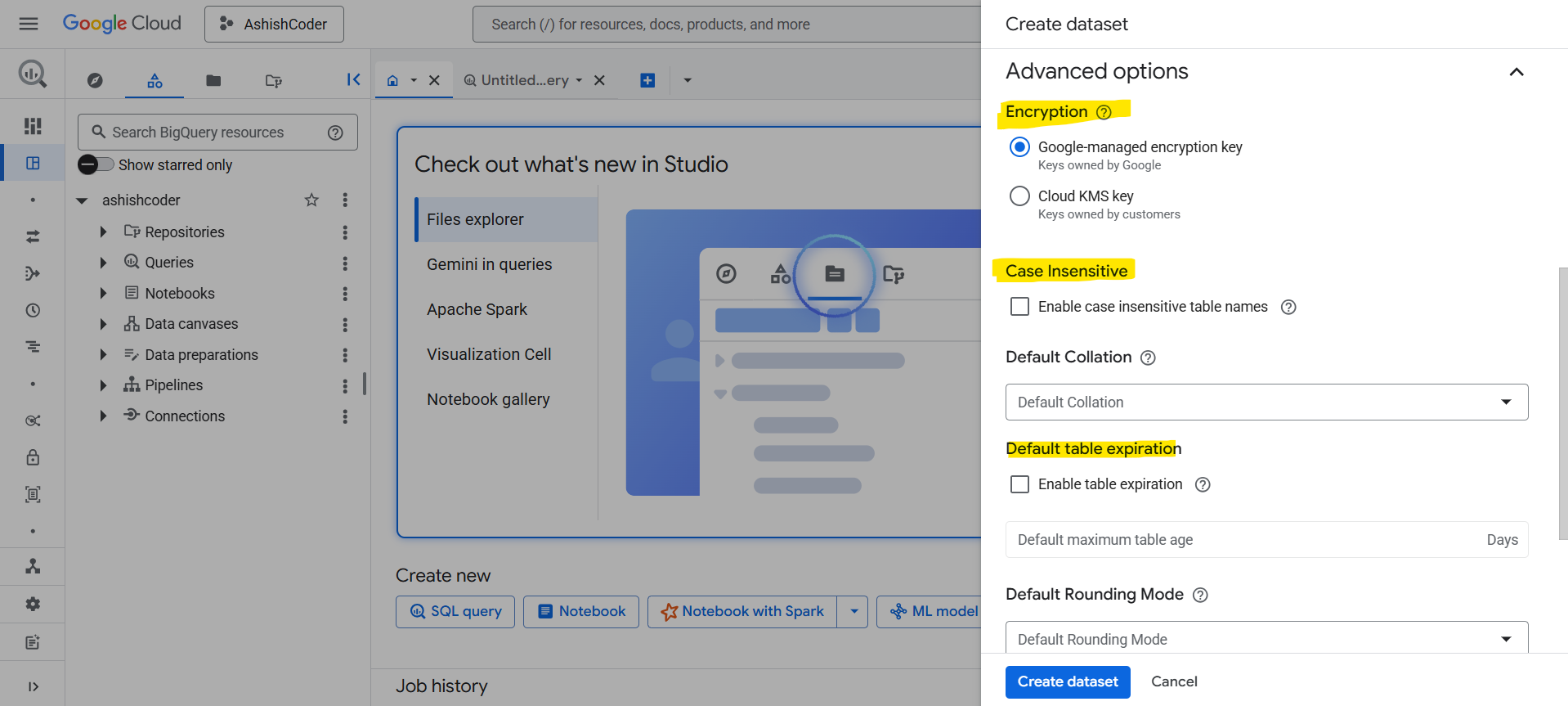
From the Advanced options:
• Optional: If we want tables in this dataset to expire, select Enable table expiration, then specify the Default maximum table age in days.
• Optional: If we want to use case-insensitive table names, select Enable case insensitive table names.
• Optional: If we want to enable the physical storage billing model, select Enable physical storage billing model. When we change a dataset's billing model, it takes 24 hours for the change to take effect. Once we change a dataset's storage billing model, we must wait 14 days before we can change the storage billing model again.
• Optional: If we want to set the dataset's time travel window, select the Time travel window to use.
Step 5: Click Create dataset to create the dataset.
Note: • Dataset names cannot contain spaces or special characters such as -, &, @, or %.
• The dataset name must be unique for each project.
Create Dataset using SQL
We can create the dataset using the SQL command CREATE SCHEMA statement.
To create a dataset in a project other than our default project, add the project ID to the dataset ID in the following format: PROJECT_ID.DATASET_ID.
SQL Syntax
CREATE SCHEMA PROJECT_ID.DATASET_ID
  OPTIONS (
    default_kms_key_name = 'KMS_KEY_NAME',
    default_partition_expiration_days = PARTITION_EXPIRATION,
    default_table_expiration_days = TABLE_EXPIRATION,
    description = 'DESCRIPTION',
    labels = [('KEY_1','VALUE_1'),('KEY_2','VALUE_2')],
    location = 'LOCATION',
    max_time_travel_hours = HOURS,
    storage_billing_model = BILLING_MODEL);