CASE WHEN statement in BigQuery
The CASE WHEN statement in BigQuery is used for conditional logic within a query, similar to an if-else statement in programming. It allows us to return different values based on specific conditions.
SQL Syntax
SELECT column_name,
       CASE
           WHEN condition1 THEN result1
           WHEN condition2 THEN result2
           ELSE result3
       END AS alias_name
FROM table_name;
Here, result3 is returned when no condition is satisfied. The alias_name represents the name of the new column created using this conditional statement.
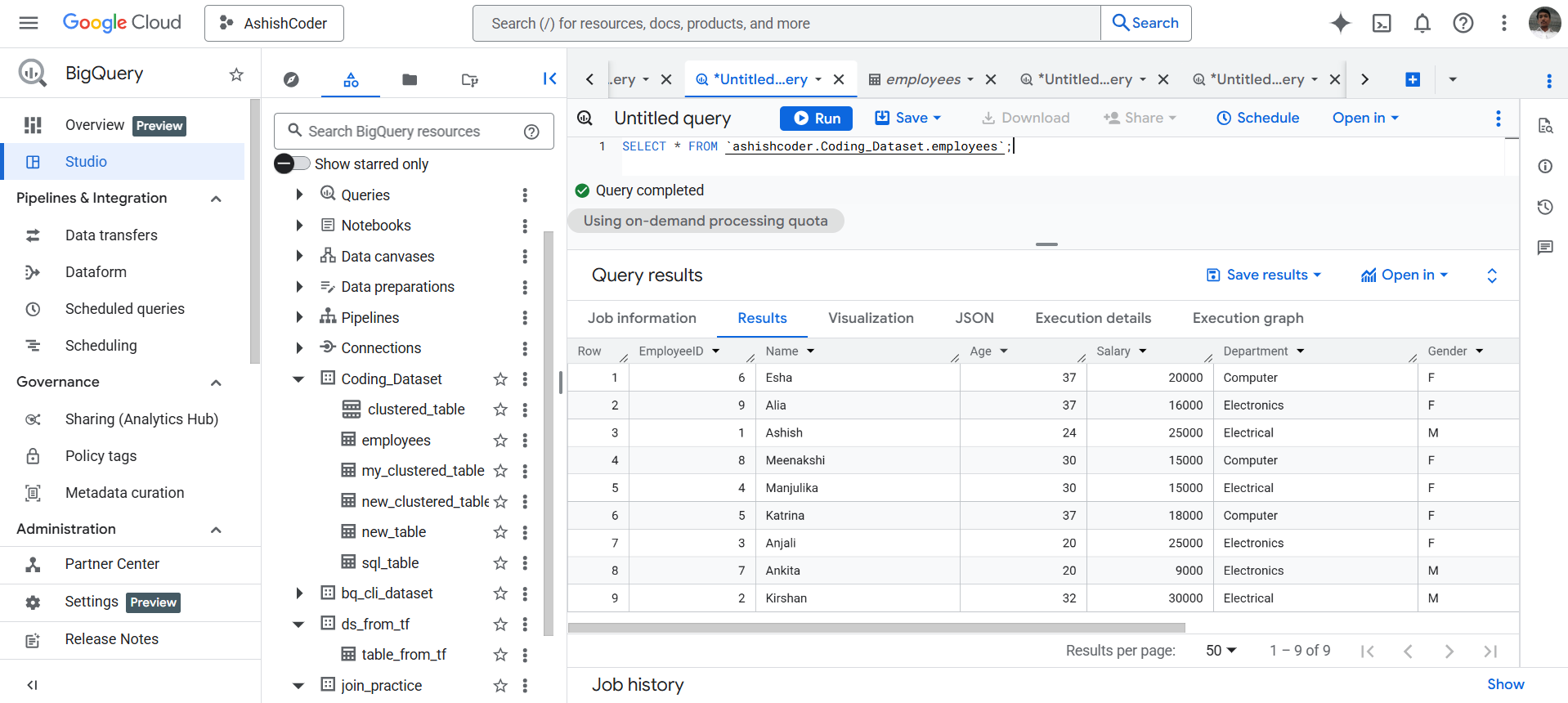
Example: Let’s have the Employees table. To view all the records, execute the following query.
SQL
SELECT * FROM `ashishcoder.Coding_Dataset.employees`;
The output of the above query is shown below:
Categorize Employees Using CASE WHEN
Task: We want to categorize the employees based on their salary into three groups:
High: Salary greater than 20,000.
Medium: Salary between 15,000 and 20,000 (inclusive).
Low: Salary less than 15,000.
SQL
SELECT EmployeeID,
       Name,
       Salary,
       CASE
           WHEN Salary > 20000 THEN 'High'
           WHEN Salary BETWEEN 15000 AND 20000 THEN 'Medium'
           ELSE 'Low'
       END AS SalaryCategory
FROM `ashishcoder.Coding_Dataset.employees`;
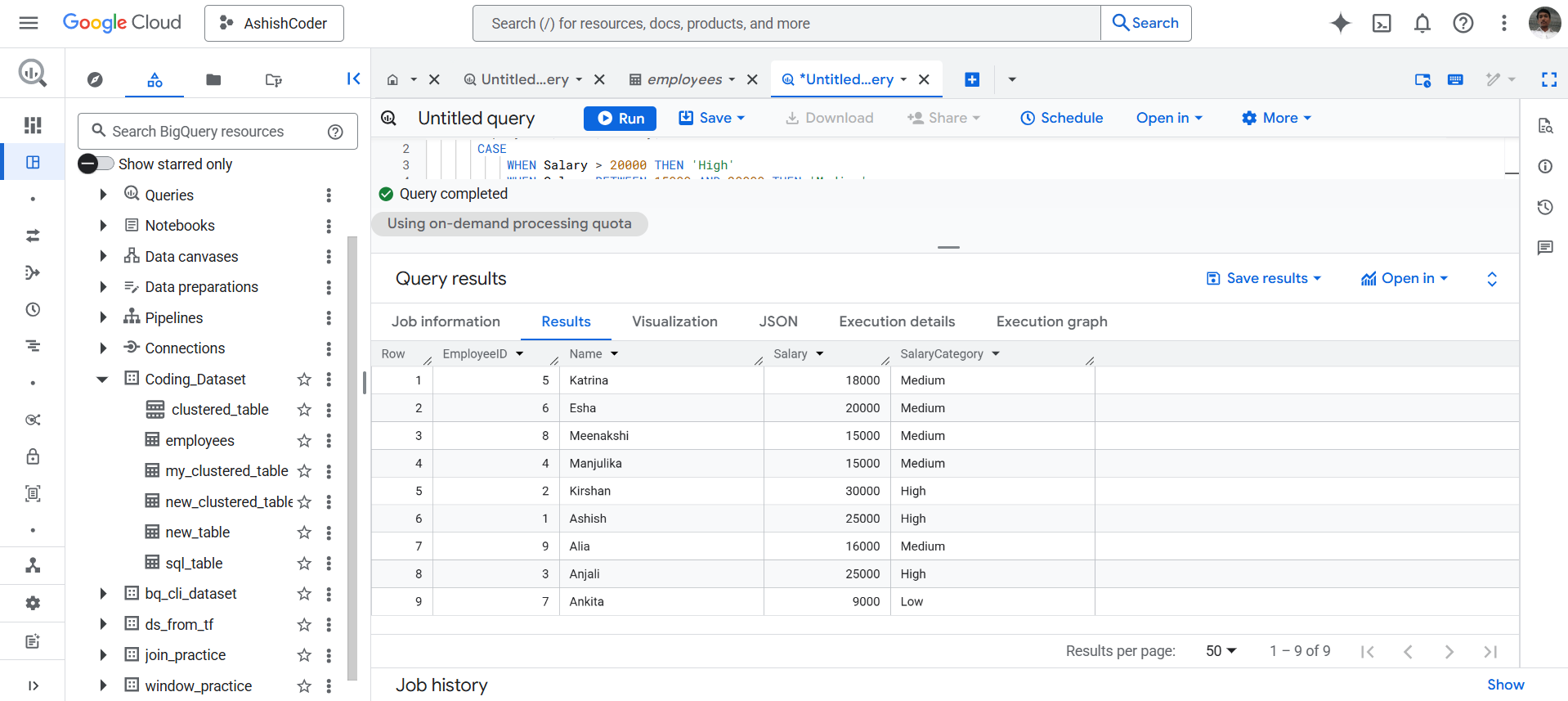
The output of the above query is shown below:
Explanation:
Ashish and Kirshan have salaries above 20,000, so their SalaryCategory is marked as High.
Katrina and Esha fall into the range 15,000–20,000, so they are categorized as Medium.
Ankita has a salary below 15,000, so the employee is categorized as Low.