LIMIT keyword in BigQuery
In BigQuery, the LIMIT keyword is used to limit the number of rows returned in a result set. It is commonly used when we want to retrieve only a specified number of records, for example, the top 10 highest salaries or the top 5 latest orders.
SQL Syntax
SELECT column1, column2, ...
FROM `project_name.dataset_name.table_name`
ORDER BY column_name DESC
LIMIT n;
Where n specifies the number of records to be returned.
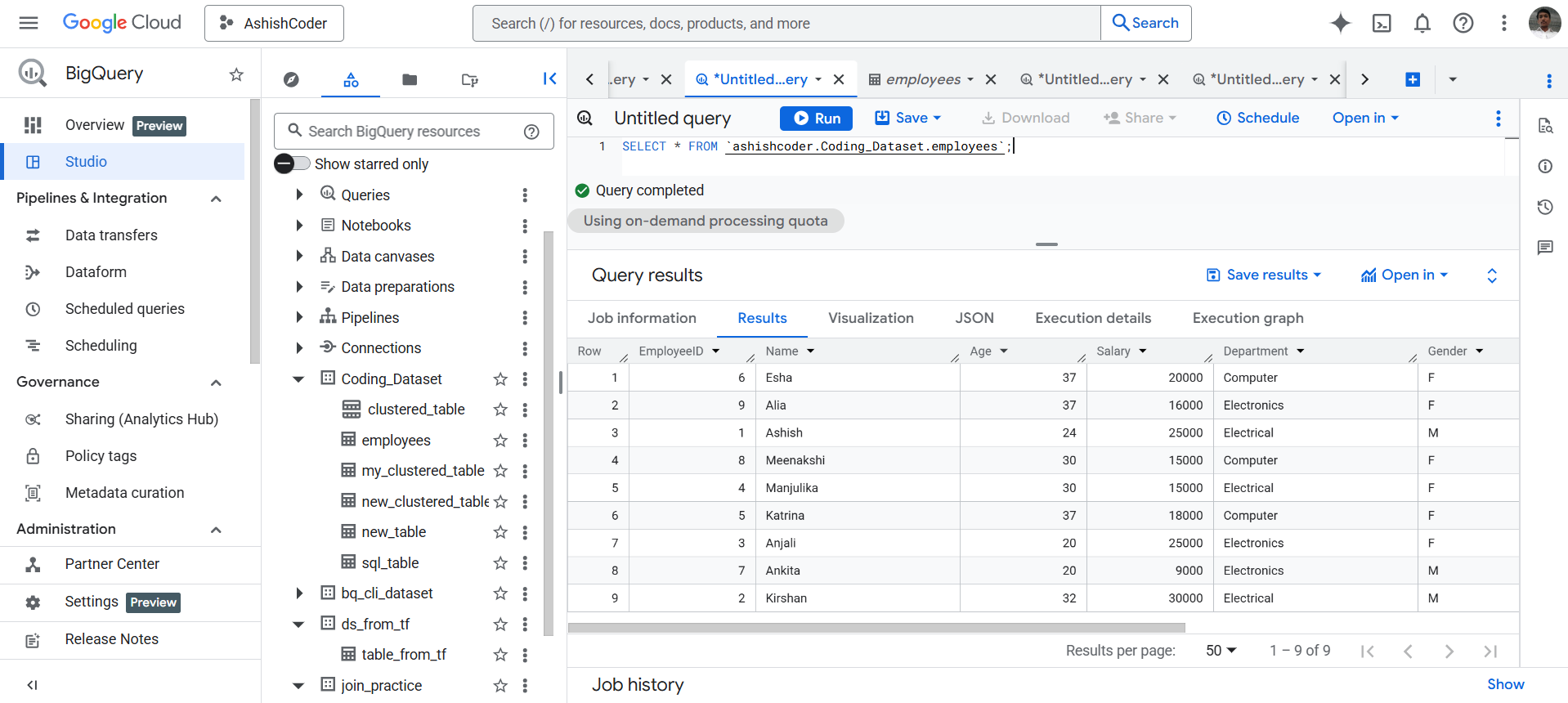
Example: Let’s have the Employees table. To view all the records, execute the following query.
SQL
SELECT * FROM `ashishcoder.Coding_Dataset.employees`;
The output of the above query is shown below:
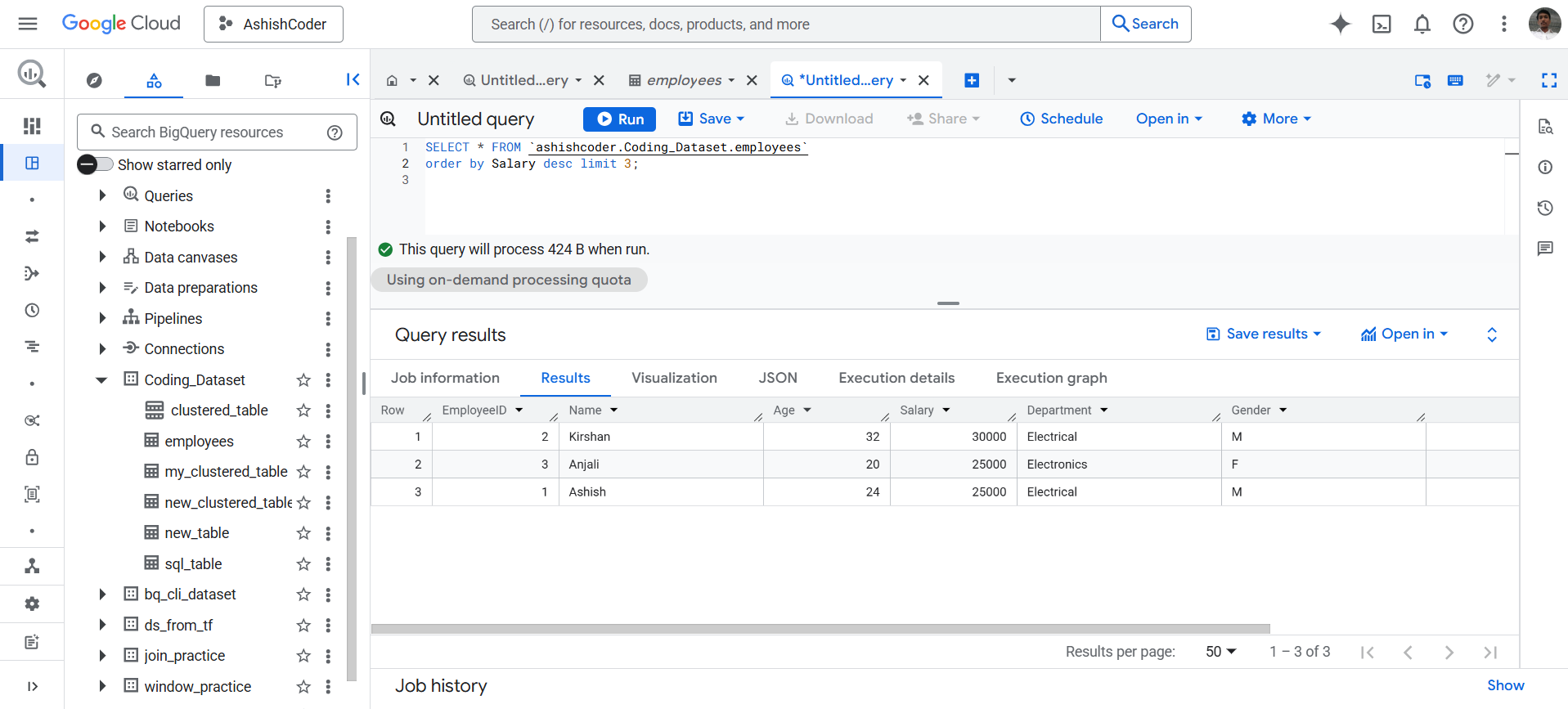
Let’s find the top three employees based on their salary.
SQL
SELECT *
FROM `ashishcoder.Coding_Dataset.employees`
ORDER BY Salary DESC
LIMIT 3;
The output of the above query is shown below: