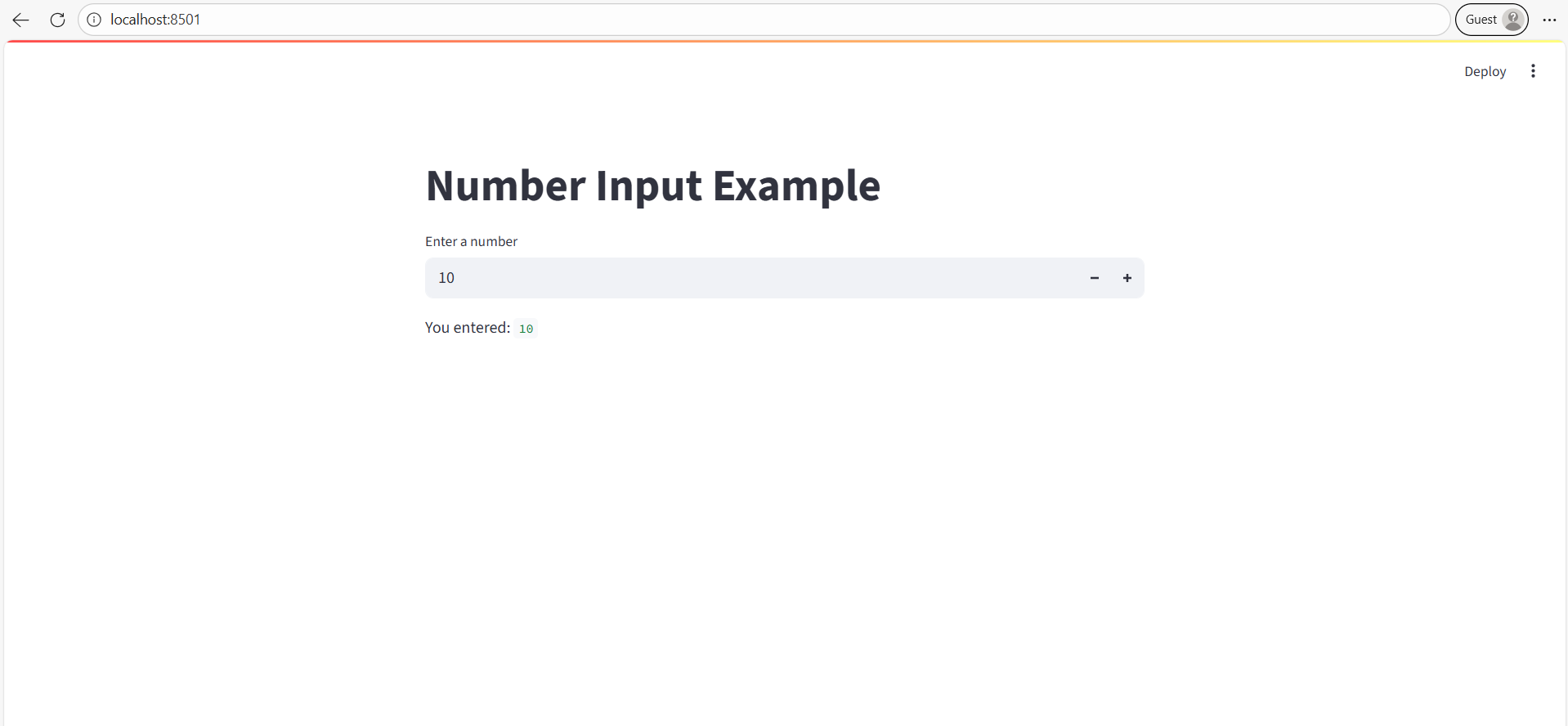
number_input widget in Streamlit
The number_input method is a numeric input widget in Streamlit that allows users to enter or select numeric values (integer or float) directly from the app interface.
It is useful for scenarios such as:
- Setting parameters for ML models (e.g., learning rate, number of trees)
- Entering age, salary, quantity, or price
- Controlling numeric ranges in dashboards
Syntax
st.number_input(
    label,
    min_value=None,
    max_value=None,
    value=default_value,
    step=1,
    format=None,
    key=None,
    help=None
)
Example: Basic Example
Python
# Importing the Streamlit library
import streamlit as st

# Title
st.title("Number Input Example")

# Simple number input
number = st.number_input(
    "Enter a number",
    min_value=0,
    max_value=100,
    value=10,
    step=5
)

# Display result
st.write("You entered:", number)
Output
- You will see a number input box (default value = 10).
- You can click the up/down arrows or type any number between 0 and 100.
- The value updates dynamically below.