MAX function in BigQuery
The MAX function in BigQuery is used to find the maximum value in a specified column of the table.
SQL Syntax
MAX(expression)
Example: Create an Employees table.
SQL
CREATE OR REPLACE TABLE `ashishcoder.Coding_Dataset.employees` (
  EmployeeID INT64,
  Name STRING,
  Age INT64,
  Salary INT64,
  Department STRING,
  Gender STRING
);
Insert the data into the Employees table.
SQL
INSERT INTO `ashishcoder.Coding_Dataset.employees` VALUES
(1, 'Ashish', 24, 25000, 'Electrical', 'M'),
(2, 'Kirshan', 32, 30000, 'Electrical', 'M'),
(3, 'Anjali', 20, 25000, 'Electronics', 'F'),
(4, 'Manjulika', 30, 15000, 'Electrical', 'F'),
(5, 'Katrina', 37, 18000, 'Computer', 'F'),
(6, 'Esha', 37, 20000, 'Computer', 'F'),
(7, 'Ankita', 20, 9000, 'Electronics', 'M'),
(8, 'Meenakshi', 30, 15000, 'Computer', 'F'),
(9, 'Alia', 37, 16000, 'Electronics', 'F');
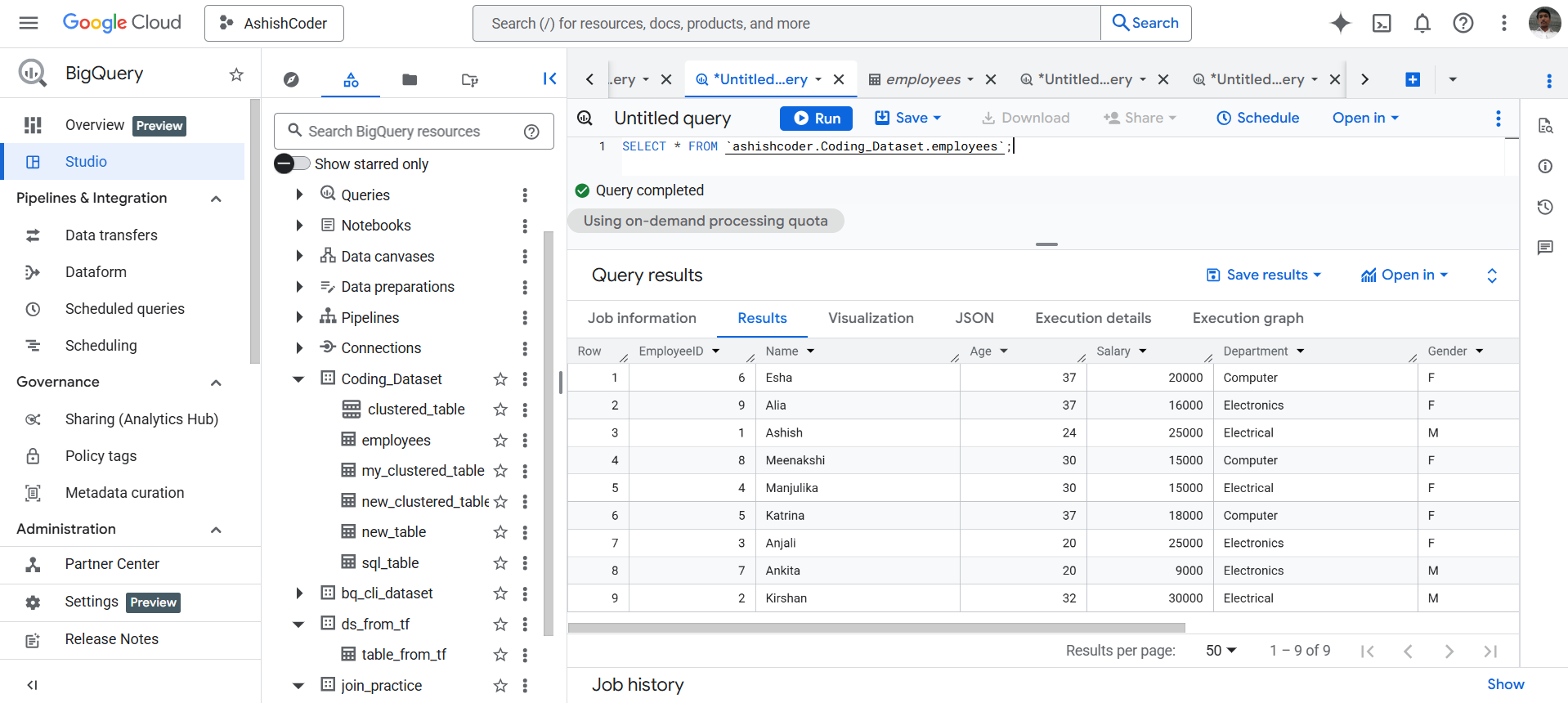
To see all the data in the Employees table, execute the following query.
SQL
SELECT * FROM `ashishcoder.Coding_Dataset.employees`;
The output of the above query is shown below:
Let’s find the maximum salary in the employee data.
SQL
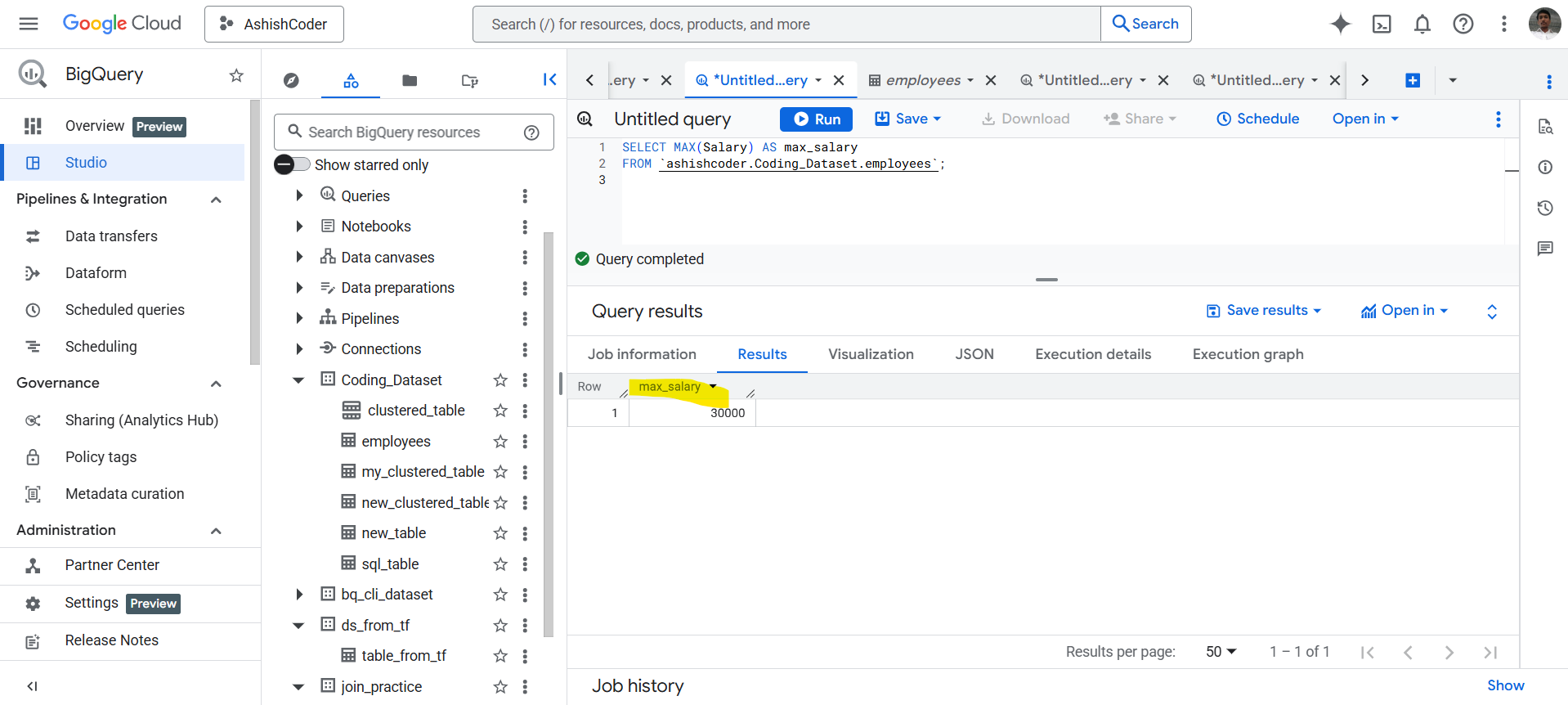
SELECT MAX(Salary) AS max_salary
FROM `ashishcoder.Coding_Dataset.employees`;
The result of the above query returns the maximum salary in the Salary column.
MAX function with GROUP BY clause
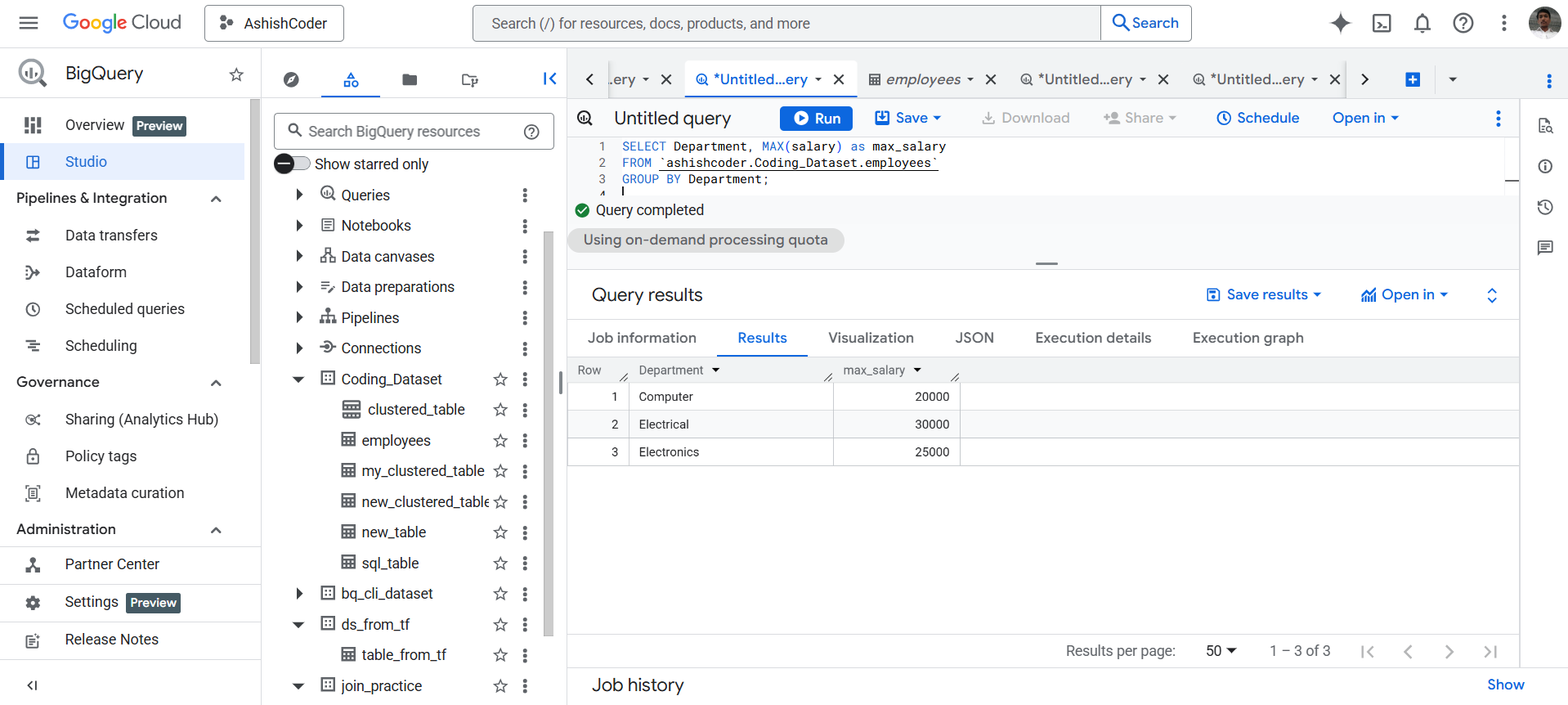
To find the maximum salary in each department, we use the MAX() function with a GROUP BY clause:
SQL
SELECT Department, MAX(Salary) AS max_salary
FROM `ashishcoder.Coding_Dataset.employees`
GROUP BY Department;
The GROUP BY clause groups the table by Department, and for each group, the MAX() function returns the maximum salary within that group.