LIKE operator in BigQuery
The LIKE operator is a string operator that returns TRUE if the string in the first operand expression_1 matches a pattern specified by the second operand expression_2; otherwise, it returns FALSE.
The NOT LIKE operator returns TRUE if the string in the first operand does not match the specified pattern; otherwise, it returns FALSE.
SQL Syntax
expression_1 [NOT] LIKE expression_2
The LIKE operator in BigQuery is used to search for a specified pattern in a column. It is particularly useful for string matching. The LIKE operator is often used with wildcard characters:
% (percent sign): Represents zero, one, or multiple characters.
_ (underscore): Represents a single character.
Syntax of LIKE operator
SELECT *
FROM `project_name.dataset_name.table_name`
WHERE column_name LIKE pattern;
Example: Using % wildcard in SQL.
SQL
SELECT *
FROM `data-to-insights.ecommerce.sales_report`
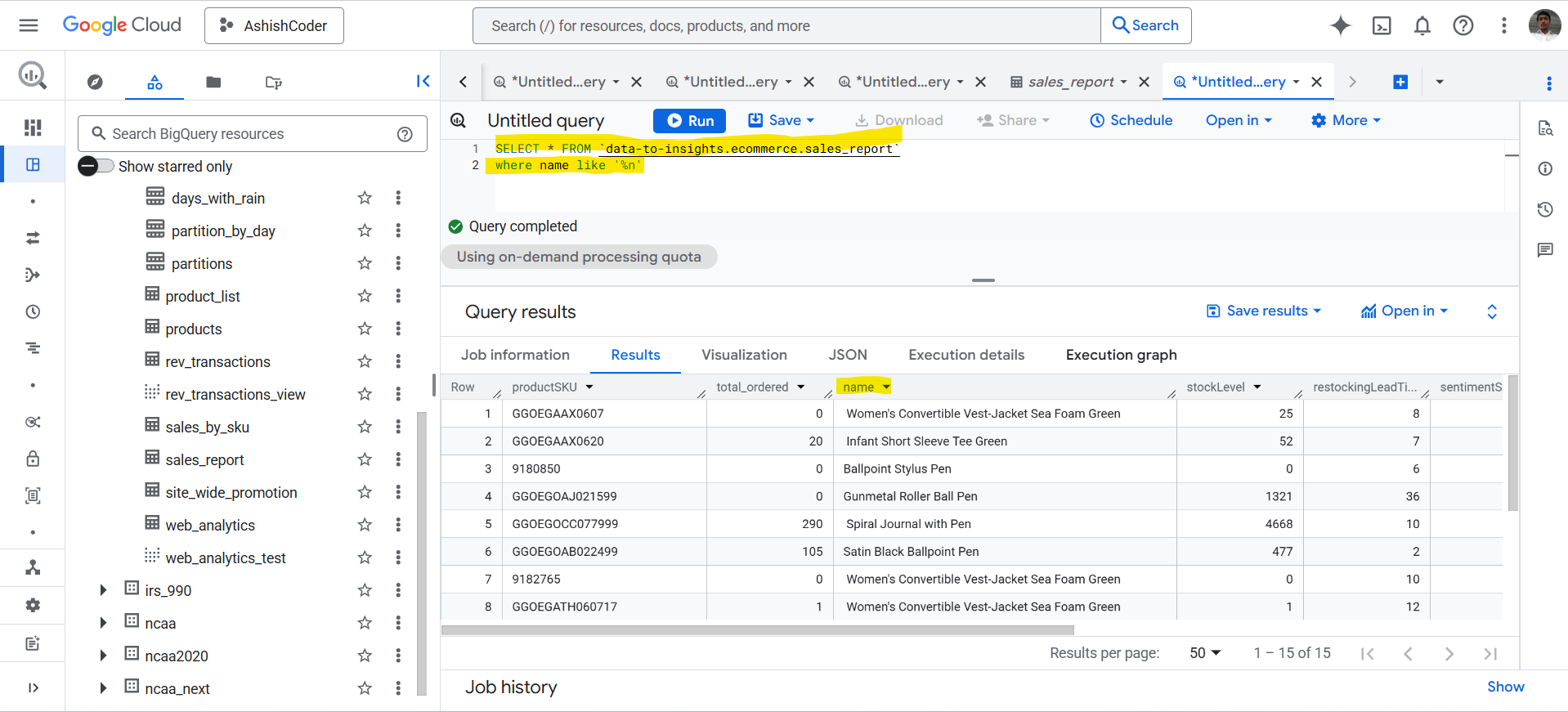
WHERE name LIKE '%n';
The query retrieves all the rows where the name ends with the letter n.
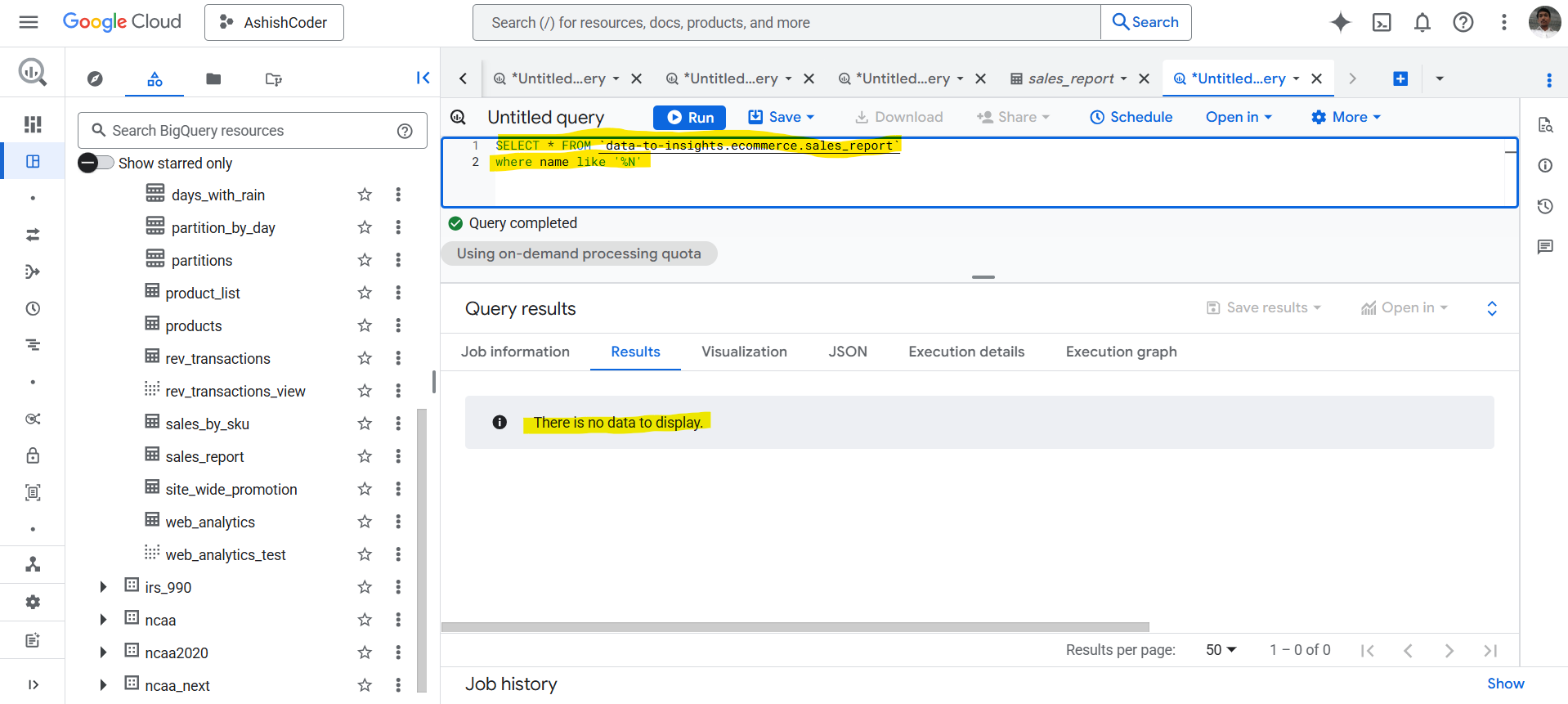
Please note that in BigQuery, the search is case-sensitive.
SQL
SELECT *
FROM `data-to-insights.ecommerce.sales_report`
WHERE name LIKE '%N';
The query retrieves all the rows where the name ends with the letter N.
Example: Using _ wildcard in SQL.
SQL
SELECT *
FROM `data-to-insights.ecommerce.sales_report`
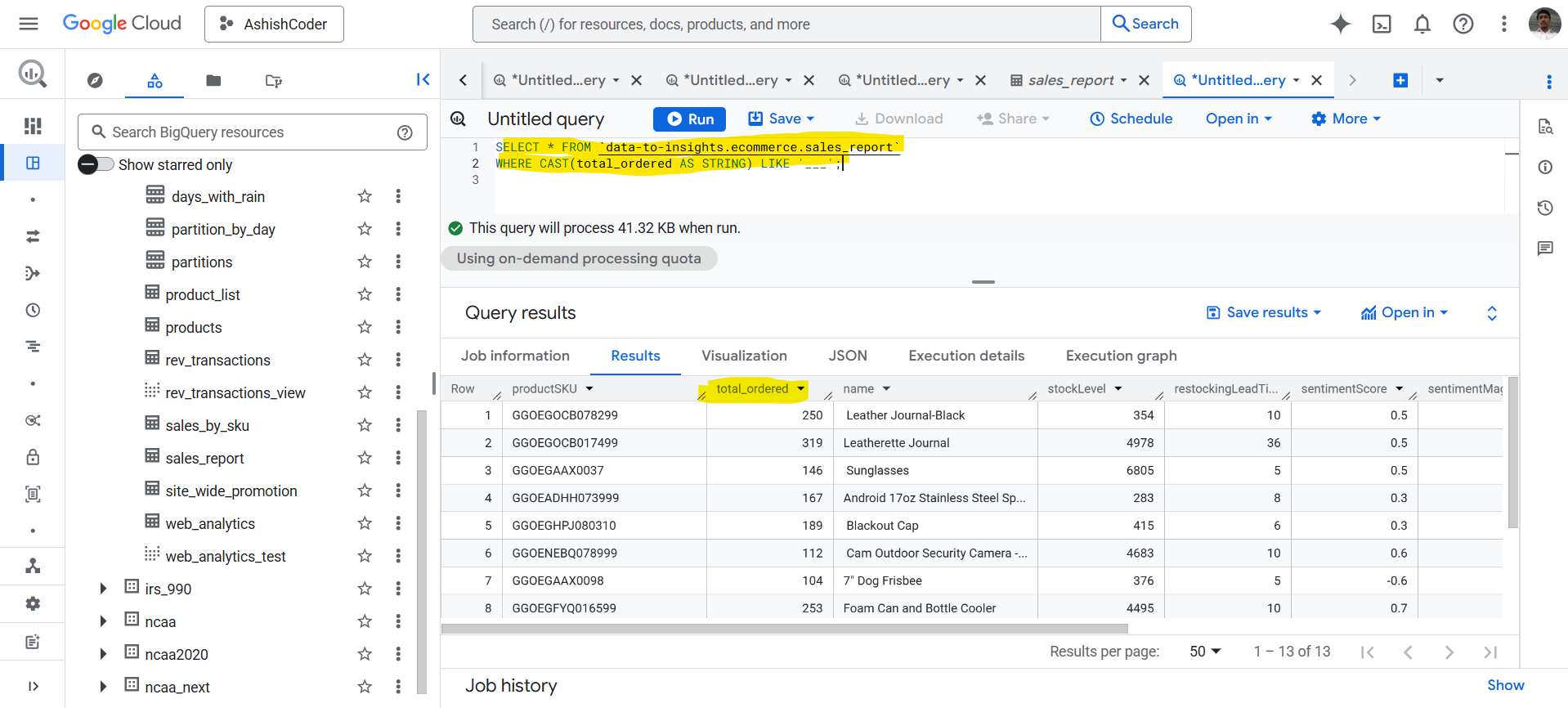
WHERE CAST(total_ordered AS STRING) LIKE '___';
The query retrieves all the rows where the total_ordered column has exactly three characters.