CONCAT() function in BigQuery
The CONCAT() function in BigQuery is used to combine two or more STRING values into a single STRING.
Basic Syntax
CONCAT(string_expression1, string_expression2 [, string_expressionN ...])
Key Rules
- All arguments must be of type STRING.
- If any argument is NULL, the result is NULL.
- You can pass two or more arguments to CONCAT().
Example: Let’s create an Employees table.
SQL
CREATE TABLE `ashishcoder.Coding_Dataset.employees` (
  employeeid INT64,
  name STRING,
  age INT64,
  salary INT64,
  department STRING,
  gender STRING
);
Load the data into the employees table.
SQL
INSERT INTO `ashishcoder.Coding_Dataset.employees` VALUES
(1, 'Ashish', 24, 25000, 'Electrical', 'M'),
(2, 'Kirshan', 32, 30000, 'Electrical', 'M'),
(3, 'Anjali', 20, 25000, 'Electronics', 'F'),
(4, 'Manjulika', 30, 15000, 'Electrical', 'F'),
(5, 'Katrina', 37, 18000, 'Computer', 'F'),
(6, 'Esha', 37, 20000, 'Computer', 'F'),
(7, 'Ankita', 20, 9000, 'Electronics', 'M'),
(8, 'Meenakshi', 30, 15000, 'Computer', 'F'),
(9, 'Alia', 37, 16000, 'Electronics', 'F');
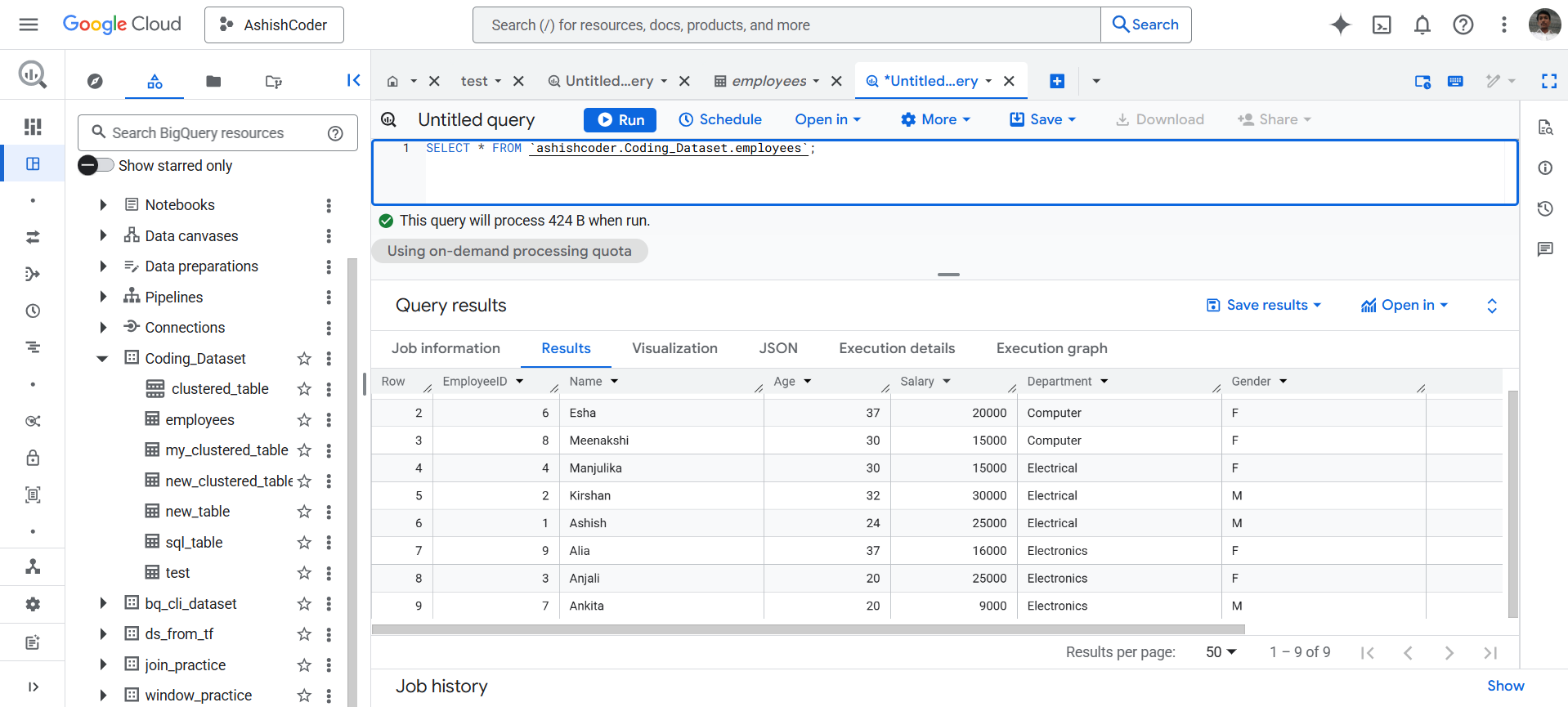
View the Original Data
SQL
SELECT *
FROM `ashishcoder.Coding_Dataset.employees`;
Let’s assume we have an employees table with the following data:
Use the CONCAT() function to concatenate the Name and Department.
SQL
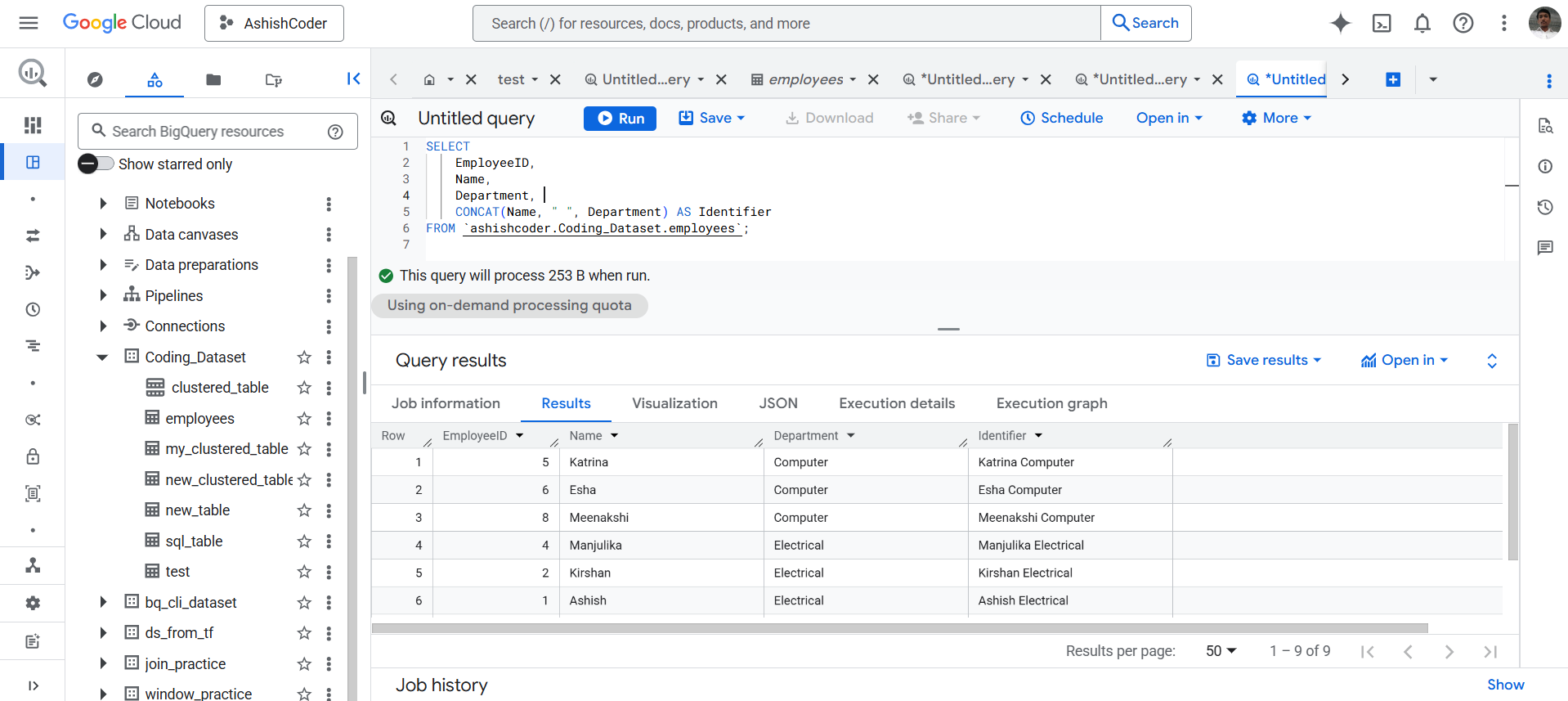
SELECT
  EmployeeID,
  Name,
  Department,
  CONCAT(Name, " ", Department) AS Identifier
FROM `ashishcoder.Coding_Dataset.employees`;
The output of the above query is shown below: