Cluster columns in BigQuery
In BigQuery, a clustered table physically organizes data based on the values of one or more selected columns. Clustering helps BigQuery optimize how data is stored and scanned during query execution.
- Physically organizes data based on the values of selected columns
- Improves performance of WHERE, GROUP BY, and ORDER BY queries
- Reduces the amount of data scanned, resulting in lower query cost
Important Points about Clustering
- You can cluster a table on up to 4 columns
- Clustering works best with low-to-medium cardinality columns
- Clustering is different from partitioning
Note: When clustering a table using multiple columns, the column order matters. The order determines which columns take precedence when BigQuery sorts and groups the data into storage blocks.
Create an Empty Clustered Table (UI)
Follow the steps below to create an empty clustered table using the BigQuery Console:
Step 1: Go to the BigQuery page here in the Google Cloud Console.
Step 2: In the Explorer pane, expand the project and select a dataset.
Step 3: In the Dataset info section, click + Create table.
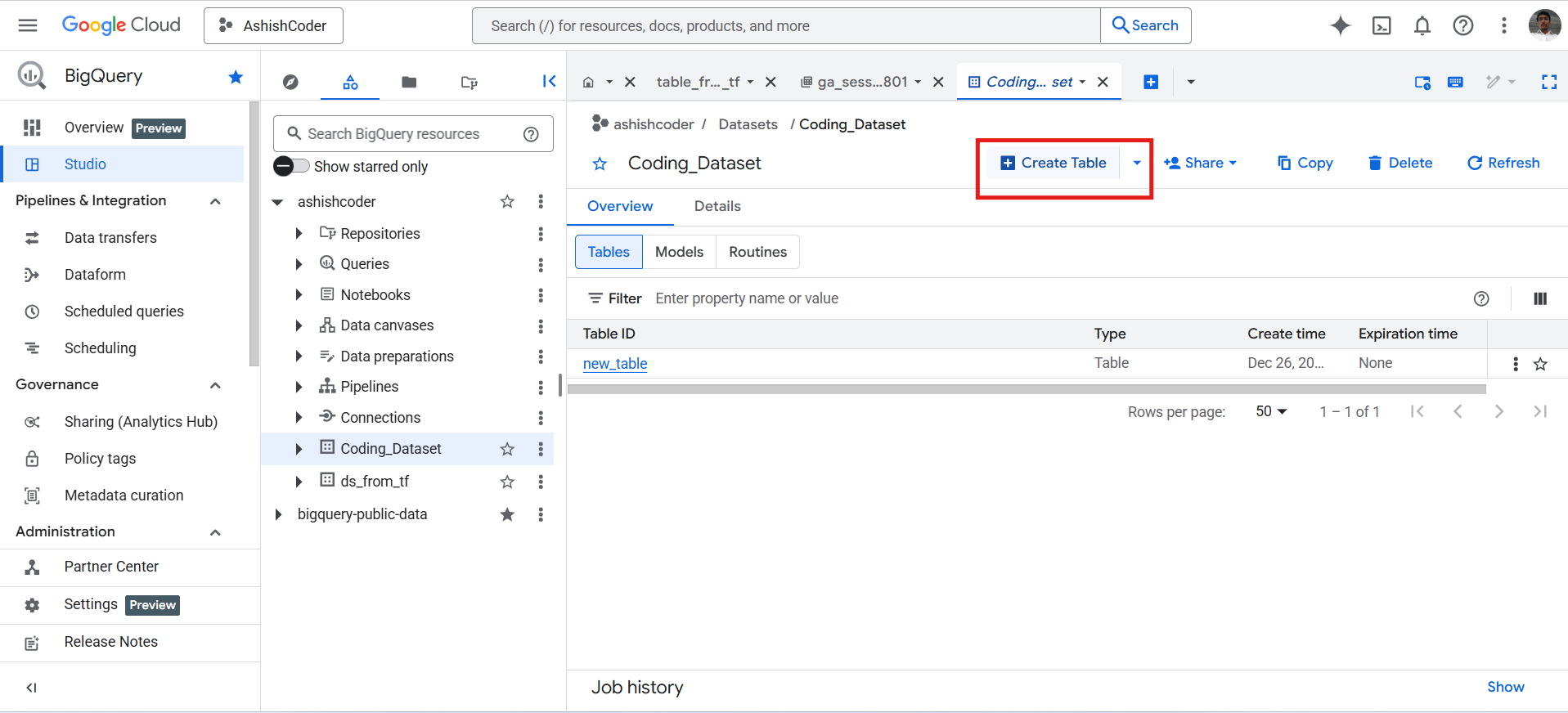
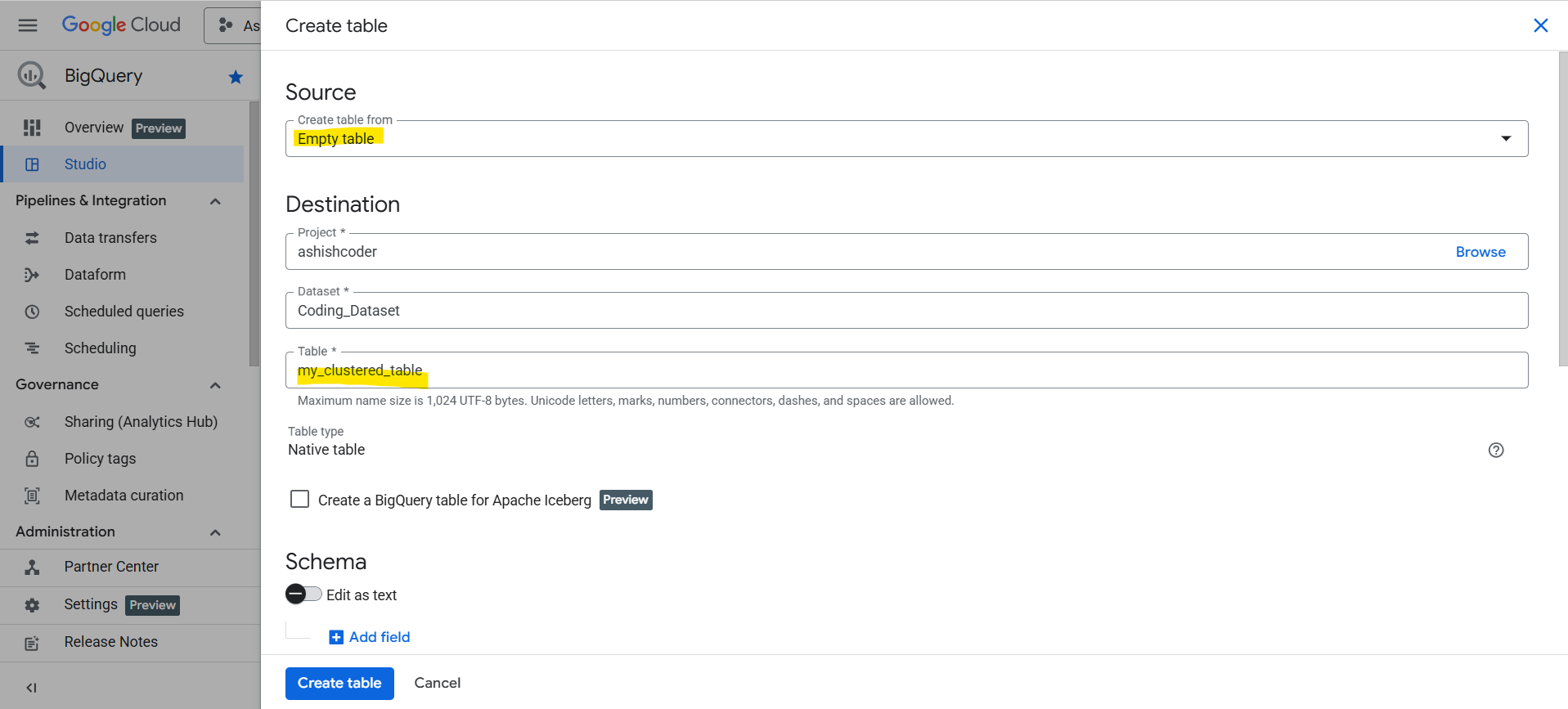
Step 4: In the Create table panel, specify the following details:
- In the Source section, select Empty table.
- In the Destination section:
- Select the target dataset
- Enter the table name
- Ensure the Table type is set to Native table
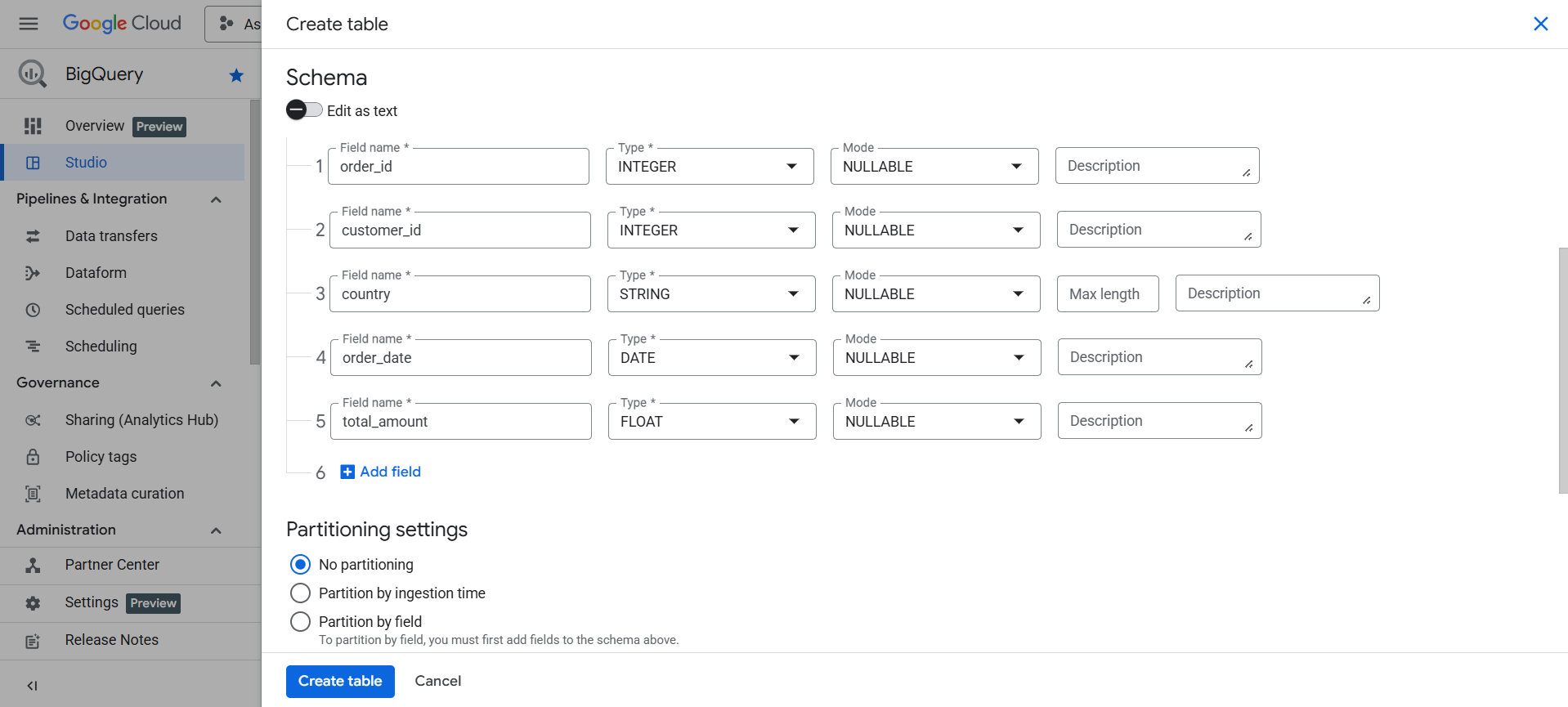
Step 5: Define the schema of the table.
Step 6: In the Clustering order field, enter between one and four comma-separated column names.
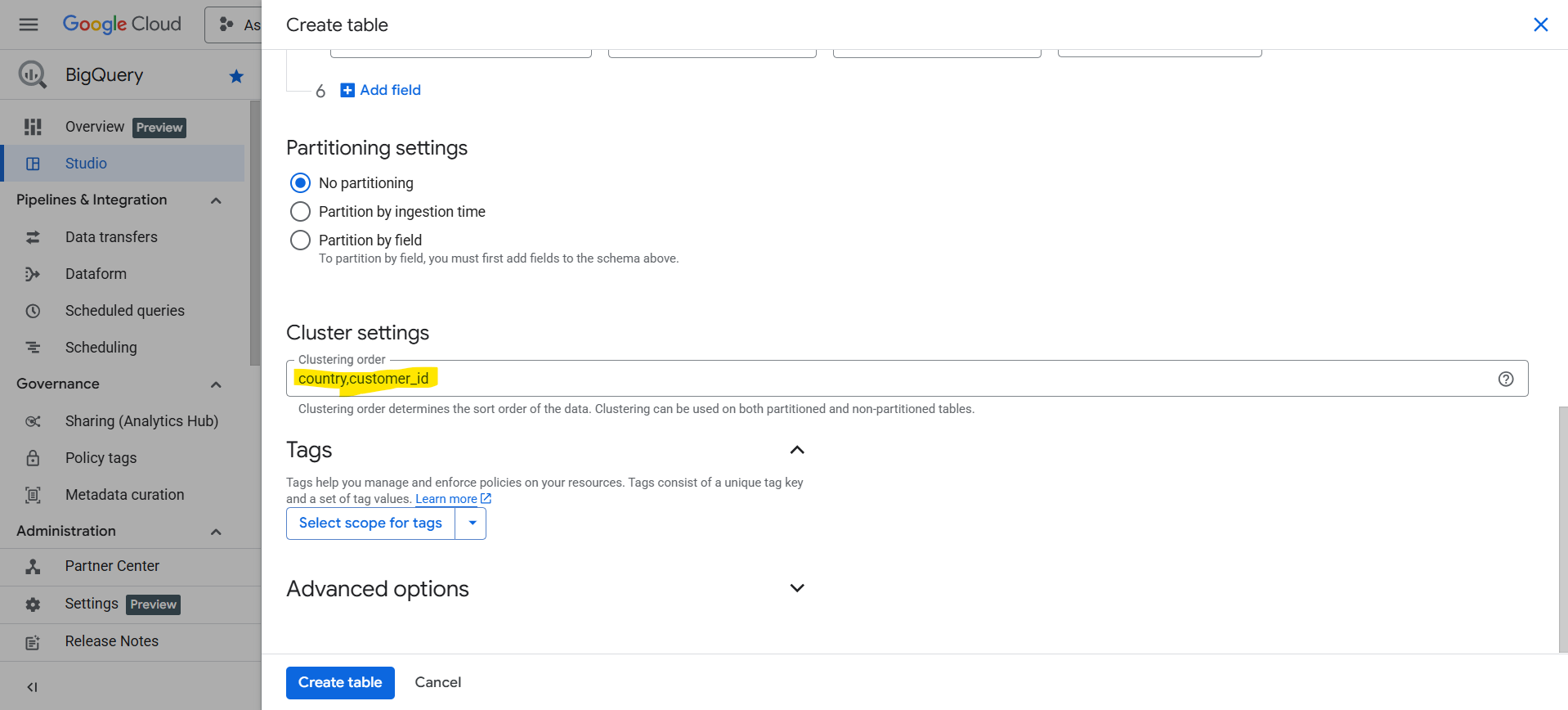
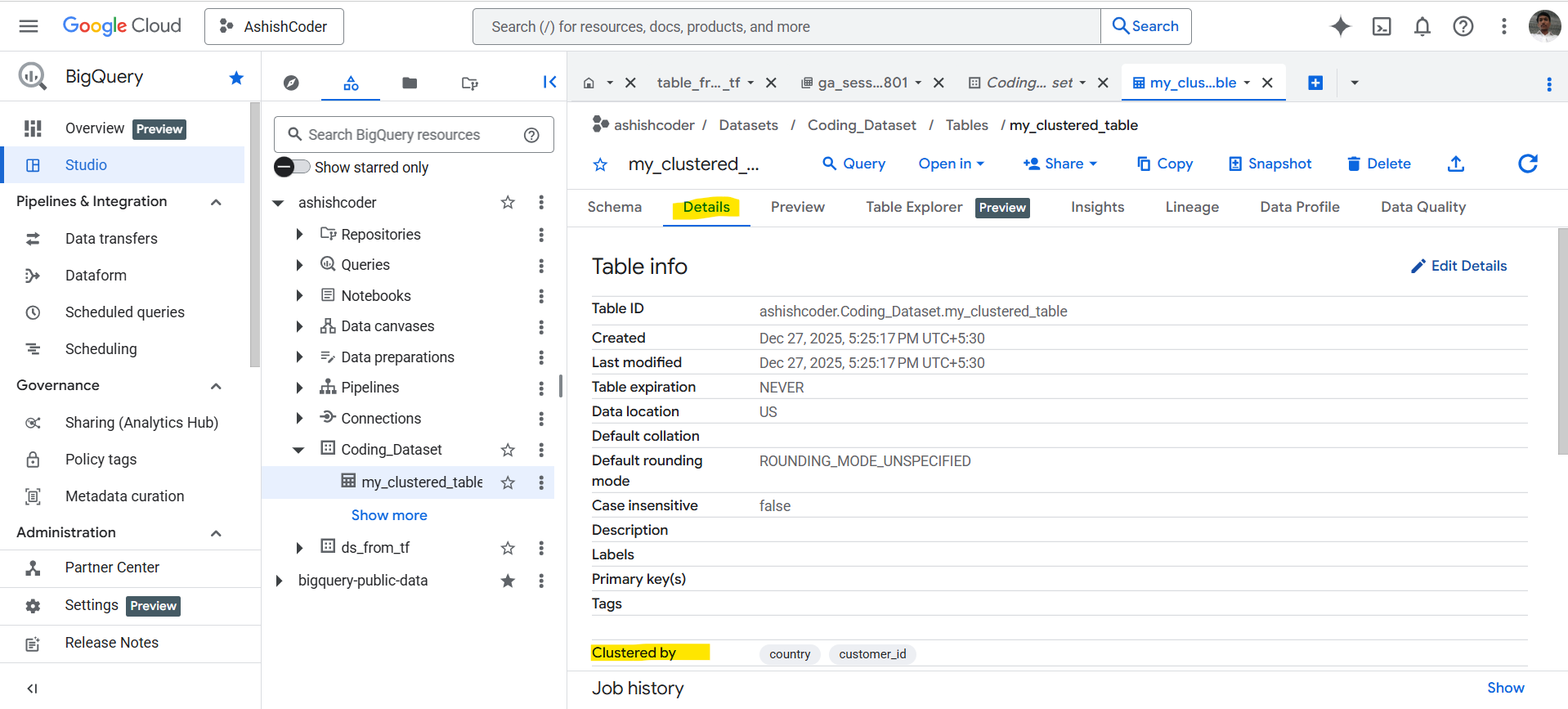
Click Create table. After creation, the clustered columns are visible in the table details.
Create a Clustered Table using SQL
We can also create a partitioned and clustered table using SQL.
Example: Create a sales table clustered by country and customer_id, and partitioned by order_date.
SQL
CREATE TABLE `ashishcoder.Coding_Dataset.clustered_table`
(
  order_id     INT64,
  customer_id  INT64,
  country      STRING,
  order_date   DATE,
  total_amount FLOAT64
)
PARTITION BY order_date
CLUSTER BY country, customer_id;
What’s Happening Here
- PARTITION BY order_date – splits data into daily partitions.
- CLUSTER BY country, customer_id – organizes data inside each partition.
Verify Clustering on a Table
We can verify clustering information using the INFORMATION_SCHEMA.
SQL
SELECT
  table_name,
  column_name,
  ordinal_position,
  clustering_ordinal_position
FROM `ashishcoder.Coding_Dataset.INFORMATION_SCHEMA.COLUMNS`
WHERE table_name = 'my_clustered_table'
ORDER BY clustering_ordinal_position;
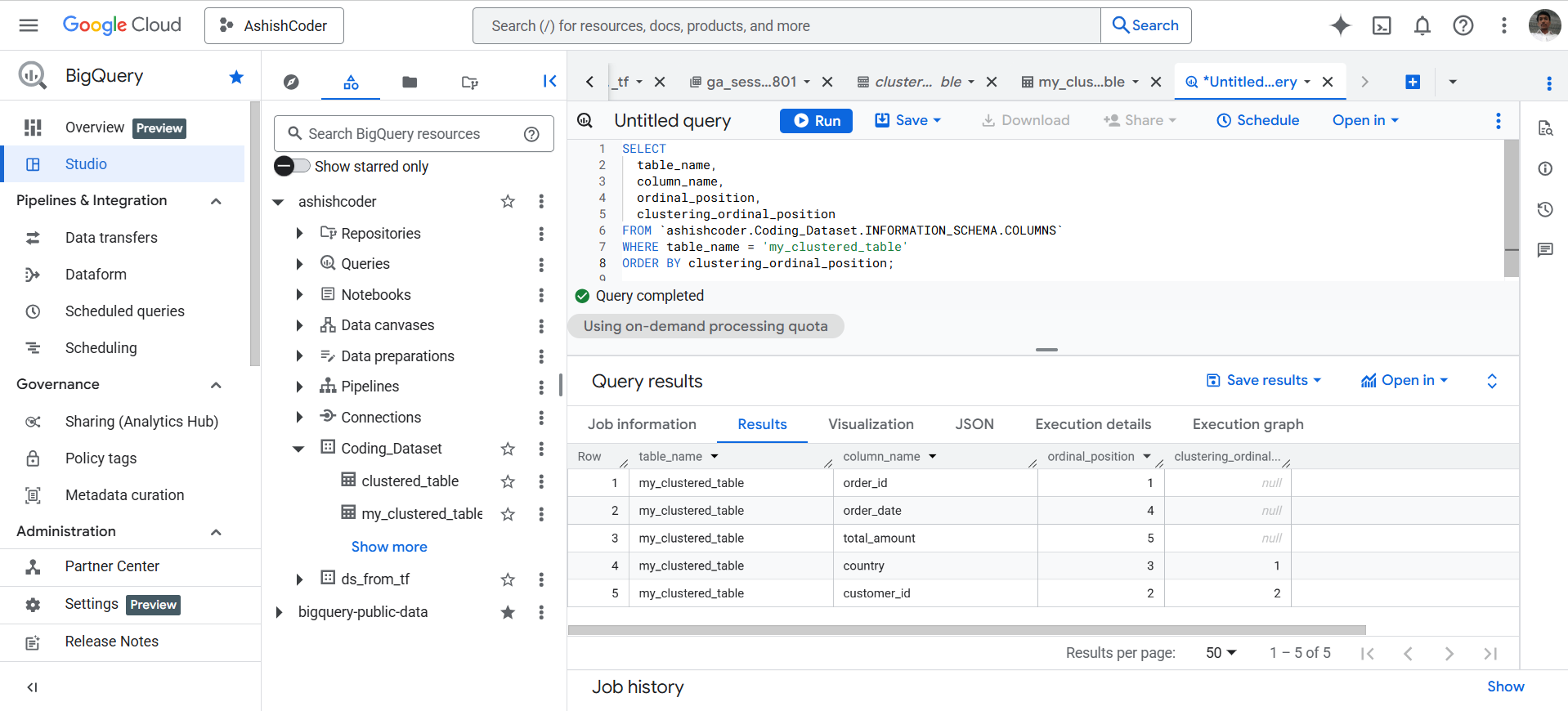
The output of the above query is shown below: