AVG function in BigQuery
The AVG function returns an average value, ignoring null values of a set of numbers. This function is used with a particular numeric column.
SQL Syntax
SELECT AVG(column_name)
FROM table_name
WHERE condition;
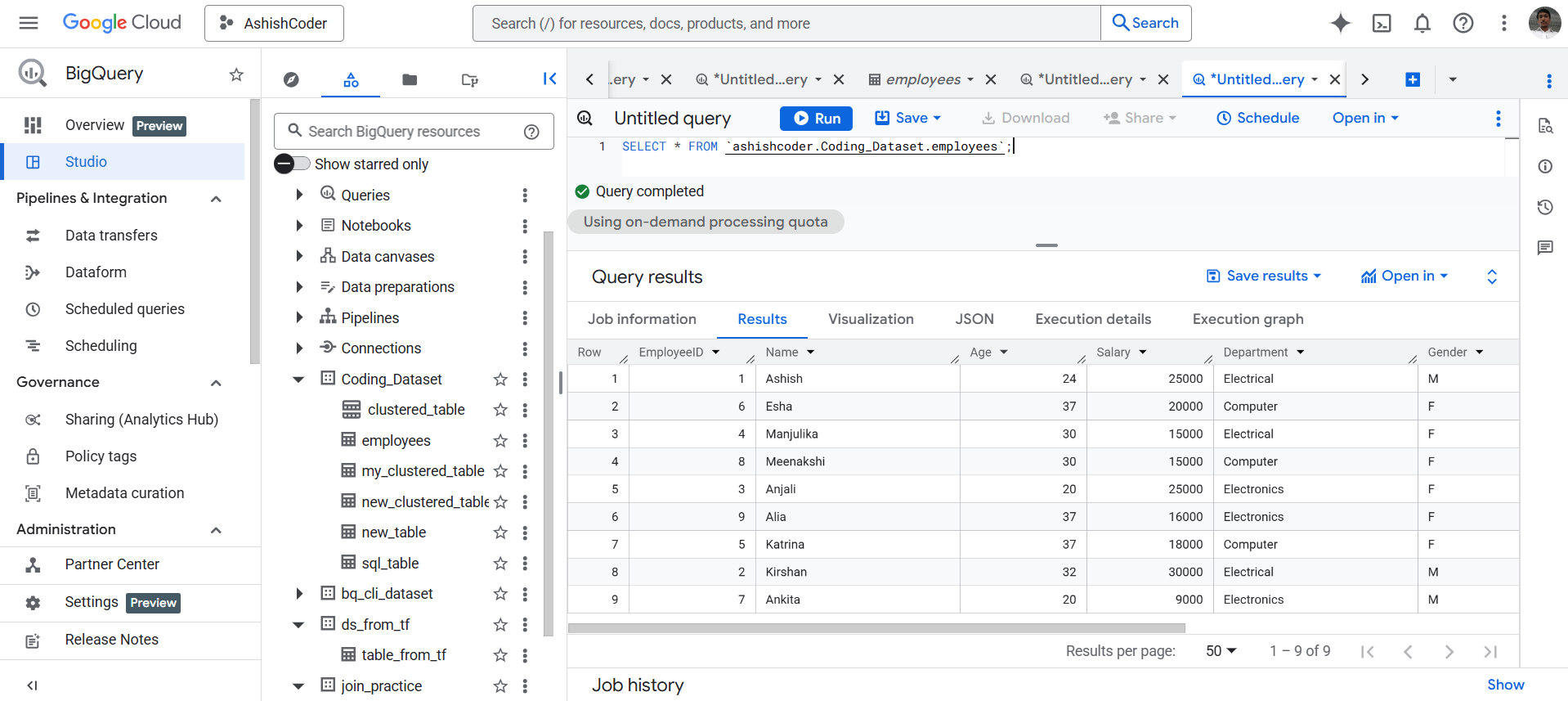
Example: Let’s have the following employees table in BigQuery.
By executing the following query, we can see all the rows from the table.
SQL
SELECT * FROM `ashishcoder.Coding_Dataset.employees`;
The output of the above code is shown below:
Use the AVG() function to calculate the average age of the employees.
SQL
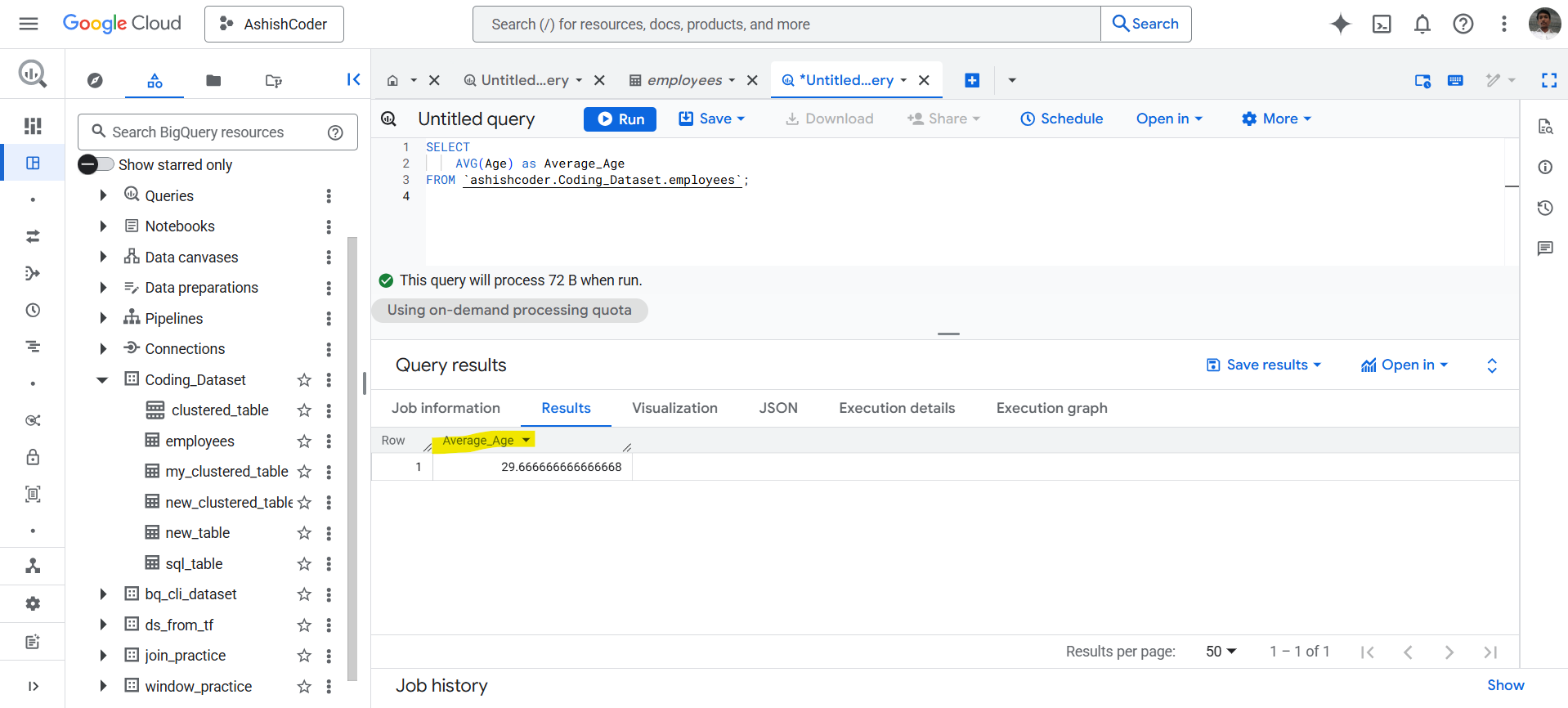
SELECT
  AVG(Age) AS Average_Age
FROM `ashishcoder.Coding_Dataset.employees`;
The output of the above query is shown below: